English _35
● SETUP SCREEN
SETUP
You can configure the video, network, event and system settings of the network video encoder via
the network.
1. In the Live screen, click [Setup ( )].
2. The Setup screen appears.
VIDEO SETUP
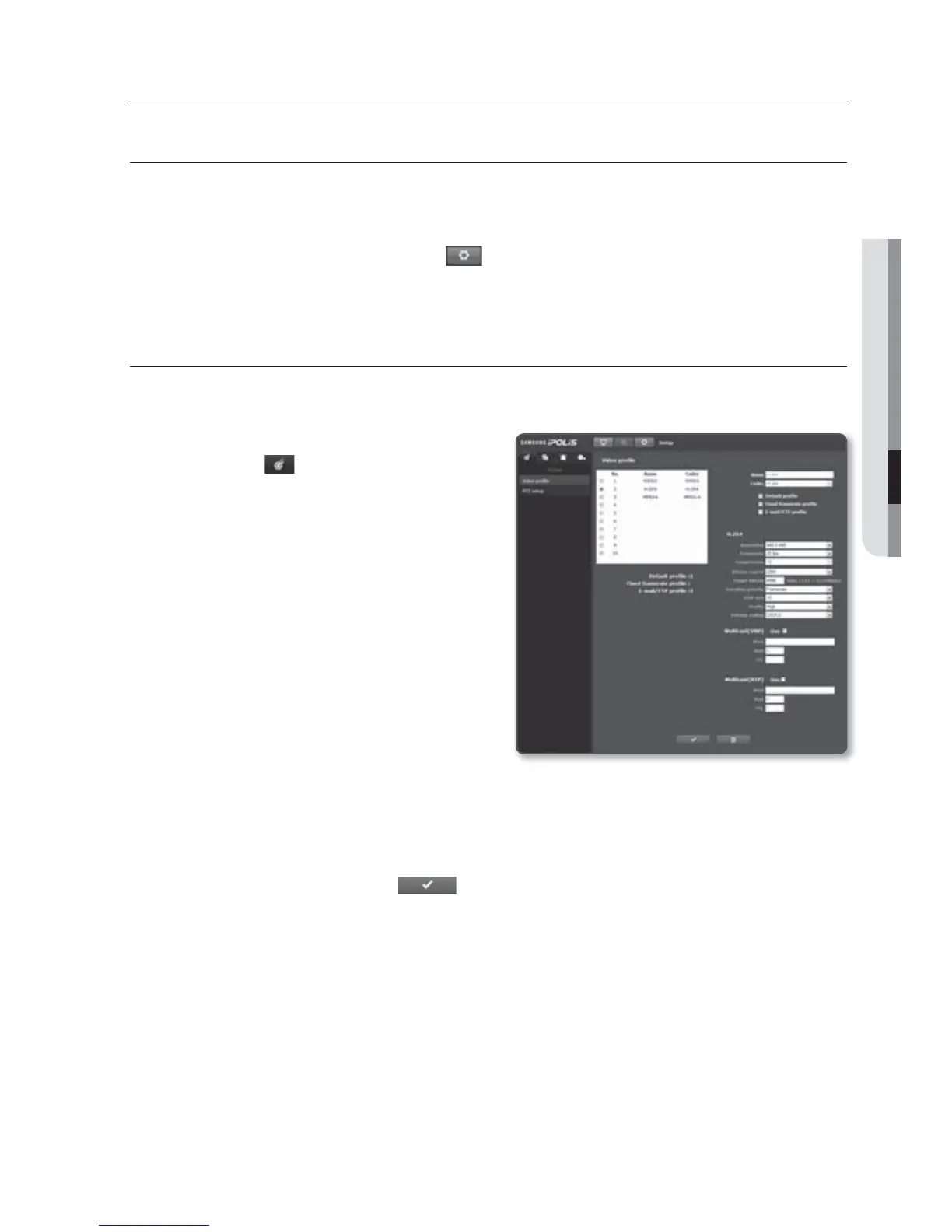
Video profile
1. From the Setup menu, select the
<Video (
)> tab.
2. Click <Video profile>.
3. Select a <Video profile> number.
4. Click the input box of each item and
enter / select a desired value.
The context menu may differ depending on
the selected codec type.
Default profile : This is the default
video profile.
Fixed framerate profile : Fix the frame
rate of the selected profile regardless
of the settings of other profiles.
E-mail/FTP profile : Video profile to be transferred to the specified email or FTP
site.
Only the Motion JPEG codec can be set as the E-mail/FTP Profile.
5. When done, click [Apply (
)].
setup screen



 To Next Page