Switching off the appliance
The appliance stops automatically when the recipe time has elapsed.
Or,
• By pressing the On/Off button (12).
• By removing the power cord (7) from the appliance
• By lifting up the hopper (2).
In "Stop&Go" mode,
Removing the portafilter stops the appliance (pauses the appliance).
The pause time before recipe resetting can be configured.
SELECTING A DOSE
Use one of the 3 selection buttons (10) to activate the associated recipe.
Or use the Turn&Push button (11) to display and select the other recipes.
The logo of the active recipe is yellow.
QUICK ACCESS TO THE SETTINGS OF THE ACTIVE RECIPE
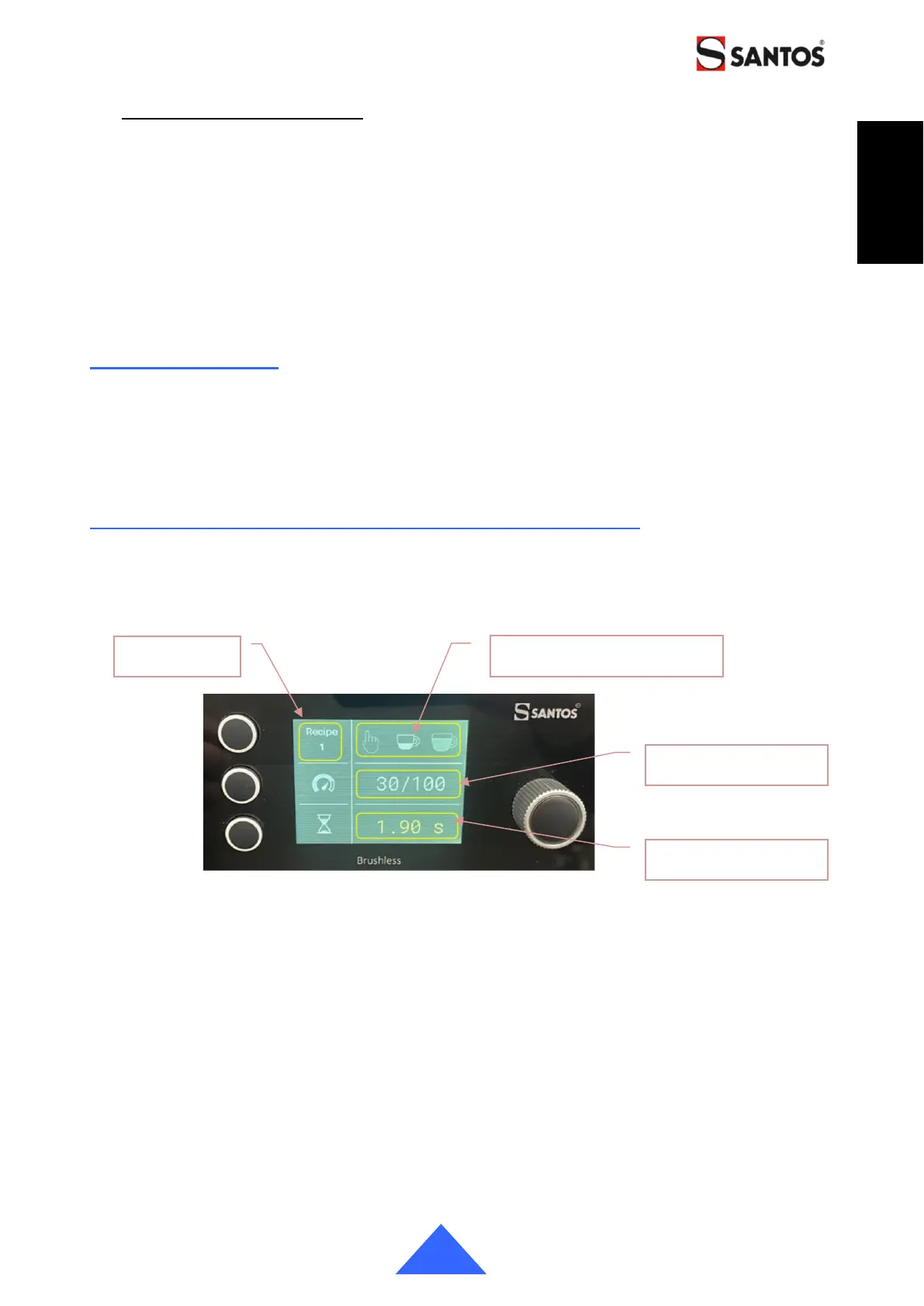
On the home screen, double-clicking on the Turn&Push button (11) provides direct access
to the settings of the active recipe.
Use the rotating Turn&Push button (11) to change the value. Click on the button to record
the new value and move to the next field.
Pressing one of the selection buttons allows you to activate the settings of the parameter
of the associated line. Top button = pictogram, middle button = speed and bottom button =
timer
Going back to the preceding menu without clicking on the Turn&Push button (11) will not
save the new value.
Likewise, after a period of inactivity of 10s without validation, the appliance exits the
"Menus" mode and automatically returns to the home screen, without saving the value.


 To Next Page