SARK
SARKSARK
SARK-
--
-110
110110
110
User’s Manual
Rev 1.2.6 October 3
rd
, 2015 - 12 - © Melchor Varela – EA4FRB 2011-2015
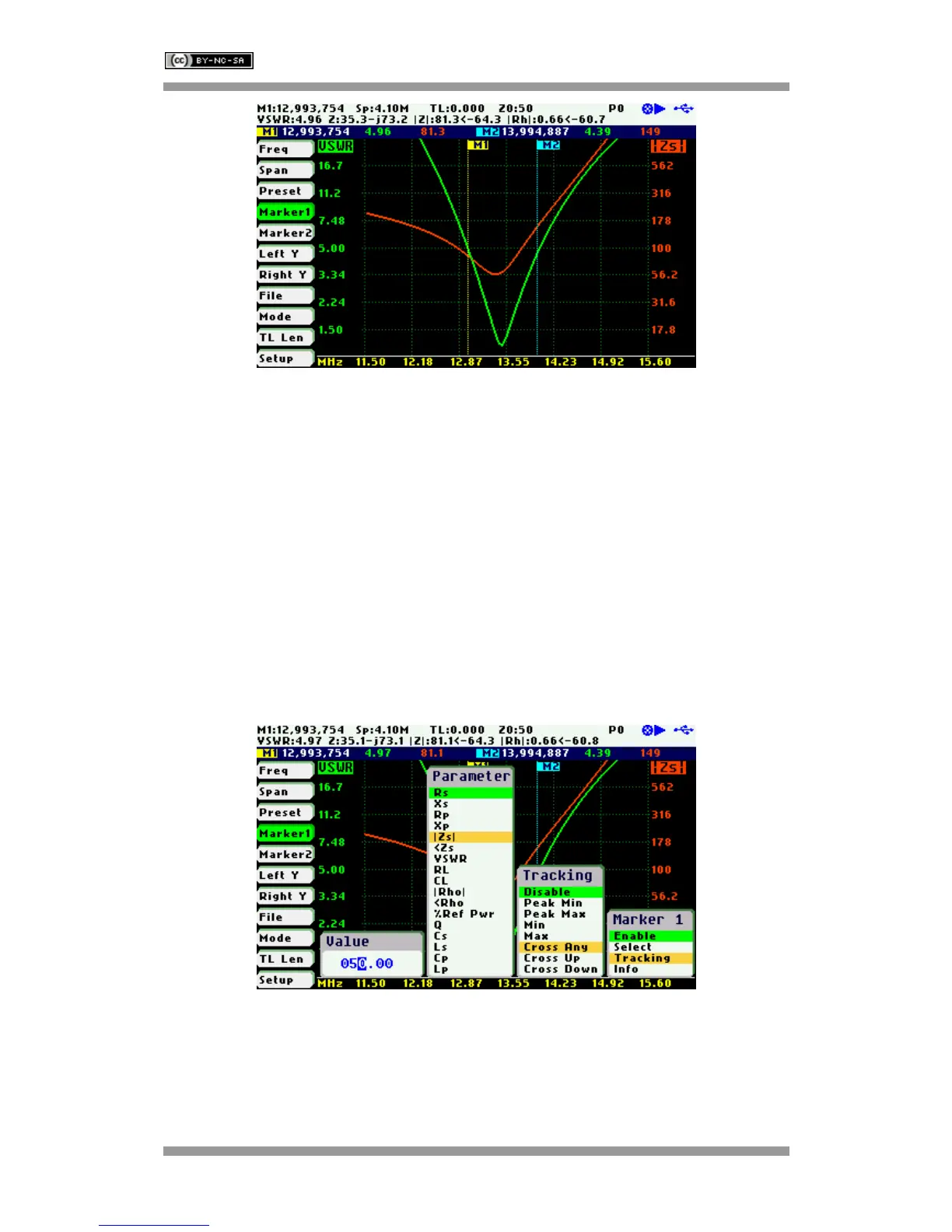
The automatic tracking feature makes positioning of the markers easier, thus helping the user to
speed up measurements.
The following tracking modes are available:
• Peak Min (p)
• Peak Max (P)
• Absolute Min (m)
• Absolute Max (M)
• Value Cross Any (X)
• Value Cross Up (^)
• Value Cross Down (v)
The automatic positioning of markers is activated in the «Tracking» sub-option. Select the
tracking mode from any of the modes above and then the applicable parameter to track. In
addition, a detection value must be specified for the Cross detection modes.



 To Next Page