SARK
SARKSARK
SARK-
--
-110
110110
110
User’s Manual
Rev 1.2.6 October 3
rd
, 2015 - 8 - © Melchor Varela – EA4FRB 2011-2015
4.2 Status Symbols Meaning
Calibrated
Calibration status
Not calibrated
Measurements in progress
Run/Hold status
Measurements on hold
Device operating from USB
USB/Battery status
Battery charge status when operating from battery
Disk
Disk write operation in progress
4.3 Means of Input
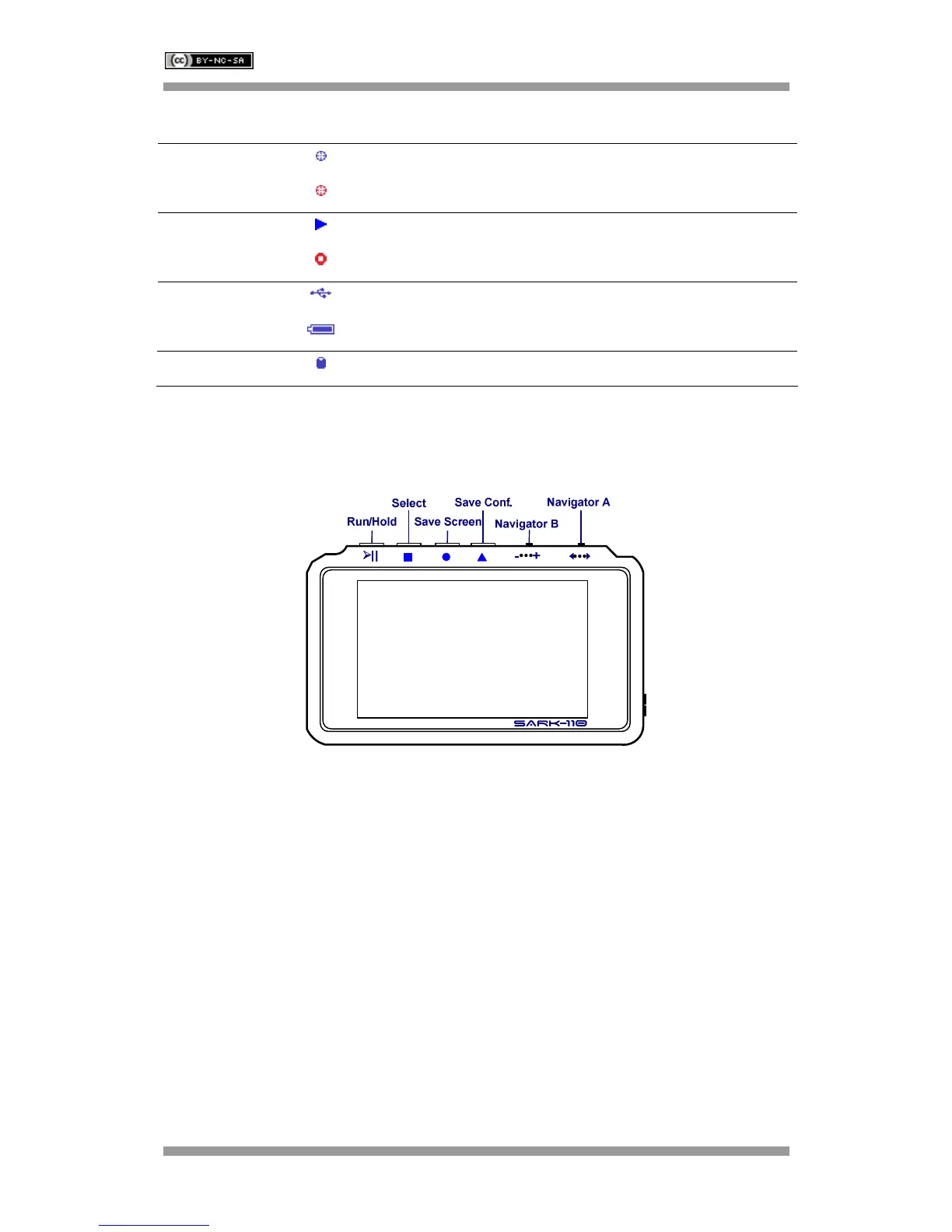
There are four buttons and two navigation keys on the SARK-110.
Navigator A
Navigator A is used to navigate within the main menu (left side of the screen). The active option
is highlighted with a green background color.
Navigator B
Navigator B is used for changing the value of the highlighted option in the main menu (for Freq,
Span, Marker1, Marker2, LeftY and RightY) and to navigate within the popup submenus.
Run/Hold [►||]
The Run/Hold button is used to control the operating state of the SARK-110: Working or
Paused. In the paused state the signal generator and measurement circuits are inactive.
Note: when loading a stored data file the analyzer is automatically placed in a
paused state.



 To Next Page