SARK
SARKSARK
SARK-
--
-110
110110
110
User’s Manual
Rev 1.2.6 October 3
rd
, 2015 - 79 - © Melchor Varela – EA4FRB 2011-2015
Appendix E: Frequency Calibration
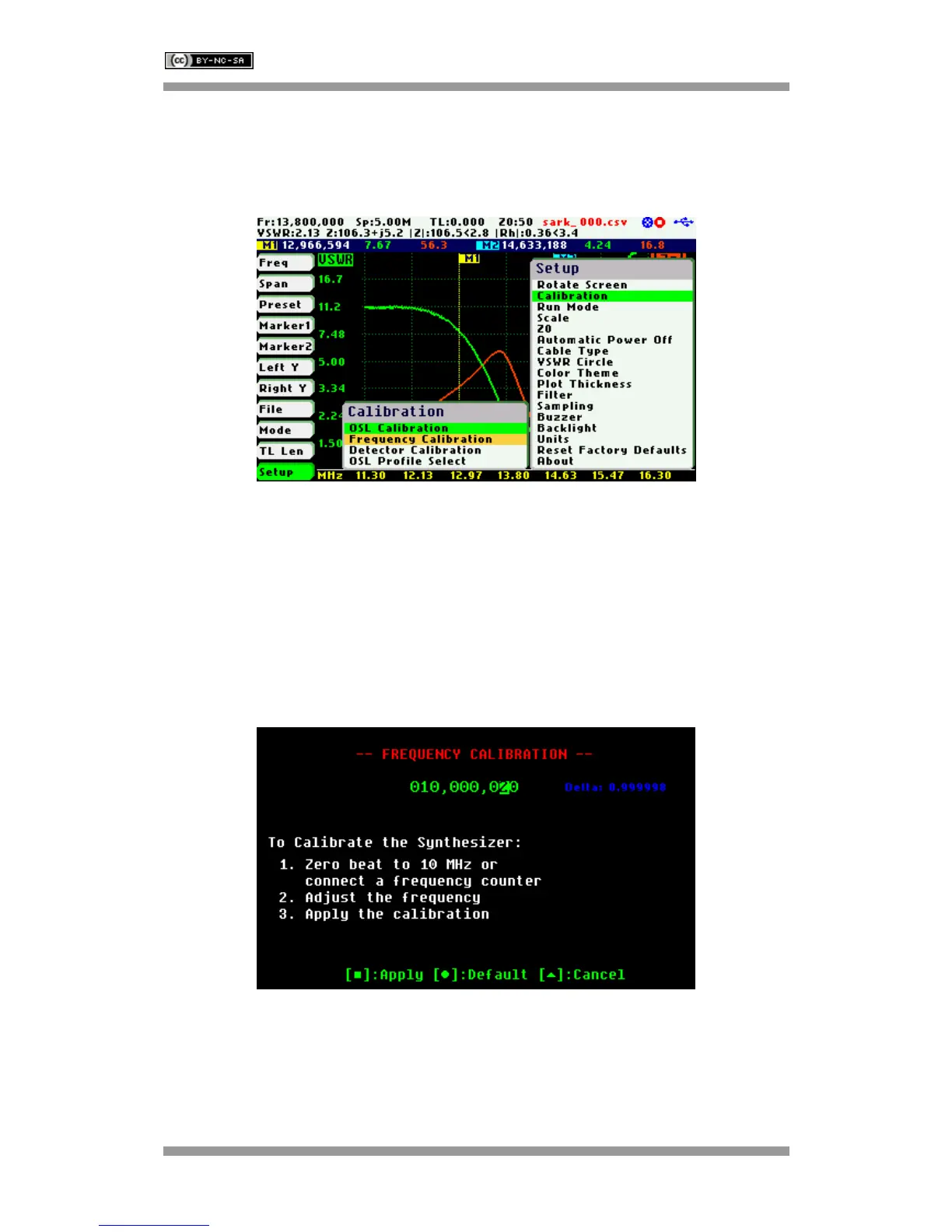
This setup permits the frequency synthesizer to be calibrated to 1 Hz. The calibration operation
is available at «Setup» «Calibration» «Frequency Calibration».
To calibrate the synthesizer, select «Frequency Calibration» from the «Calibration» submenu
and adjust the frequency while measuring it with an accurate frequency counter or, alternatively,
zero-beat it against WWV. Use Navigator B to change the frequency. The frequency will change
according to the current frequency multiplier that is highlighted in reverse video. Use Navigator A
to change the frequency multiplier position if needed. When an exact 10 MHz output is obtained,
press the Select [■] button to permanently store the setting.
For best accuracy, turn on the unit for at least 10 or 15 minutes before calibrating.
Press the Save Screen [●] button if the default setting needs to be restored.



 To Next Page