SARK
SARKSARK
SARK-
--
-110
110110
110
User’s Manual
Rev 1.2.6 October 3
rd
, 2015 - 20 - © Melchor Varela – EA4FRB 2011-2015
Note: the bitmap files use a significant amount of disk (48 or 94kB per screenshot)
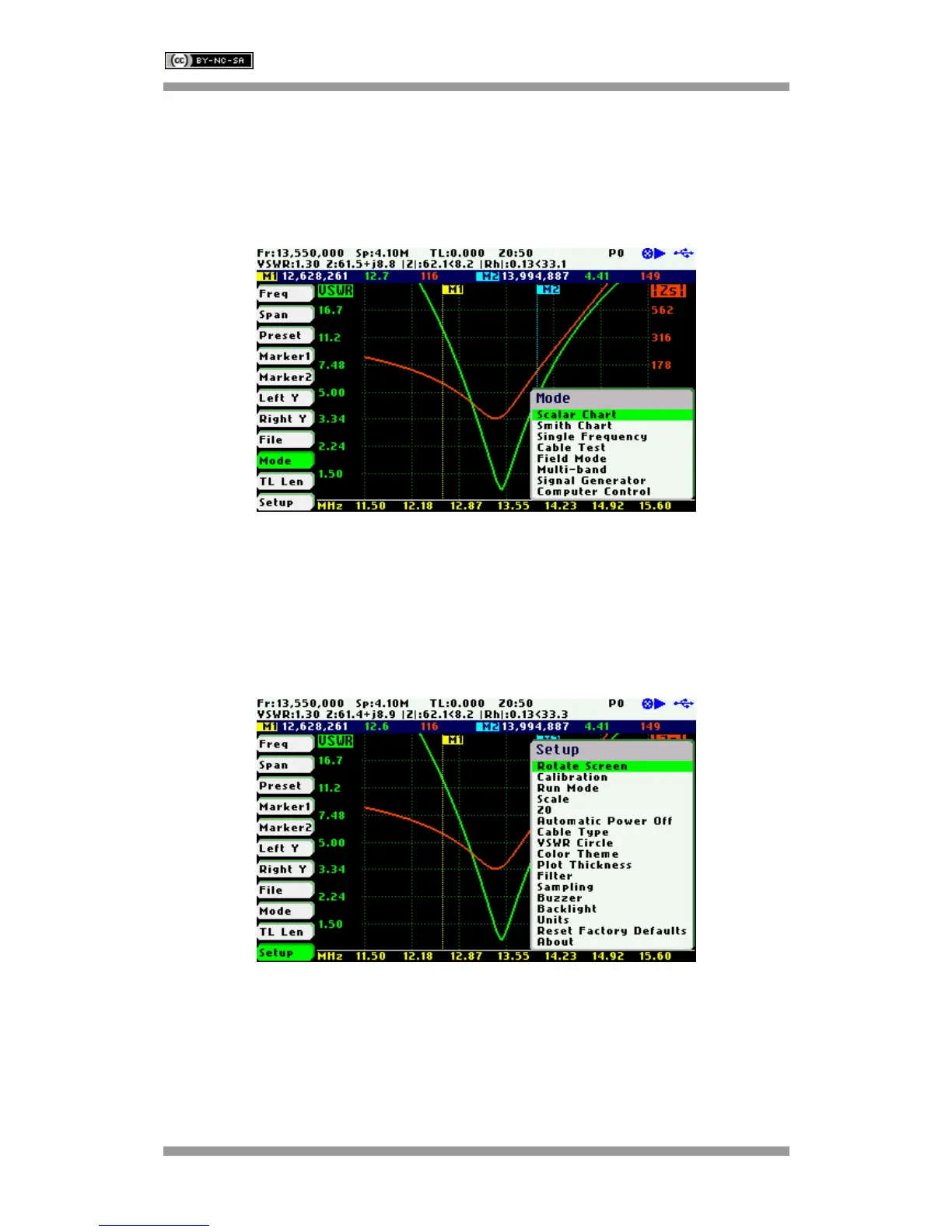
4.11 Changing the Operating Mode
Use Navigator A to highlight «Mode» in the main menu.
Press the Select [■] button to activate the Mode popup submenu; see the screenshot below:
Use Navigator B to highlight the desired submenu mode option. Press the Select [■] button to
validate the selection. Press any other button to cancel the operation.
4.12 Changing the Settings
Use Navigator A to highlight «Setup» in the main menu.
Press the Select [■] button to activate the Setup popup submenu; see the screenshot below:
Use Navigator B to highlight the desired submenu setup option. Press the Select [■] button to
validate the selection. Press any other button to cancel the operation.
Setup – Rotate Screen
The Rotate Screen setup menu option can be used to flip the screen so that the device can be
used upside down.



 To Next Page