SARK
SARKSARK
SARK-
--
-110
110110
110
User’s Manual
Rev 1.2.6 October 3
rd
, 2015 - 24 - © Melchor Varela – EA4FRB 2011-2015
After power-off, press the Select [■] button to resume operation. Alternatively, power off and
power on the device using the Power Switch.
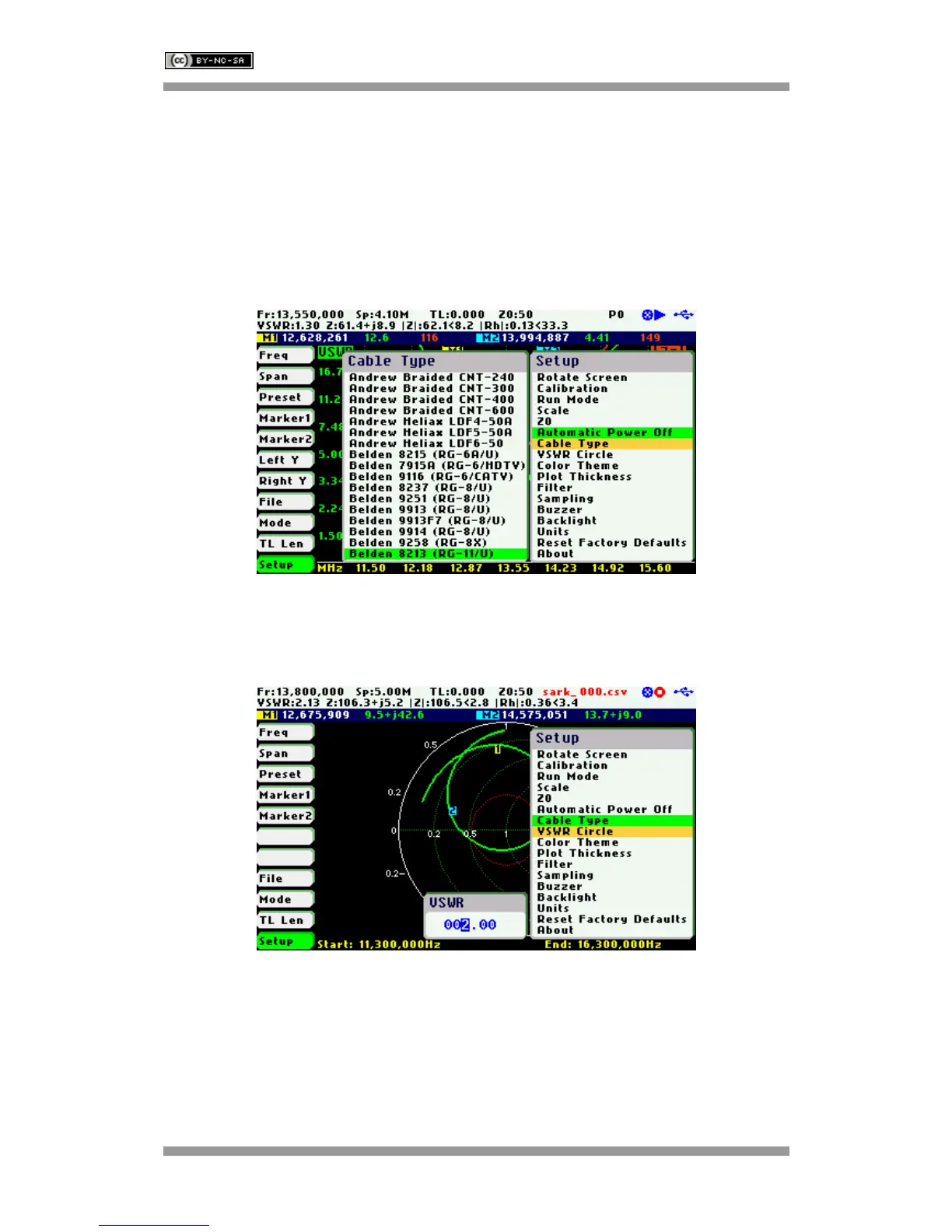
Setup - Cable Type
The length measurements in the cable test mode and transmission line operations require the
proper setting of the cable type. This setup permits the selection of cable parameters from a set
of predetermined values for the most popular coaxial cables. Additionally, the user can specify
three custom cable settings; see Appendix I:
Setup – VSWR Circle
This setup enables the value of the constant impedance circle in the Smith Chart to be changed.
The circle diameter is defined by the VSWR value.
In the screenshot below the circle has been changed to a VSWR of 5.0.



 To Next Page