• Graphical plot of two user-selected parameters in a rectangular chart
• Two markers with manual or automatic positioning
• Display detailed parameters for center frequency or any of the two
marker positions
Smith Chart Mode
• Plots complex reflection coefficient in Smith Chart form
• Two markers with manual or automatic positioning
• Display detailed parameters for center frequency or either of the two
marker positions
Single Frequency
Mode
• Display all parameters for a single frequency
• Graphical representation of series and parallel impedance equivalent
• VSWR Audio feedback
• Circuit models and automatic LC matching network calculator
Cable Test Mode
• Maximum length: about 250 m
• Displays step and impulse responses
Field Mode
• Graphical plot of one user-selected parameter in a scalar chart with
enhanced legibility
• Display max and min values
Multi-band Mode
Display rectangular charts for four bands simultaneously
Signal Generator
Mode
• Frequency range: 1 kHz to 230 MHz
• Programmable output level from -73 dBm to -10 dBm into a 50-ohm
load
• Continuous and frequency sweep modes
• Linear, logarithmic, bi-linear, and bi-logarithmic sweep modes
Markers
Tracking modes: Peak Min, Peak Max, Absolute Min, Absolute Max ,
Value Cross Any, Value Cross Up, Value Cross Down
Interface
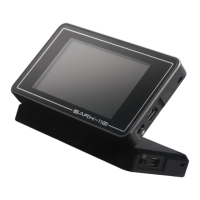
• Full color 3” TFT LCD 400 x 240 pixels
• 4 dedicated buttons
• 2 navigation keys
PC Interface
• USB Mini-B receptacle
• USB 2.0 Full Speed Composite Device:
o Mass Storage Class (internal disk)


 To Next Page