EasyManua.ls Logo

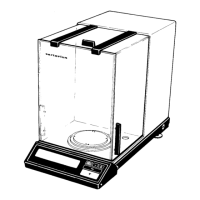
Sartorius R 160 P - User Manual

Sartorius R 160 P
20 pages
Print Icon
To Next Page IconTo Next Page
Loading...
Sartorius Research.
R 160 P
Electronic Semi-Microbalance
Installation and Operating Instructions

Questions and Answers

  • V
    vbowersJul 30, 2025
    Why is the weight readout obviously wrong on my Sartorius Scales?
    • H
      huntjessicaJul 30, 2025
      If the weight readout on your Sartorius Scales is obviously wrong, it could be due to several reasons. First, the balance might not have been calibrated; in this case, you should calibrate the balance. Second, ensure the balance has been tared before weighing. Finally, check the air bubble in the level indicator; if it's not within the circle, level the balance.
  • B
    Bethany BrennanAug 3, 2025
    What to do if the weight display shows 'H' on Sartorius Scales?
    • K
      Kyle BrownAug 3, 2025
      If the weight display of your Sartorius Scales shows "H", it means that the sample you are trying to weigh exceeds the weighing capacity or the display range of the balance. To resolve this, unload the balance by removing some of the sample until it is within the specified range.
  • J
    James BurtonAug 8, 2025
    Why does the weight readout constantly change on my Sartorius R 160 P?
    • B
      brian26Aug 8, 2025
      If the weight readout on your Sartorius Scales constantly changes or the special message “BUSY” doesn’t disappear from the weight display, it could be due to several factors. Unstable ambient conditions can cause this, so try setting up the balance in another area. Too much vibration or exposure to a draft can also be a cause. You can access the menu to adjust the proper code for your weighing environment. Ensure that the door of the weighing chamber is completely closed. The sample may not have a stable weight.
  • C
    Christopher TurnerAug 12, 2025
    Why the code 'CC' does not go out in the display of my Sartorius Scales?
    • J
      Jonathan FrederickAug 12, 2025
      If the code “CC” does not disappear from the display of your Sartorius Scales, it could be because the balance is not ready to calibrate or is still in the warmup phase. Ensure that you allow at least 2 hours for warmup after plugging the balance into a wall outlet. Also, the weighing system might be affected by draft or vibration. Try setting the appropriate code by accessing the menu of the operating program.
  • J
    Jessica BrightAug 16, 2025
    What to do if the weight display shows 'CE' on Sartorius R 160 P?
    • C
      courtney34Aug 16, 2025
      If the weight display on your Sartorius Scales shows "CE", it could be due to a couple of reasons. First, check if the CAL key was pressed when the display indicated a zero readout; if not, press the tare control and then re-press the CAL key. Also, ensure that the balance is not loaded; unload it if necessary.
  • B
    Brian GordonAug 20, 2025
    How to fix if no segments appear in the weight display on Sartorius R 160 P?
    • N
      Nicholas KellyAug 20, 2025
      If no segments appear in the weight display of your Sartorius Scales, there could be several reasons: - No line voltage available: Check the AC current supply. - The power cord has not been plugged in: Plug in the power cord. - Incorrect setting of the voltage selector: Check the setting of the voltage selector and readjust if necessary. - Defective fuse: Replace the fuse.
  • S
    Shane LawrenceAug 25, 2025
    What does it mean when the weight display shows 'L' or 'CH2' on Sartorius R 160 P?
    • D
      donna67Aug 26, 2025
      If the weight display on your Sartorius Scales shows "L" or "CH2", it indicates that the pan is not in place. To resolve this, ensure that you position the pan correctly.

Summary

Equipment Supplied

Installation Instructions

Startup

Operation

Weighing

Calibration

Internal Calibration

Steps for performing internal calibration of the balance.

External Calibration

Procedure for calibrating the balance using external weights.

Balance Operating Program

Accessing the Menu

Guide to accessing and navigating the balance operating program menu.

Auto Zero Function

Explanation of the automatic zero tracking function.

Troubleshooting Guide

Interface

Interfacing Devices

Instructions for connecting external devices via the balance interface.

Accessories (Options)

Specifications

Sartorius R 160 P Specifications

General IconGeneral
Maximum Capacity160 g
Readability0.1 mg
CalibrationExternal
DisplayLCD
Linearity±0.2 mg
InterfaceRS232
Weight3.5 kg
Pan Size80 mm
Power SupplyAC adapter
Repeatability±0.1 mg
Operating Temperature10°C to 30°C

Related product manuals