SATEL ACU-280 39
8 Programming the ABAX 2 system
8.1 Expander for the INTEGRA / VERSA series control panels
To configure the wireless system settings you can use the DLOADX program or LCD keypad.
For description of the DLOADX program and LCD keypads, refer to the control panel
manuals.
For the INTEGRA series control panel:
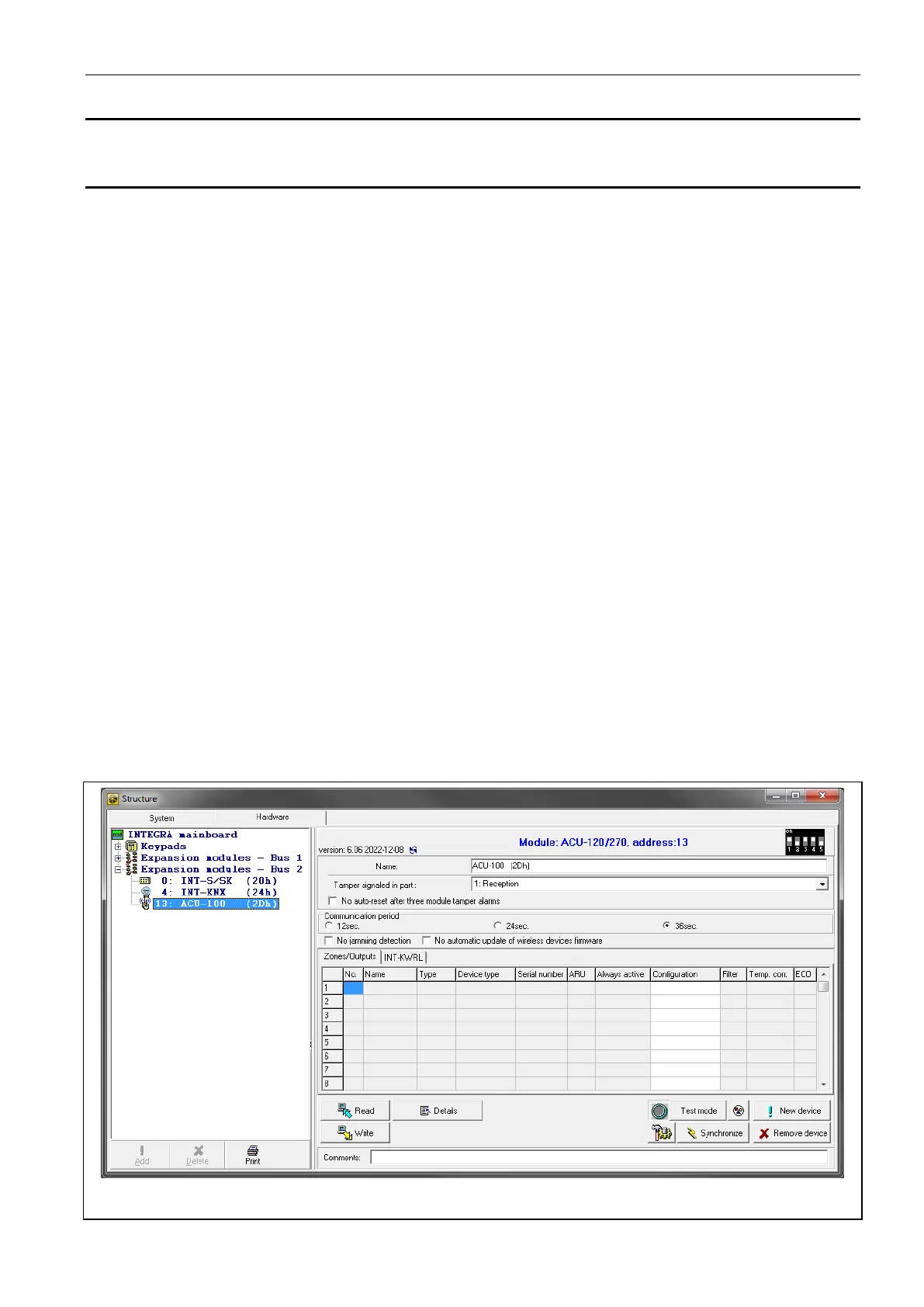
• DLOADX program: “Structure” window “Hardware” tab “Expansion modules” branch
[controller name] (Fig. 24).
• LCD keypad:
– system settings: service mode “Structure” “Hardware” “Expanders” “Settings”
[controller name],
– controller name: service mode “Structure” “Hardware” “Expanders” “Names”
[controller name].
For the VERSA series control panel:
• DLOADX program: “VERSA – Structure” window “Hardware” tab “Expansion
modules” branch [controller name].
• LCD keypad:
– controller settings: service mode “2.Hardware” “1.Kpds & exps.” “2.Settings”
[controller name],
– wireless devices settings: service mode “2.Hardware” “1.Kpds & exps.”
“3.Wireless dev.”.
Names of parameters and options from the DLOADX program are used in this manual.
Shown in square brackets at the description of a parameter or option is the name presented
on the display of the INTEGRA alarm system keypad.
8.1.1 Controller settings
Fig. 24. DLOADX program: controller settings in the INTEGRA system.


 To Next Page