SATEL ACU-280 7
3.2 DIP-switches
Using the DIP-switches, you can:
• define the controller operating mode,
• set the controller address (operating mode: expander of wireless devices for the
INTEGRA series control panels),
• enable / disable the support of the ARF-200 radio signal level tester that has not been
registered to the controller.
3.2.1 Selecting the controller operating mode
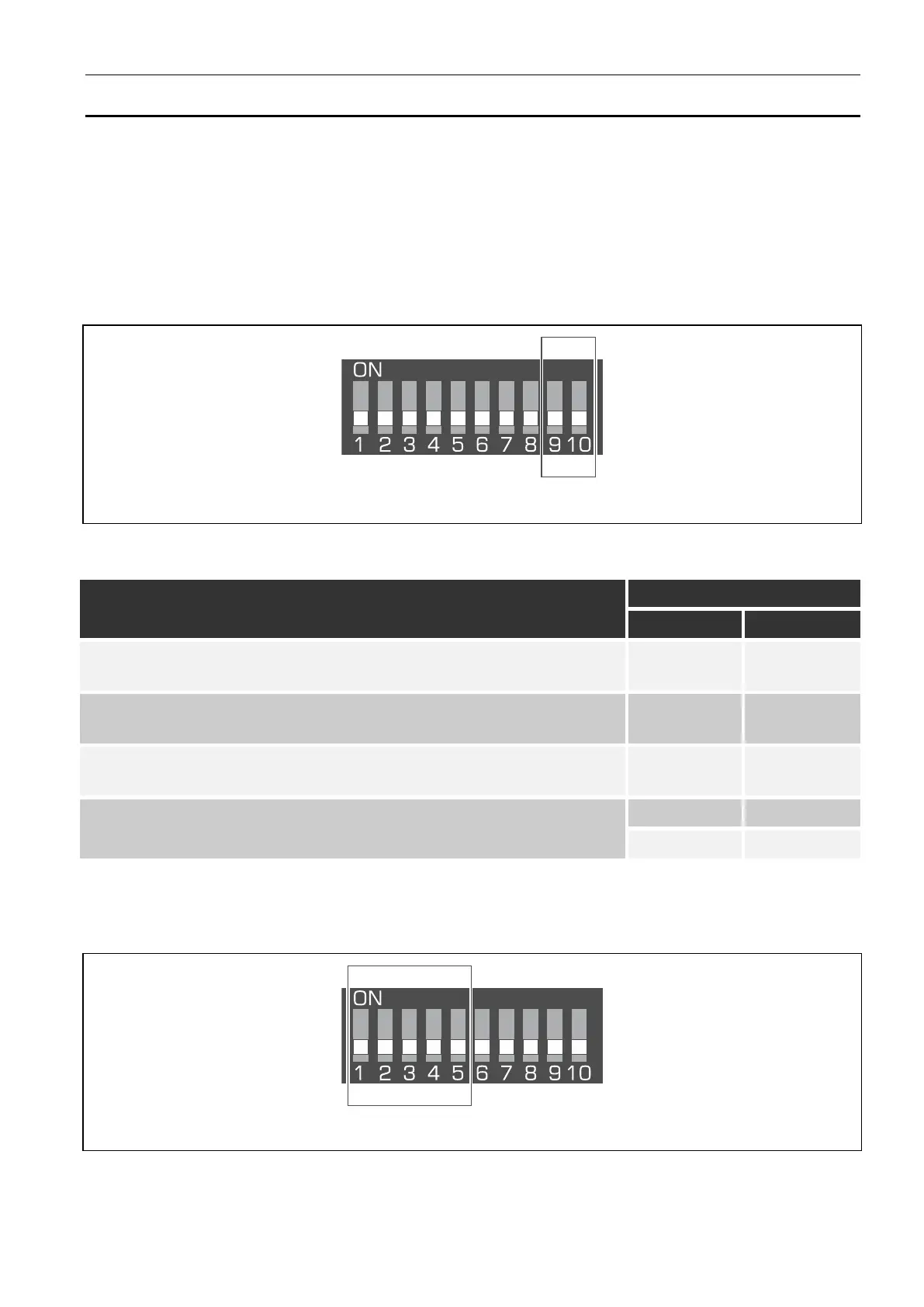
Fig. 2. Switches defining the controller operating mode.
Switches 9 and 10 (Fig. 2) define the controller operating mode – see Table 1.
Controller operating mode
Expander of wireless devices for the INTEGRA series control
panels
OFF OFF
Expander of wireless devices for the PERFECTA 64 M control
panel
OFF ON
Expander of wireless devices for the VERSA series control
panels
OFF ON
Universal module of wireless devices
Table 1.
3.2.2 Address setting [controller in the INTEGRA system]
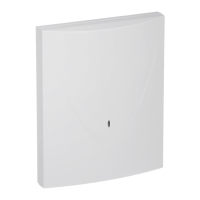
Fig. 3. Switches for setting the address of the controller in the INTEGRA system.
Switches 1-5 (Fig. 3) are used to set the address when the controller is connected to the
INTEGRA series control panel (in the other operating modes, the settings of switches 1-5 are
irrelevant). Numerical value is assigned to each switch. In OFF position, the value is 0.


 To Next Page