72 ACU-280 SATEL
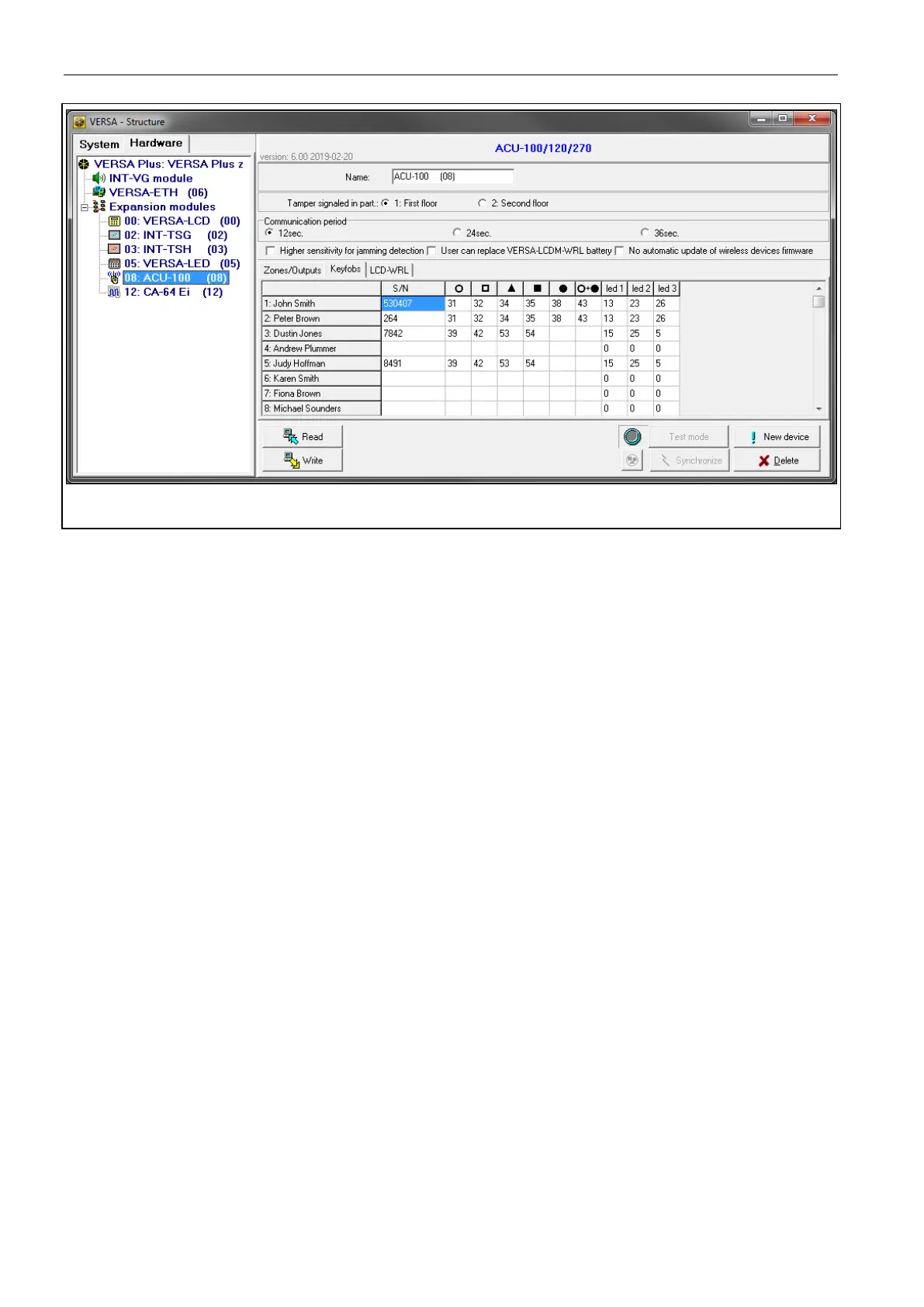
Fig. 30. DLOADX program: managing keyfobs in the VERSA system.
Adding a keyfob
Entering the serial number manually
1. Click the field in the “S/N” column next to the name of the user to whom you want to
assign a keyfob.
2. Enter the keyfob serial number and press ENTER.
Reading the serial number during transmission
1. Click the field in the “S/N” column next to the name of the user to whom you want to
assign a keyfob.
2. Click the “New device” button.
3. The “New” window will open.
4. Press the keyfob button.
5. When the keyfob serial number is displayed in the window, click the “OK” button.
6. The “New” window will close.
7. The serial number of the new keyfob will be shown in the “S/N” column.
Assigning a function to keyfob button (combination of buttons)
1. Right click the field corresponding to the button (combination of buttons).
2. The list of functions will be displayed.
3. Click the function to be run by the keyfob button (combination of buttons).
Assigning information to a LED
1. Right click the field corresponding to the LED.
2. The list of information that can be presented by the LED will be displayed.
3. Click the information items to be presented.
Removing a keyfob
1. Click the field in “S/N” column next to the name of user whose keyfob is to be removed.
2. Click the “Delete” button.
3. The “Confirm” window will open.


 To Next Page