SATEL VERSA 25
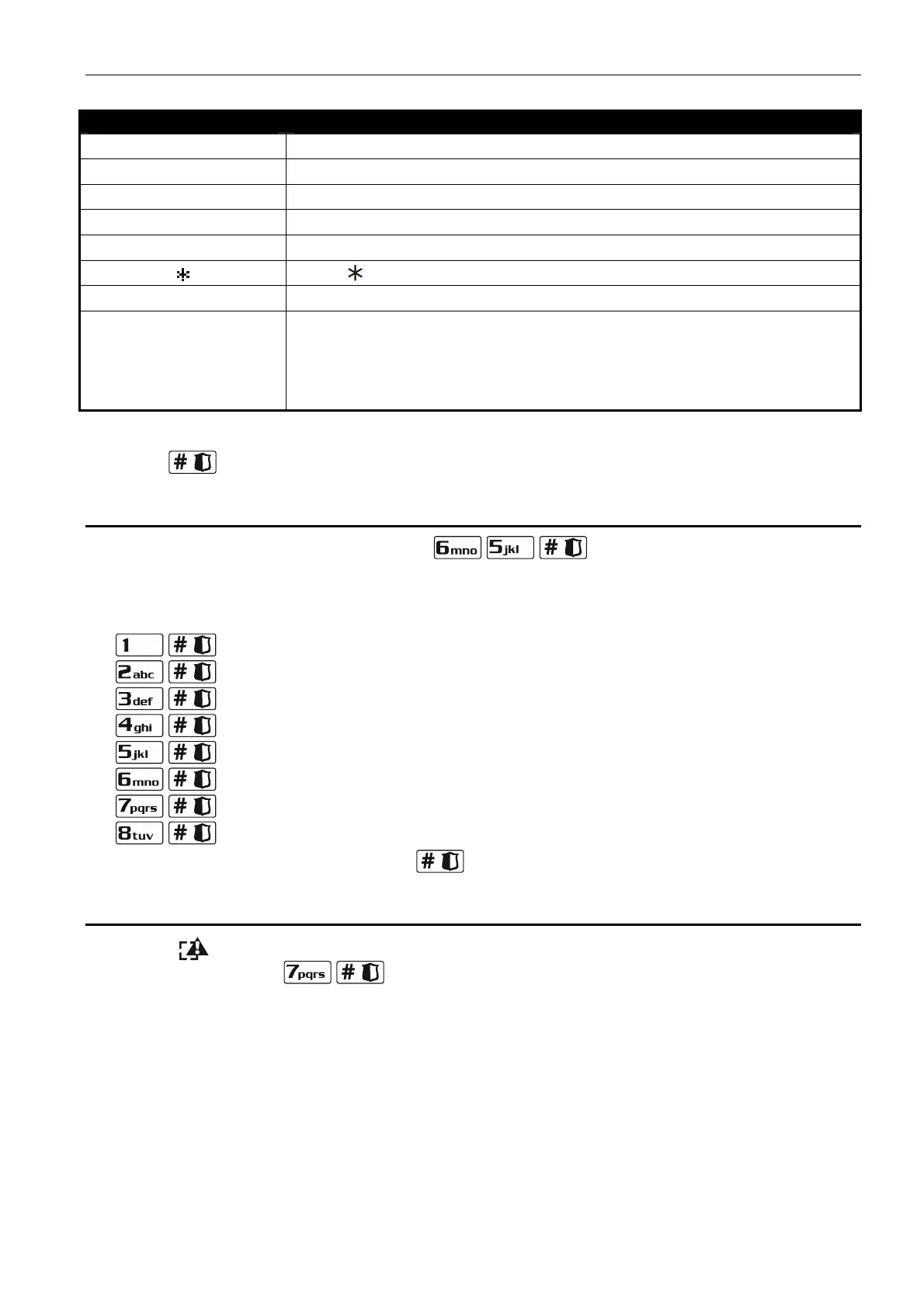
Special character Function description
B switch-over to pulse dialing
C switch-over to tone dialing (DTMF)
D waiting for additional signal
E 3 second pause
F 10 second pause
signal in DTMF mode
# signal # in DTMF mode
a
b
c
d
other signals generated in DTMF mode
Table 4. Special character functions.
4. Press to confirm the entered number.
3.16 Programming codes to acknowledge / clear messaging
1. Enter the user menu and press in turn .
2. Press in turn the suitable keys to select the telephone number for which the code to
acknowledge / clear voice messaging is to be defined (the phone numbers to which voice
messaging is not enabled are only available to the installer):
- telephone 1,
- telephone 2,
- telephone 3,
- telephone 4,
- telephone 5,
- telephone 6,
- telephone 7,
- telephone 8.
3. Enter a 4-digit code, and then press
.
3.17 Checking the troubles
When the LED is blinking, you can check what caused this signaling. Enter the user
menu and press in turn .
3.17.1 Trouble list
Information on troubles presented on LEDs designated by numbers:
LED 1 - loss of 230 V AC power,
LED 2 - no battery / low battery,
LED 3 - no voltage on telephone line,
LED 4 - no signal / intermittent signal on telephone line,
LED 5 - OUT1 output overloaded,
LED 6 - OUT2 output overloaded,
LED 7 - KPD supply output overloaded,













 To Next Page