14 VERSA SATEL
6. Step 5a. Selecting 433 MHz keyfob addition method ress. P (if the keyfob serial
be entered) or press in turn number is to (if the serial number is to be read by
pports the keyfobs during transmiss ).
dding 433 MHz keyfob. Depending on the se cted thod
keyfob serial number and press
the device which su ion
7. Step 5b. A le me :
– enter the ,
utton on the keyfob. – press twice any b
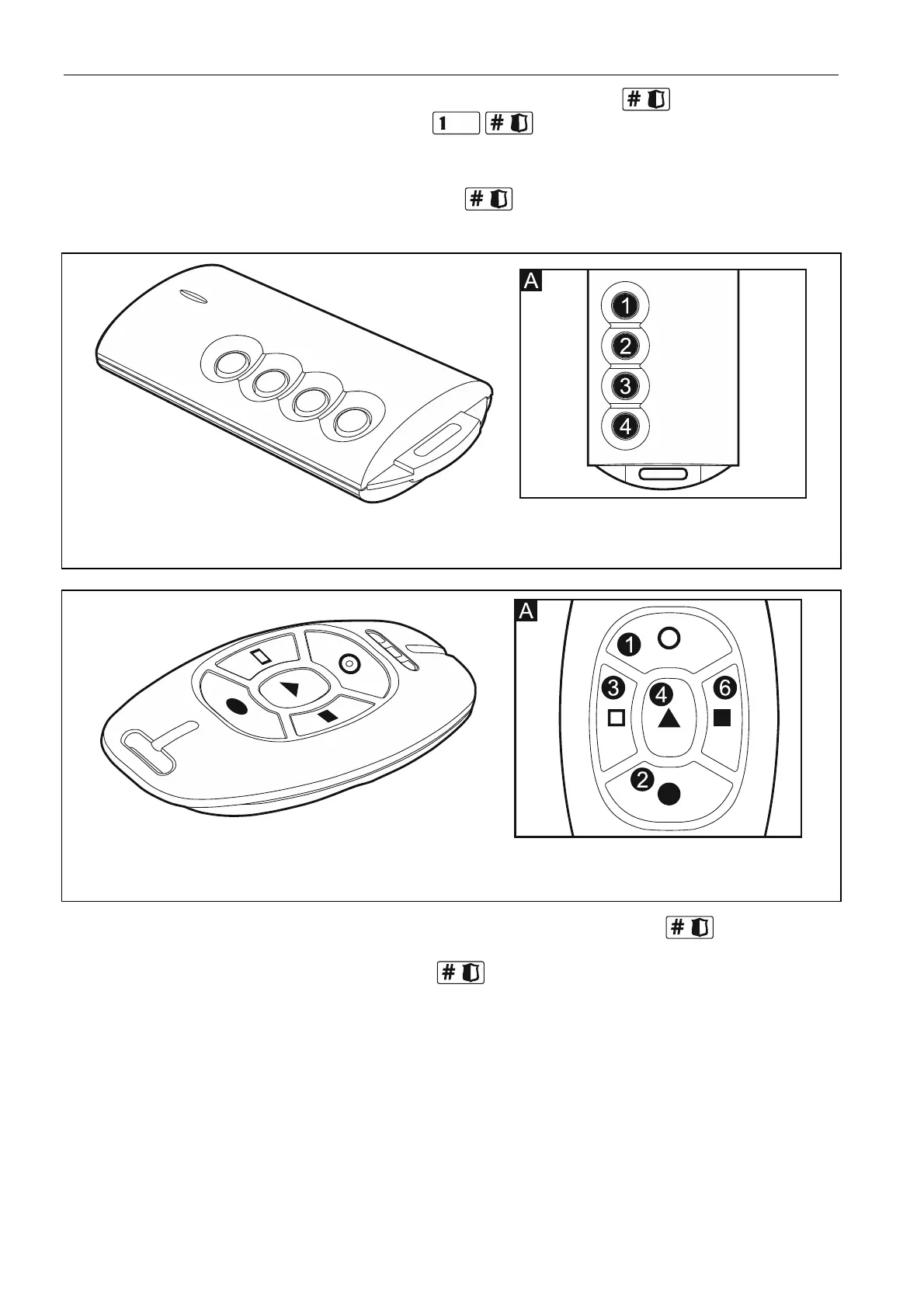
Fig. 3. T-4 keyfob [433 MHz keyfob]. A – numeration of keyfob buttons (button 5 – pressing
buttons 1 and 2 simultaneously; button 6 – pressing buttons 1 and 3 simultaneously).
Fig. 4. MPT-300 keyfob [433 MHz keyfob] (black enclosure). A – numeration of keyfob
buttons (button 5 – pressing buttons 1 and 2 simultaneously).
8. Step 5c. Assigning function to 433 MHz keyfob button 1. Press to confirm the
default function (defined by the installer in the user schedule) or enter the number of one
of the following functions, and then press :
0. Not used
1. Zone 1 violation
2. Zone 2 violation
3. Zone 3 violation
5
4. Zone 4 violation
. Zone 5 violation
6. Zone 6 violation
7. Zone 7 violation
8. Zone 8 violation
9. Zone 9 violation
10. Zone 10 violation















 To Next Page