SATEL VERSA 21
LED OFF – the zone is to be unbypassed.
Press to quit the function. The zones will be inhibited/unbypassed.
2
The isolated zone will remain bypassed until it is unbypassed by the user.
Enter
Zone isolating 3.11.
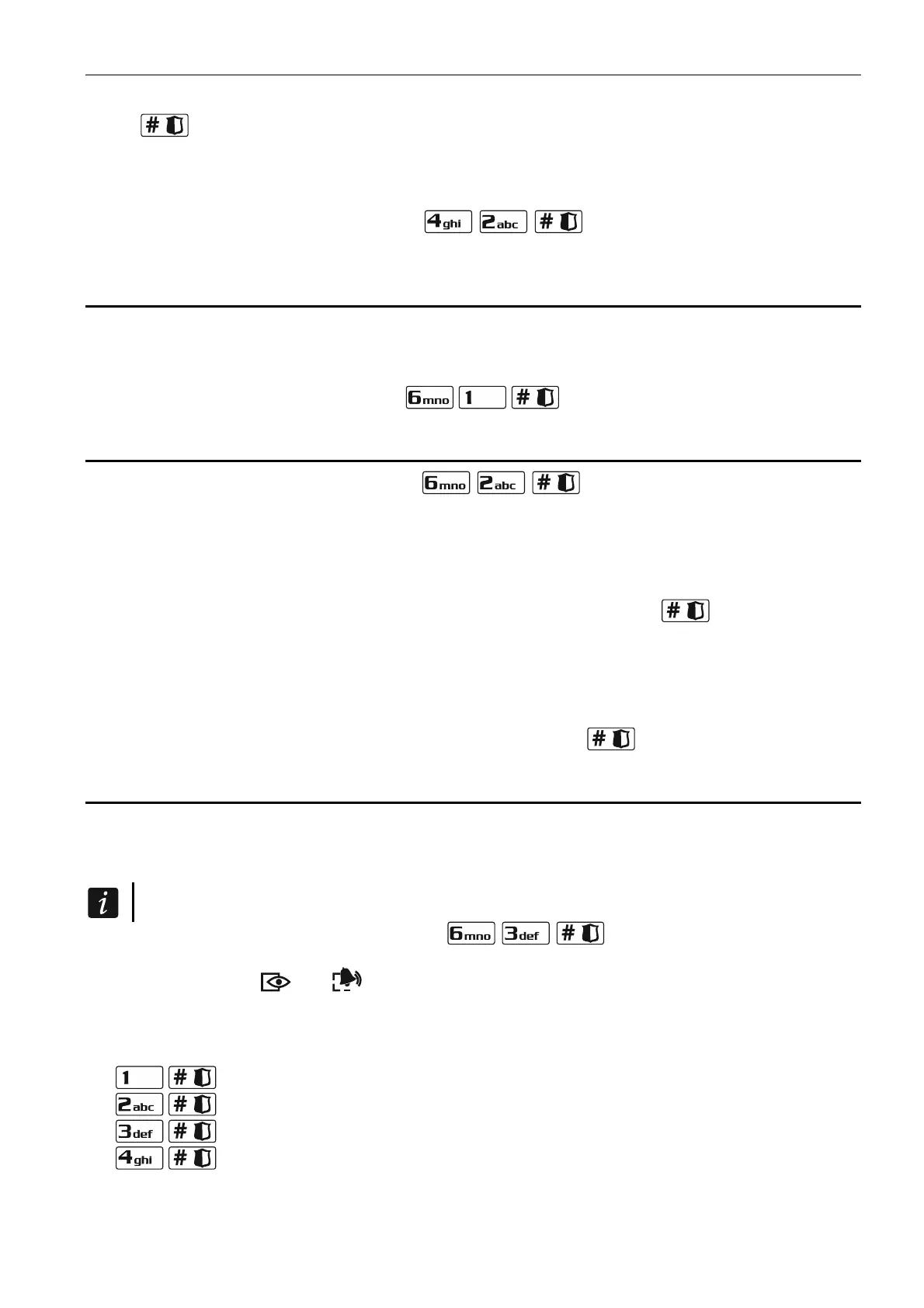
the user menu and press in turn . The way of indicating the zone
and the procedure are identical tostatus those used for zone inhibiting.
3.12 Auto-arming deferment
Partition can be armed automatically by the timer on specific days at specific time. If the
installer defines the time by which the auto-arming is to be deferred, you can defer the
arming.
Enter the user menu and press in turn .
3.13 Setting the system time and date
Enter the user menu and press in turn . The currently programmed time
presented on LEDs (see page 11 Table 1):
first digit on LEDs 1-4, second – on LEDs 5-8,
will be
hour –
minutes – first digit on LEDs 9-12, second – on LEDs 16-19,
seconds – first digit on LEDs 20-23, second – on LEDs 24-27.
Enter successively the hour, mi
nutes and seconds, and then press . The date will be
presented on LEDs:
year – only two last digits: first on LEDs 1-4, second – on LEDs 5-8,
month – first digit on LEDs 9-12, second – on LEDs 16-19,
LEDs 24-27. day – first digit on LEDs 20-23, second – on
Enter successively the year, month and day, and then press .
3.14 Programming the timers
You can program 4 timers. The timers can control partition arming mode and outputs. The
pan cloc and
puts will be controlled by the timers.
timer compares the time with the control el k executes the selected function at
the preset time.
The installer defines which out
1. Enter the user menu and press in turn
. The programming is effected
by using the “step by step” method, hence the programming step number will be
presented on the
and LEDs of the first and second partitions (see: page 11, Table
1).
2. Step 1. Selecting timer to be pro igram
med. Press n turn the suitable keys to select
a timer:
- timer 1,
- timer 2,
- timer 3,
- timer 4.















 To Next Page