Unit 6: Maintenance
S8400 Series Operator Manual
6-8 PN: 9001160 (C)
ADJUSTMENT OF HEAD POSITION
Side or Left - Right pressure balance
1.
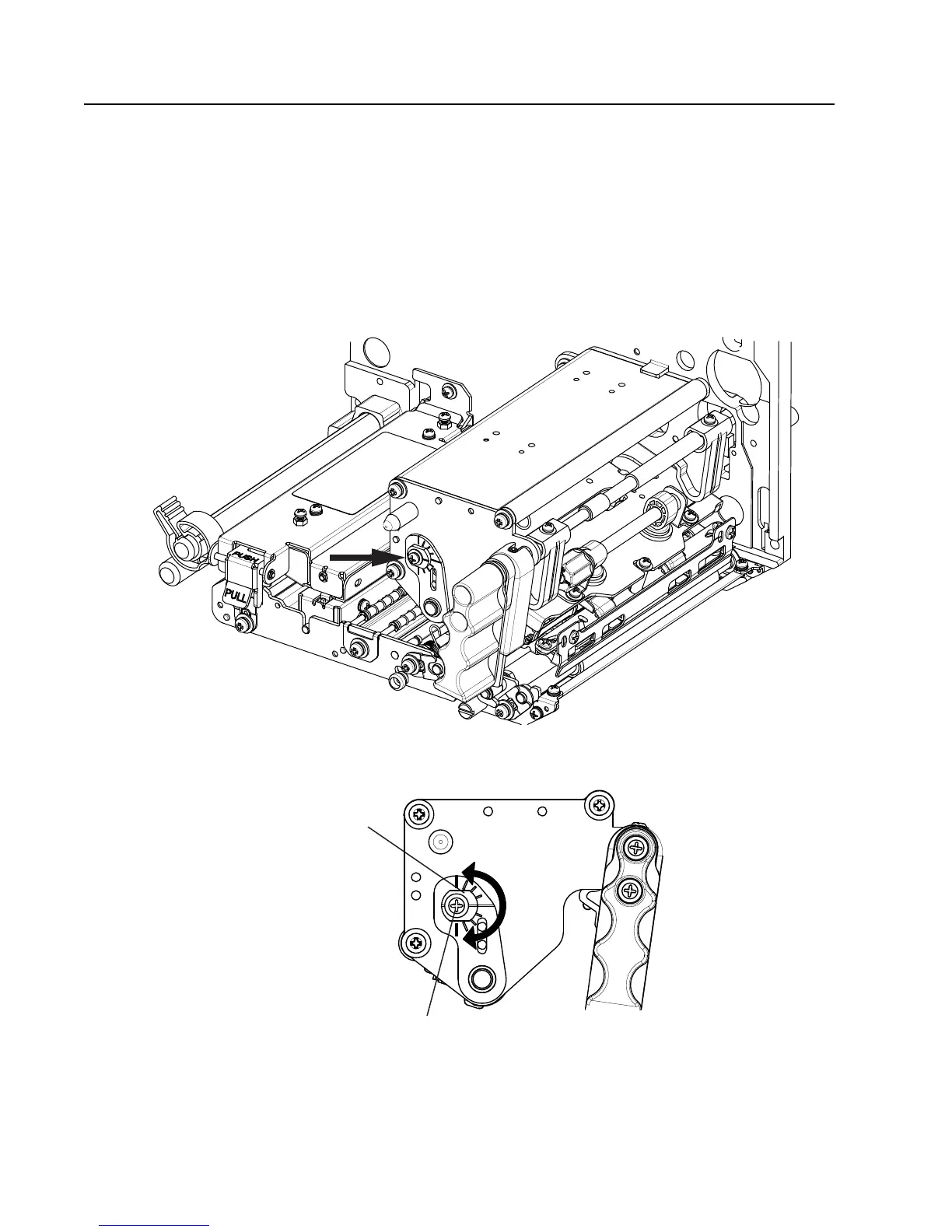
Lock the thermal head assembly into position. Locate adjust collar, indicated by arrow in Figure 6-7.
2. Loosen the screw indicated in Figure 6-8 with Phillips screwdriver. Do not completely unscrew.
3. Rotate the adjust collar to adjust the head pressure balance.
Left hand turn → Increasing head pressure on the frame side.
Right hand turn → Increasing head pressure on the opposite of the frame side.
4. Tighten the screw that you previously loosened in step 2. Hold the adjust-collar when you tighten the screw.
Figure 6-7, Print Head Adjustment, Adjust Collar
Figure 6-8, Print Head Adjustment


 To Next Page