5
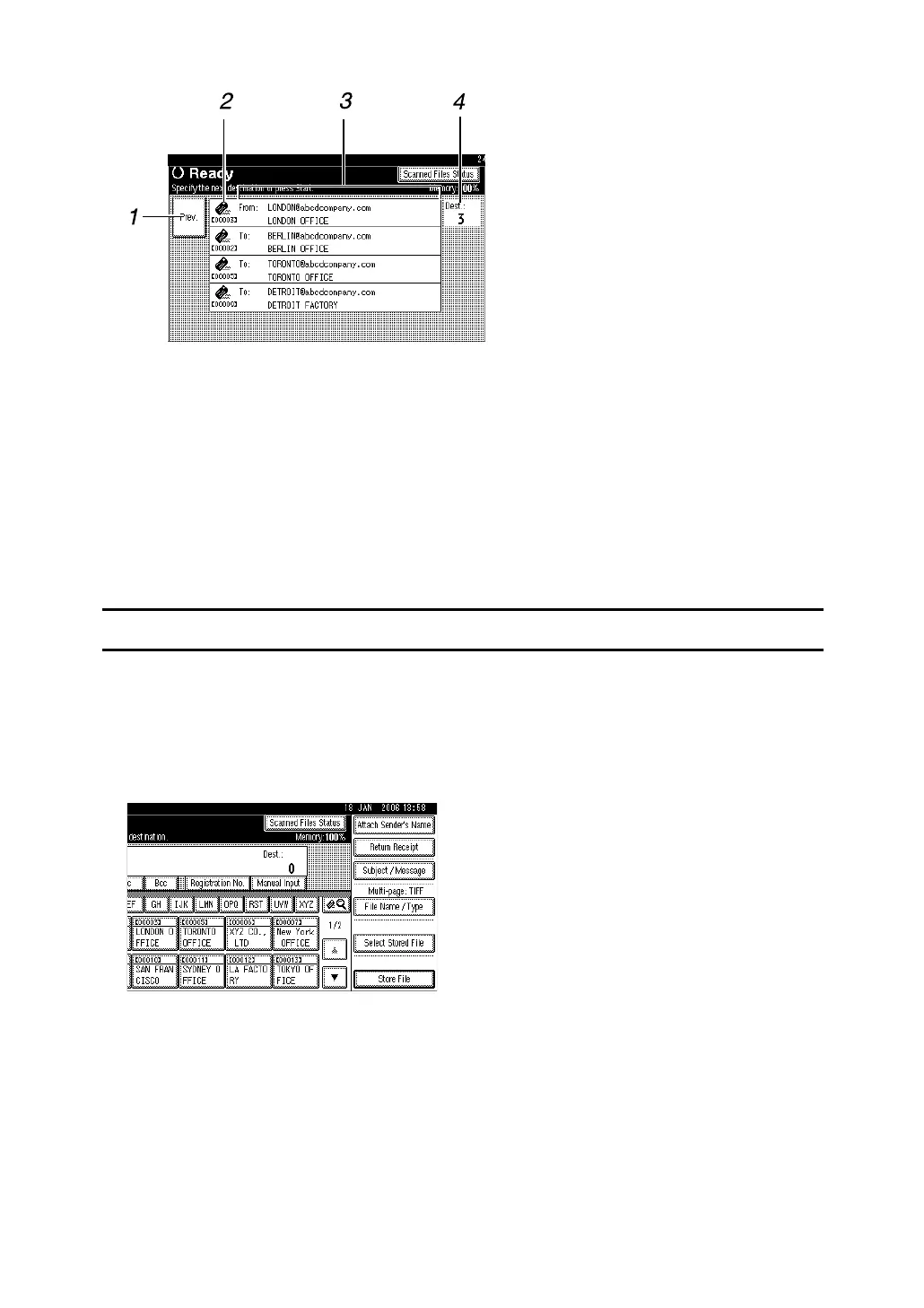
❖ Check Modes
1. [Prev.]
Press to return the initial scanner screen.
2. Transmission function icon
Displays the icon of the transmission
function in use.
3. Sender and Destinations list
Displays the sender and transmission or
delivery destinations list.
Use [UPrev.] or [TNext] to scroll through
the list.
4. Number of destinations
Displays the number of specified destina-
tions.
Scanned Files Status
This section explains items that are displayed and how to display the Scanned
Files Status screen.
Use the Scanned Files Status screen to check e-mail transmission, Scan to Folder,
and delivery results.
Press [Scanned Files Status] to display the Scanned Files Status screen.
Up to 5 transmission or delivery results are displayed at the same time. Press
[UPrev.] or [TNext] to switch between results.
ARQ003S



 To Next Page