Specifying E-mail Destinations
23
1
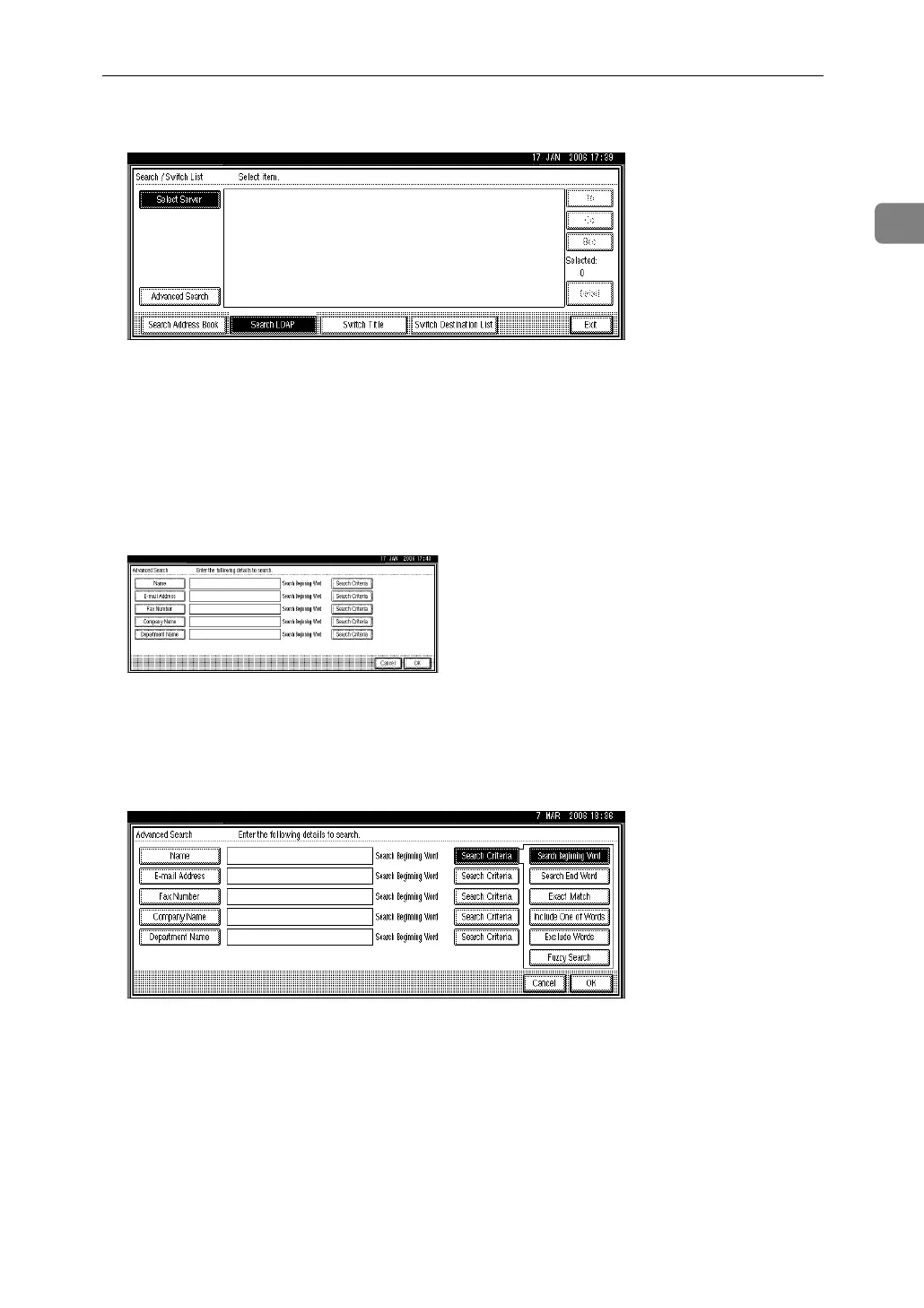
F Press [Advanced Search].
G Enter a character string related to the destination for a search condition
such as [Name], [E-mail Address], [Fax Number], [Company Name], or [Department
Name].
If you select a search condition setting, a soft keyboard appears. Enter a text
string according to the search criteria.
If you search by [Name], the LDAP server's settings determine whether the
search is by surname or first name. Consult your administrator.
The illustrated screen is an example. The items that actually appear on the
screen may differ.
H Press [Search Criteria] corresponding to each item, and then select criteria
from the list displayed.
I Press [OK].
J Select the destination.
K Select [To], [Cc], or [Bcc].
L Press [Exit].



 To Next Page