Sending Scan Files by Scan to Folder
54
2
❒ You can register the path to the destination in the machine’s address book.
For details, see "Registering the Path to the Selected Destination in the Ad-
dress Book".
Reference
p.144 “Folder transmission”
p.56 “Registering the Path to the Selected Destination in the Address
Book”
Specifying the path by browsing to the destination on NetWare server
Specify the path by browsing to the destination folder in an NDS tree or on a
NetWare Bindery server.
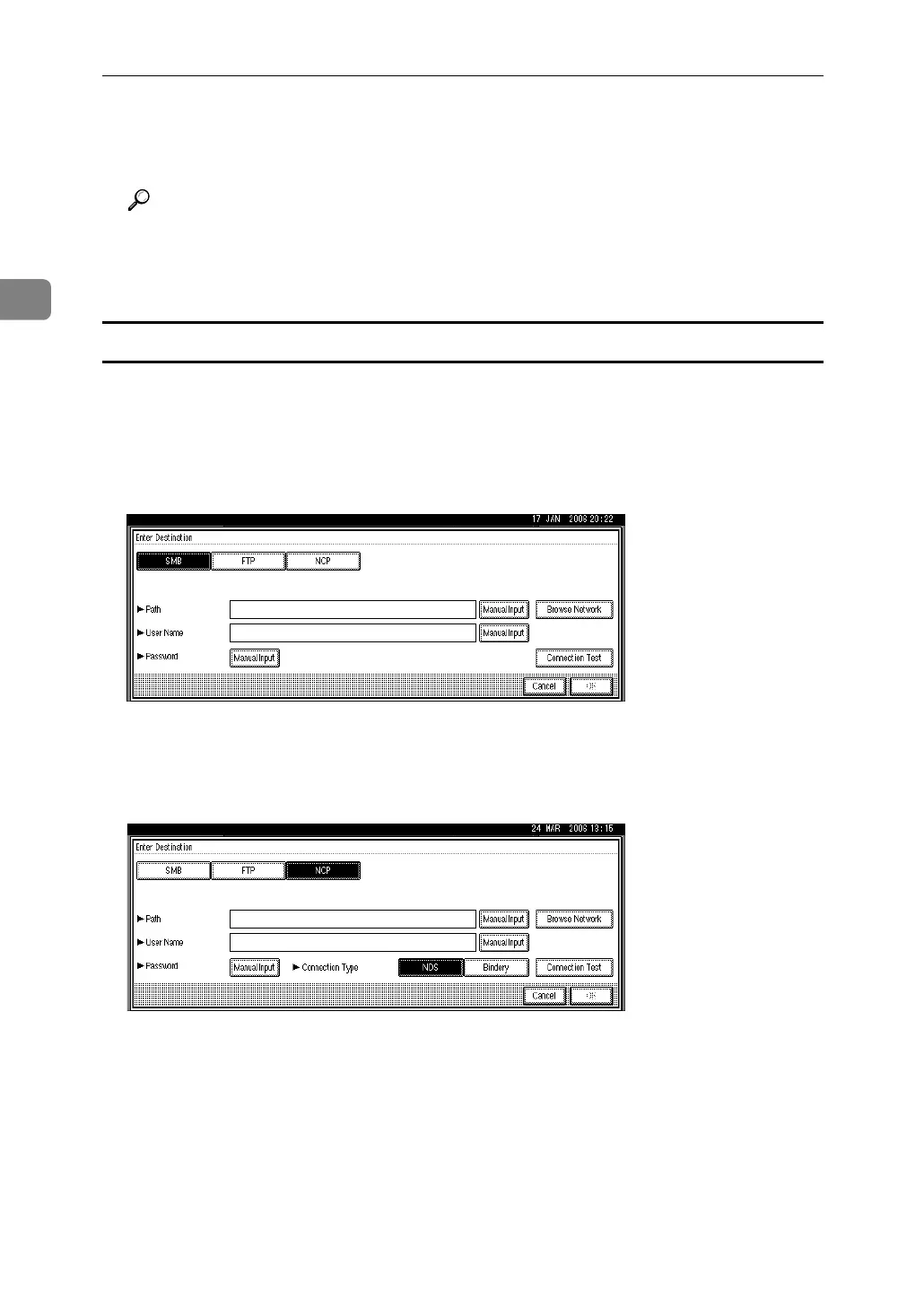
A Press [Enter Destination].
B Press [NCP].
C Select the connection type.
Press [NDS] to specify a folder in the NDS tree.
Press [Bindery] to specify a folder on the NetWare Bindery server.
D Press [Browse Network] on the right side of the path name field.
If you selected [NDS] under [Connection Type], the NDS tree list appears.
If you selected [Bindery] under [Connection Type], the NetWare Bindery server
list appears.
E Search for the destination folder in the NDS tree or NetWare Bindery serv-
er.
If you cannot find the destination folder, press [Up One Level], and then search
for the folder at that level.



 To Next Page