EasyManua.ls Logo

SBM IDRA - User Manual

SBM IDRA
32 pages
Print Icon
To Next Page IconTo Next Page
Loading...
User Manual
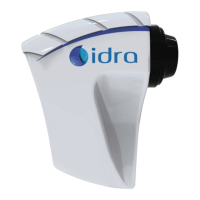
IDRA
Question and Answer IconNeed help?

Do you have a question about the SBM IDRA and is the answer not in the manual?

Summary

Introduction and Device Overview

Description and Intended Use of IDRA Device

Details the IDRA device's capabilities for Dry Eye Disease diagnosis and related exams.

Device Symbols Explained

Safety and Handling Symbols

Covers warning, reading instructions, careful handling, fragility, and moisture avoidance.

Regulatory and Identification Symbols

Includes CE marking, manufacturer info, WEEE disposal, and device serial/number references.

Transport and Storage Symbols

Relates to environmental conditions for transport and storage.

Safety, Care, and Maintenance

General Safety Warnings

Lists crucial warnings for handling, power, liquids, environment, and patient safety.

Obtaining Technical Assistance

Provides contact information for software or device issues.

Ordinary Maintenance Procedures

Details maintenance steps, emphasizing power disconnection.

Dust Protection and Cleaning

Instructs on storing the instrument and cleaning lenses and surfaces.

Extraordinary Maintenance and Precautions

Outlines responsibilities for extraordinary maintenance and pre-shipment cleaning.

The Instrument Details

Transport and Storage Conditions

Specifies environmental conditions for shipment, storage, and use.

Available Spare Parts

Lists examples of replaceable parts for the device.

Accessories and Package Contents

IDRA Device Accessories

Details essential or recommended accessories for using the IDRA.

IDRA Supply Package Contents

Lists the components included in the instrument's packaging.

Software Installation Guide

IDRA Software Installation Guide

Provides step-by-step instructions for installing the IDRA software.

Software First Use and Activation

IDRA Application Activation

Explains the internet connection and registration process for application activation.

Setting Data Protection Code

Details how to set and manage a security code for data protection.

Guide of Use and Functionality

IDRA Device Functional Features

Summarizes the main operating characteristics and research behind the IDRA.

Main Examination Procedures

Lipid Layer Examination Procedure

Explains how to perform interferometric analysis of the tear film's lipid layer.

Tear Meniscus Height Measurement

Describes examining and measuring the tear meniscus height and shape.

Tear Film Stability and Regularity (NIBUT)

Details how to evaluate tear film stability using NIBUT.

Meibography Examination

Explains how to capture and analyze meibomian glands images.

Software Home Screen and Patient Management

IDRA Software Home Screen Overview

Describes the main features and layout of the IDRA software's home screen.

Creating a New Patient Record

Guides on how to add a new patient's information into the software.

Starting a New Patient Exam

Starting a New Patient Exam

Explains how to initiate a new screening exam for a selected patient.

Core Exams: Procedures

Performing Interferometry Exam

Details the procedure for capturing and evaluating interferometry videos.

Performing Tear Meniscus Exam

Guides on taking photos and measuring tear meniscus height.

Performing Auto-NIBUT Exam

Explains how to record videos for automatic tear film break-up time analysis.

Additional Examination Procedures

Performing BUT Exam

Details the procedure for the Break-Up Time (BUT) exam.

Performing Meibography Exam

Describes how to capture and analyze meibomian glands images.

Performing Blepharitis Exam

Explains how to take pictures for blepharitis assessment with magnification.

Further Examinations

Performing Demodex Exam

Guides on taking pictures using infrared light to observe parasite movement.

Assessing Corneal Deformation

Explains how to assess corneal regularity using concentric rings.

Performing Pupillometry Measurement

Details how to measure pupillary diameter under different light conditions.

Ancillary Measurements

White-to-White (WTW) Measurement

Explains how to measure the horizontal iris diameter from white to white.

Performing Generic Exam

Describes using the device as a digital slit lamp for anterior segment study.

Exam List Management

Viewing Saved Patient Exams

Explains how to view the list of saved exams for a specific patient.

Understanding Saved Exam Types

Differentiates between saved picture and video exam types.

Adding a New Exam to List

Describes how to add an exam by returning to the main exams screen.

Deleting Exam Records

Explains the process for deleting individual or multiple examinations.

Generating PDF Exam Reports

Details how to save or print different types of exam reports in PDF format.

Device Control Buttons and Functions

Using the Modify Button

Allows adding notes to a selected exam before saving the PDF.

Using the Compare Button

Enables comparison of images/videos with patient data or grading scales.

Using the Timer Button

Starts a timer on the device screen for timing exams.

Using the Auto Exposure Button

Automatically sets the correct light quantity for exposure.

Manual ISO Adjustment

Allows manual adjustment of light exposure using ISO settings.

Using the Auto Focus Button

Obtains and maintains automatic focus on the subject.

Manual Focus Adjustment

Allows manual adjustment of the focus on the subject.

Controlling Light Sources

Explains how to use and adjust white, blue, and infrared lighting.

Manual Zoom Adjustment

Allows manual adjustment of zoom for better patient focus.

Troubleshooting and Technical Specifications

Troubleshooting: Device Not Working

Addresses issues with the device not working or LEDs being off.

Troubleshooting: Camera Black Screen

Provides solutions for the camera display showing a black screen.

IDRA Technical and Electrical Features

Lists the technical specifications of the IDRA device.

Hardware Requirements and Emission Tests

Minimum Hardware Requirements for Software

Lists the minimum and recommended hardware specifications for the software.

Radiated Emission Measurement Results

Presents results for radiated emission tests according to EN 55011.

Emission Test Graphs

Radiated Emission Peak Graph Analysis

Displays graphs showing radiated emission peaks and limits.

Immunity Test Results

Immunity Test: Electrostatic Discharge (ESD)

Details the electrostatic discharge immunity test results and standards.

Immunity Test: Radiated Electromagnetic

Presents results for radiated electromagnetic immunity tests.

RF Wireless Communication Immunity

Immunity Test: RF Wireless Communication

Details immunity test results for RF wireless communication equipment.

Magnetic Field Immunity and Test Summary

Immunity Test: Power Frequency Magnetic Fields

Presents results for power frequency magnetic fields immunity test.

Summary of All Test Results

Provides a summarized table of all performed tests and their results.

Software Settings and Configuration

Setting App Pass Code

Explains how to set or manage the application pass code.

Using Example Exams Feature

Describes downloading sample photos and videos for demonstration.

Configuring Video Settings

Allows adjustment of video compression, cutoff, and quality.

Checking for Software Updates

Provides information about software version and updates.

Checking System Status

Verifies the correct working status of the software.

Database, Instruments, and Company Settings

Configuring Database Settings

Explains options for single vs. separate databases for users.

Instrument Hardware Information

Provides technical details about the device hardware.

Entering Company Information for Reports

Details how to input company address and contact for report printing.

Using ICP as a Viewer

Mapping Network Drive for Viewer

Explains how to map a network drive to access the ICP database.

Configuring ICP as a Viewer

Guides on configuring ICP to use a database located on a network drive.

Product Disposal and Liability

Product Disposal Policy

Provides instructions and regulations for disposing of the electronic equipment.

Manufacturer Liability and Warranty Disclaimer

Details the manufacturer's responsibilities and disclaimers for product use.

Warranty, Contacts, and Certification

IDRA Product Warranty Terms

Outlines the 12-month warranty coverage and exclusions.

Out of Warranty Conditions

Specifies conditions under which the warranty is void.

Technical Support Contact Information

Provides contact details for technical maintenance and support.

Declaration of Conformity for IDRA

Declares the device's compliance with EU directives and essential requirements.

Summary

Introduction and Device Overview

Description and Intended Use of IDRA Device

Details the IDRA device's capabilities for Dry Eye Disease diagnosis and related exams.

Device Symbols Explained

Safety and Handling Symbols

Covers warning, reading instructions, careful handling, fragility, and moisture avoidance.

Regulatory and Identification Symbols

Includes CE marking, manufacturer info, WEEE disposal, and device serial/number references.

Transport and Storage Symbols

Relates to environmental conditions for transport and storage.

Safety, Care, and Maintenance

General Safety Warnings

Lists crucial warnings for handling, power, liquids, environment, and patient safety.

Obtaining Technical Assistance

Provides contact information for software or device issues.

Ordinary Maintenance Procedures

Details maintenance steps, emphasizing power disconnection.

Dust Protection and Cleaning

Instructs on storing the instrument and cleaning lenses and surfaces.

Extraordinary Maintenance and Precautions

Outlines responsibilities for extraordinary maintenance and pre-shipment cleaning.

The Instrument Details

Transport and Storage Conditions

Specifies environmental conditions for shipment, storage, and use.

Available Spare Parts

Lists examples of replaceable parts for the device.

Accessories and Package Contents

IDRA Device Accessories

Details essential or recommended accessories for using the IDRA.

IDRA Supply Package Contents

Lists the components included in the instrument's packaging.

Software Installation Guide

IDRA Software Installation Guide

Provides step-by-step instructions for installing the IDRA software.

Software First Use and Activation

IDRA Application Activation

Explains the internet connection and registration process for application activation.

Setting Data Protection Code

Details how to set and manage a security code for data protection.

Guide of Use and Functionality

IDRA Device Functional Features

Summarizes the main operating characteristics and research behind the IDRA.

Main Examination Procedures

Lipid Layer Examination Procedure

Explains how to perform interferometric analysis of the tear film's lipid layer.

Tear Meniscus Height Measurement

Describes examining and measuring the tear meniscus height and shape.

Tear Film Stability and Regularity (NIBUT)

Details how to evaluate tear film stability using NIBUT.

Meibography Examination

Explains how to capture and analyze meibomian glands images.

Software Home Screen and Patient Management

IDRA Software Home Screen Overview

Describes the main features and layout of the IDRA software's home screen.

Creating a New Patient Record

Guides on how to add a new patient's information into the software.

Starting a New Patient Exam

Starting a New Patient Exam

Explains how to initiate a new screening exam for a selected patient.

Core Exams: Procedures

Performing Interferometry Exam

Details the procedure for capturing and evaluating interferometry videos.

Performing Tear Meniscus Exam

Guides on taking photos and measuring tear meniscus height.

Performing Auto-NIBUT Exam

Explains how to record videos for automatic tear film break-up time analysis.

Additional Examination Procedures

Performing BUT Exam

Details the procedure for the Break-Up Time (BUT) exam.

Performing Meibography Exam

Describes how to capture and analyze meibomian glands images.

Performing Blepharitis Exam

Explains how to take pictures for blepharitis assessment with magnification.

Further Examinations

Performing Demodex Exam

Guides on taking pictures using infrared light to observe parasite movement.

Assessing Corneal Deformation

Explains how to assess corneal regularity using concentric rings.

Performing Pupillometry Measurement

Details how to measure pupillary diameter under different light conditions.

Ancillary Measurements

White-to-White (WTW) Measurement

Explains how to measure the horizontal iris diameter from white to white.

Performing Generic Exam

Describes using the device as a digital slit lamp for anterior segment study.

Exam List Management

Viewing Saved Patient Exams

Explains how to view the list of saved exams for a specific patient.

Understanding Saved Exam Types

Differentiates between saved picture and video exam types.

Adding a New Exam to List

Describes how to add an exam by returning to the main exams screen.

Deleting Exam Records

Explains the process for deleting individual or multiple examinations.

Generating PDF Exam Reports

Details how to save or print different types of exam reports in PDF format.

Device Control Buttons and Functions

Using the Modify Button

Allows adding notes to a selected exam before saving the PDF.

Using the Compare Button

Enables comparison of images/videos with patient data or grading scales.

Using the Timer Button

Starts a timer on the device screen for timing exams.

Using the Auto Exposure Button

Automatically sets the correct light quantity for exposure.

Manual ISO Adjustment

Allows manual adjustment of light exposure using ISO settings.

Using the Auto Focus Button

Obtains and maintains automatic focus on the subject.

Manual Focus Adjustment

Allows manual adjustment of the focus on the subject.

Controlling Light Sources

Explains how to use and adjust white, blue, and infrared lighting.

Manual Zoom Adjustment

Allows manual adjustment of zoom for better patient focus.

Troubleshooting and Technical Specifications

Troubleshooting: Device Not Working

Addresses issues with the device not working or LEDs being off.

Troubleshooting: Camera Black Screen

Provides solutions for the camera display showing a black screen.

IDRA Technical and Electrical Features

Lists the technical specifications of the IDRA device.

Hardware Requirements and Emission Tests

Minimum Hardware Requirements for Software

Lists the minimum and recommended hardware specifications for the software.

Radiated Emission Measurement Results

Presents results for radiated emission tests according to EN 55011.

Emission Test Graphs

Radiated Emission Peak Graph Analysis

Displays graphs showing radiated emission peaks and limits.

Immunity Test Results

Immunity Test: Electrostatic Discharge (ESD)

Details the electrostatic discharge immunity test results and standards.

Immunity Test: Radiated Electromagnetic

Presents results for radiated electromagnetic immunity tests.

RF Wireless Communication Immunity

Immunity Test: RF Wireless Communication

Details immunity test results for RF wireless communication equipment.

Magnetic Field Immunity and Test Summary

Immunity Test: Power Frequency Magnetic Fields

Presents results for power frequency magnetic fields immunity test.

Summary of All Test Results

Provides a summarized table of all performed tests and their results.

Software Settings and Configuration

Setting App Pass Code

Explains how to set or manage the application pass code.

Using Example Exams Feature

Describes downloading sample photos and videos for demonstration.

Configuring Video Settings

Allows adjustment of video compression, cutoff, and quality.

Checking for Software Updates

Provides information about software version and updates.

Checking System Status

Verifies the correct working status of the software.

Database, Instruments, and Company Settings

Configuring Database Settings

Explains options for single vs. separate databases for users.

Instrument Hardware Information

Provides technical details about the device hardware.

Entering Company Information for Reports

Details how to input company address and contact for report printing.

Using ICP as a Viewer

Mapping Network Drive for Viewer

Explains how to map a network drive to access the ICP database.

Configuring ICP as a Viewer

Guides on configuring ICP to use a database located on a network drive.

Product Disposal and Liability

Product Disposal Policy

Provides instructions and regulations for disposing of the electronic equipment.

Manufacturer Liability and Warranty Disclaimer

Details the manufacturer's responsibilities and disclaimers for product use.

Warranty, Contacts, and Certification

IDRA Product Warranty Terms

Outlines the 12-month warranty coverage and exclusions.

Out of Warranty Conditions

Specifies conditions under which the warranty is void.

Technical Support Contact Information

Provides contact details for technical maintenance and support.

Declaration of Conformity for IDRA

Declares the device's compliance with EU directives and essential requirements.

SBM IDRA Specifications

General IconGeneral
BrandSBM
ModelIDRA
CategoryMedical Equipment
LanguageEnglish