Lubrication system
OPM 300 en-GB 46
© Scania CV AB 2020, Sweden
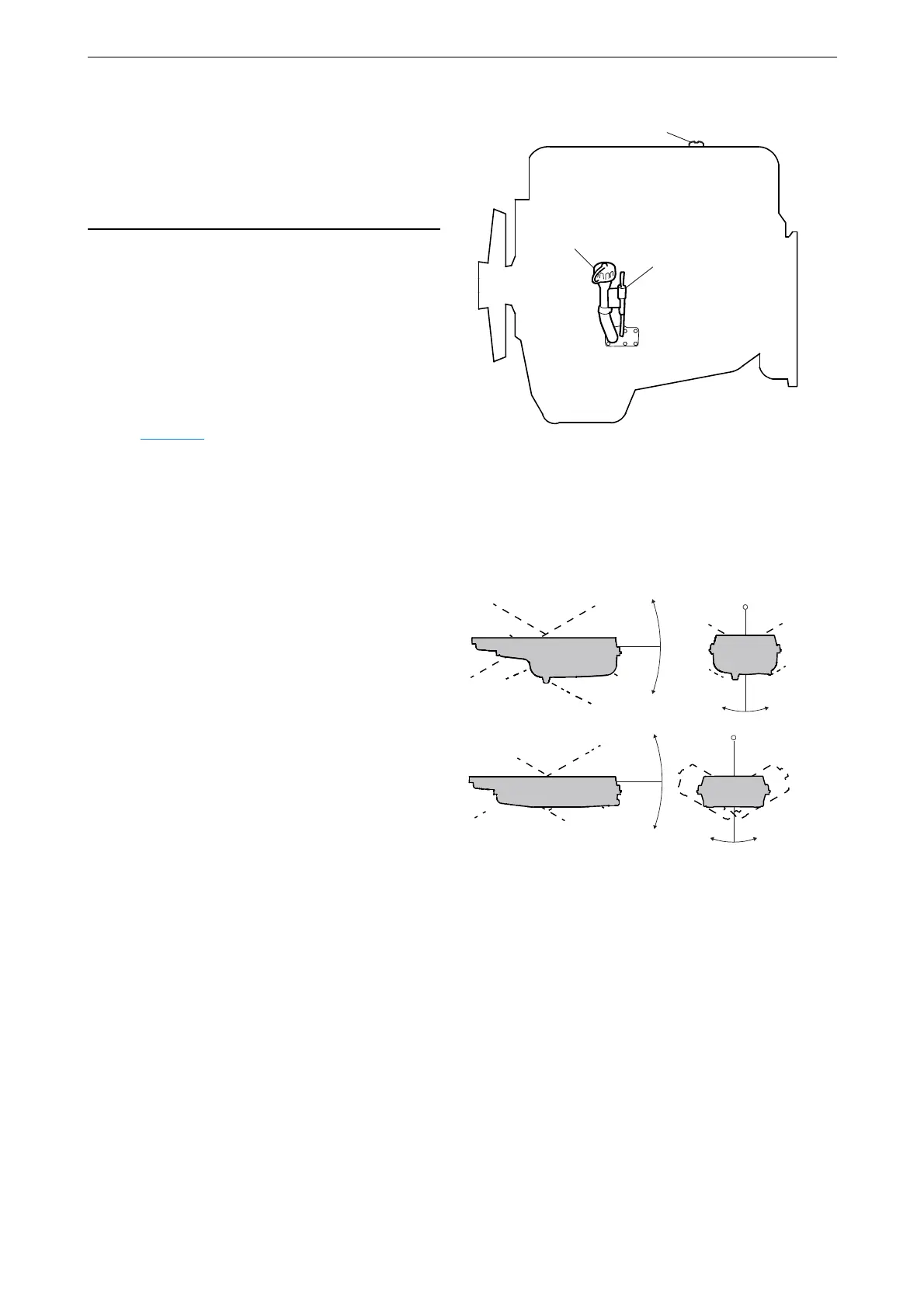
Checking the oil level
Leave the engine off for at least 7 minutes before
you check the oil level.
1. Pull out the oil dipstick (1) and check the oil
level. The correct level is between the mini-
mum and maximum marks on the oil dip-
stick.
2. Top up with more oil via the oil filler (2)
when the oil level is at or below the mini-
mum mark.
For information on the correct oil type, see the
section Oil grade
.
Maximum angles of inclina-
tion during operation
Maximum permissible angles of inclination dur-
ing operation vary, depending on the type of oil
sump. See illustration.
25°
25°
30° 30°
25°
25°
30°30°
343 840



 To Next Page