Fuel system
OPM 300 en-GB 78
© Scania CV AB 2020, Sweden
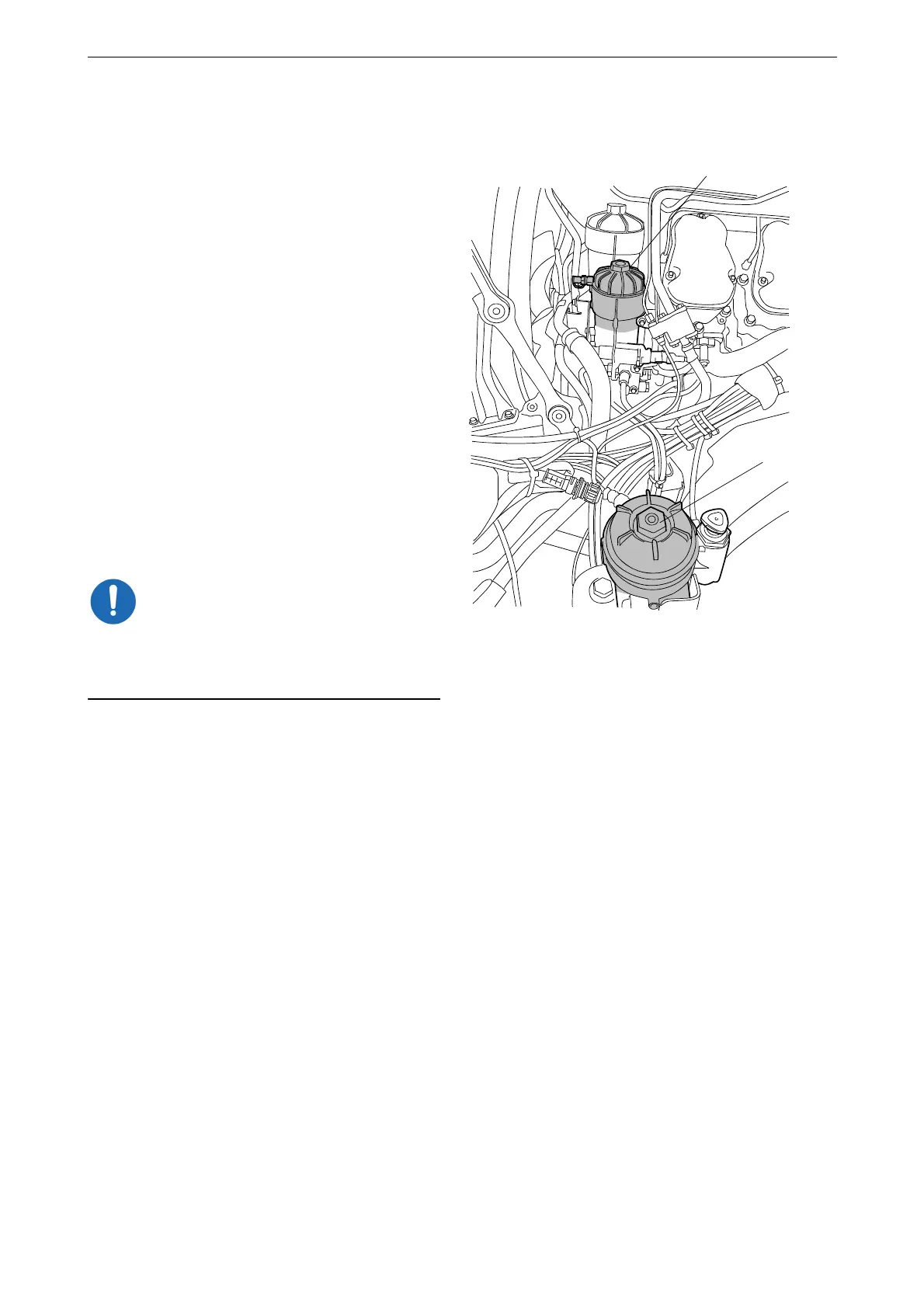
To ensure that the filter housings are drained
properly, the filter covers must be removed as
follows:
2. On the main filter (B): Make a mark on the
cover. Unscrew the cover 3 to 4 turns with
the socket.
3. Repeat the procedure with the water separat-
ing prefilter (A).
4. Wait at least 2 minutes to ensure the filter
housings have drained properly.
5. On the main filter: Unscrew the filter cover
and lift it up slowly with the filter element.
6. On the water separating prefilter: Unscrew
the filter cover and lift it up slowly with the
filter element.
Remaining fuel will drain out of the fuel fil-
ter housings automatically when the filter el-
ements are lifted out.
7. Check that no fuel or particles remain in the
bottom of the filter housings. Draw off re-
maining fuel and any particles.
It is important to remove remaining fuel and par-
ticles from the filter housings to prevent fuel sys-
tem contamination.
8. Undo the old filter element from the cover by
carefully bending it to one side.



 To Next Page