
EasyManua.ls Logo

Schaerer 7300 - User Manual

Schaerer 7300
36 pages
Print Icon
To Next Page IconTo Next Page
Loading...
Installation and Operation
Manual
Model 7300 Modular
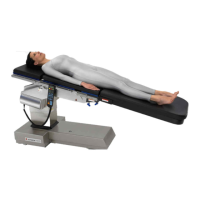
Surgery Table
OMI
7300
CA802000
Description
Page 7
Components
Overview
Page 8
Controls &
Indicators
Page 9
Calling For
Service
Page 26
Operation
Page 12
Specifications &
Accessories
Page 26
Operator
Maintenance
Page 25
Installation
Page 4
Important
Information
Page 2
Limited
Warranty
Page 31
Schaerer Medical USA, Inc.

Other manuals for Schaerer 7300

Questions and Answers

  • G
    gabrielnortonAug 17, 2025
    What to do if my Schaerer Medical Equipment table seems powerless?
    • N
      Nicholas AguilarAug 17, 2025
      If your Schaerer Medical Equipment table appears to have no power, even when plugged in, there are several potential causes. First, check if the facility circuit breaker has tripped, and if so, determine the cause and reset or replace it. Second, inspect the 5 amp fuses in the power cord receptacle and replace any that are blown. Third, check the RFI filter and replace it if necessary. Fourth, replace the line power pilot lamp if it's burned out. Finally, examine the wires and connections between the power cord receptacle and transformer, cleaning dirty connections, tightening loose ones, and replacing any broken components.
  • I
    iwilsonAug 22, 2025
    What to do if my Schaerer Medical Equipment hand control does not work?
    • P
      pblairAug 22, 2025
      If your Schaerer Medical Equipment hand control isn't working, start by checking the 10 amp fuse on the main controller board and replace it if blown. If the fuse is fine, the main controller board or hand control board might be malfunctioning. Also, inspect the wires and wire connections between the main controller board, distribution board, and hand control port for any breaks, looseness, or dirt. Clean, tighten, or replace as needed. Lastly, a closed motor pump secondary thermostat creating a short to ground may cause the 40 amp fuse on the charging / power driver board to blow. Replace the malfunctioning motor, secondary thermostat, and 40 amp fuse in this case.
  • J
    Jason HaynesAug 25, 2025
    What does it mean if error code E02 (Overcurrent - Motor #1) displays on my Schaerer Medical Equipment hand control?
    • K
      Karen TapiaAug 26, 2025
      If error code E02 (Overcurrent - Motor #1) appears on your Schaerer Medical Equipment hand control, it indicates that Motor #1 is experiencing an overcurrent. This could be due to Motor #1 malfunctioning or the charging / power driver board malfunctioning. To resolve this, you can try replacing Motor #1 or replacing the charging / power driver board.
  • E
    esmithAug 27, 2025
    What does it mean if error code E03 (Overcurrent - Motor #2) displays on my Schaerer Medical Equipment hand control?
    • S
      Sharon DavenportAug 27, 2025
      If error code E03 (Overcurrent - Motor #2) is displayed on the Schaerer Medical Equipment hand control, it means that Motor #2 is experiencing an overcurrent. This may be caused by a malfunctioning Motor #2 or a malfunctioning charging / power driver board. You can address this issue by replacing Motor #2 or replacing the charging / power driver board.
  • Q
    qhendrixAug 30, 2025
    What to do if my Schaerer Medical Equipment table's line power pilot lamp illuminates, but batteries don't recharge?
    • C
      cpierceAug 30, 2025
      If the line power pilot lamp on your Schaerer Medical Equipment table illuminates but the batteries do not recharge, and the table is powerless even with the power cord plugged in, there are several potential causes. The thermal fuse(s) in the transformer could be blown, or the transformer itself might be blown. Alternatively, the charging / power driver board could be malfunctioning, or the wires and wire connections between the transformer and charging / power driver board might be broken, loose, or dirty. You can try cleaning any dirty connections, tightening loose connections, and replacing any broken connectors or wires. If the issue persists, consider replacing the transformer or the charging / power driver board.
  • J
    jonesmichaelSep 1, 2025
    Why is my Schaerer Medical Equipment running all functions too slow?
    • M
      michael36Sep 1, 2025
      If all functions on your Schaerer Medical Equipment are running too slowly, it could be due to several reasons. The motor pump might be worn or leaking, the motor pump pressure relief valve could be malfunctioning, the discharge filter might be clogged with foreign matter, or the reservoir strainer could be clogged with foreign matter. To resolve this, consider replacing the motor pump, replacing the pressure relief valve and spring, replacing the discharge filter, or replacing the reservoir strainer.
  • J
    Joshua LivingstonSep 4, 2025
    What does it mean if error code E13 (Overheat - Motor #1) displays on my Schaerer Medical Equipment hand control?
    • J
      Jessica SinghSep 4, 2025
      If error code E13 (Overheat - Motor #1) is displayed on your Schaerer Medical Equipment hand control, it indicates that Motor #1 is overheated and has tripped its primary thermostat. To resolve this, wait 60 to 90 minutes to allow Motor #1 to cool down and the primary thermostat to reset.
  • A
    Aaron DavidsonSep 6, 2025
    What does it mean if error code E14 (Overheat - Motor #2) displays on my Schaerer Medical Equipment hand control?
    • G
      Gail FarrellSep 6, 2025
      If error code E14 (Overheat - Motor #2) is displayed on your Schaerer Medical Equipment hand control, it indicates that Motor #2 is overheated and has tripped its primary thermostat. To resolve this, wait 60 to 90 minutes to allow the motor to cool down and the primary thermostat to reset.
  • S
    Samuel BrooksSep 8, 2025
    What to do if the floor lock cylinders on my Schaerer Medical Equipment do not retract?
    • K
      Kristopher HarrisSep 9, 2025
      If the floor lock cylinders on your Schaerer Medical Equipment do not retract when the ENABLE and UNLOCK buttons on the hand control are pressed, it could be due to a clogged floor lock valve spool, dirty inside surfaces of the main floor lock cylinder, or a malfunctioning pilot-operated check valve. To address this, you can remove the valve spool and clean out the valve spool ports, disassemble and clean the main floor lock cylinders, or remove the pilot-operated check valve components to clean out any foreign matter and replace any broken or bent components.
  • Y
    ypierceSep 12, 2025
    Why is one function's cylinder drifting on my Schaerer Medical Equipment?
    • B
      brian66Sep 12, 2025
      If one function's cylinder(s) is drifting on your Schaerer Medical Equipment, it could be due to a malfunctioning valve spool for the suspect function (stuck open), a malfunctioning pilot-operated check valve for the suspect function (stuck open), or leaking hoses or tubes. To resolve this, remove the valve spool and clean the valve spool ports, remove the pilot-operated check valve components and clean any foreign matter, or replace the hoses or tubes and add oil to the slave line of the function if necessary.

Summary

Important Information for Schaerer Medical USA Model 7300 Surgery Table

Scope and Purpose of the Manual

Defines the manual's coverage for installation, operation, and care of the Model 7300 Surgery Table.

Intended Use of the Product

Specifies the primary application of the Model 7300 Surgery Table for general surgical procedures.

Safety Instructions and Guidelines

Outlines essential safety precautions for operating and maintaining the surgical table.

Explanation of Safety Symbols and Notes

Details the meaning of DANGER, WARNING, and CAUTION symbols used throughout the manual.

Transportation and Storage Conditions

Provides environmental specifications for safe transportation and storage of the equipment.

Installation Guide for the Surgery Table

Unpacking and Initial Setup

Step-by-step instructions for safely unpacking the surgery table and its components.

Description of the Model 7300 Surgery Table

Introduction to the 7300 Modular Surgery Table

Provides an overview of the table's primary uses and adaptability for various surgical procedures.

Key Features and Capabilities

Highlights the advanced features and benefits of the Model 7300 General Surgical Table.

Components Overview of the Surgery Table

Controls and Indicators Reference

Pendant Hand Control Diagram and Functions

Illustrates and describes the buttons and display of the pendant hand control.

Foot Control Diagram and Functions

Illustrates and describes the pedals and functionality of the foot control.

Emergency Override Panel Diagram and Functions

Illustrates and describes the buttons on the emergency override control panel.

Operation of the Model 7300 Surgery Table

Patient Positions and Weight Capacities

Details the normal and reverse positions and their maximum weight limitations.

Head Section Operation and Installation

Instructions for attaching, positioning, and securing the head section.

Table Top Section Installation

Guidance on how to install and secure table top sections using latch handles.

Identification of Possible Pinch Points

Highlights areas on the table where pinch hazards may occur during operation.

Pendant Hand Control Operation

Detailed instructions on using the pendant hand control for table functions.

Foot Control Operation

Instructions for operating the surgery table using the foot control pedals.

Emergency Override Panel Operation

Procedures for using the emergency override panel for table control.

Hand Control Display Messages Guide

Explains messages and prompts displayed on the hand control during operation.

Operator Maintenance Schedule and Cleaning

Preventive Maintenance Schedule

Recommended schedule for routine checks and maintenance to ensure optimal performance.

Cleaning Procedures for Table Surfaces

Guidelines for cleaning upholstery and unpainted metal surfaces.

Calling for Service and Support

Service Contact Information and Procedures

Provides contact details and steps for requesting technical service.

Specifications and Accessories Listing

Technical Specifications of the Surgery Table

Lists key technical data including weight capacities, dimensions, and positioning capabilities.

Available Options and Accessories

Catalog of optional accessories with their respective order numbers for purchase.

Limited Warranty Information

Scope of Warranty Coverage

Defines the warranty coverage for new surgical products and components.

Applicable Warranty Period

Specifies the duration of the warranty, measured from the date of delivery.

Warranty Exclusions

Lists conditions and situations not covered by the warranty, such as misuse or unauthorized repairs.

Exclusive Remedy Provided

States that the sole remedy is repair or replacement of defective parts.

No Authorization Clause

Clarifies that no person is authorized to create additional obligations for the manufacturer.

Schaerer 7300 Specifications

General IconGeneral
BrandSchaerer
Model7300
CategoryMedical Equipment
LanguageEnglish