
EasyManua.ls Logo

Schaerer 7300 - User Manual

Schaerer 7300
36 pages
Print Icon
To Next Page IconTo Next Page
Loading...
Installation and Operation
Manual
Model 7300 Modular
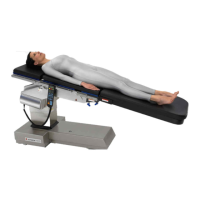
Surgery Table
OMI
7300
CA802000
Description
Page 7
Components
Overview
Page 8
Controls &
Indicators
Page 9
Calling For
Service
Page 26
Operation
Page 12
Specifications &
Accessories
Page 26
Operator
Maintenance
Page 25
Installation
Page 4
Important
Information
Page 2
Limited
Warranty
Page 31
Schaerer Medical USA, Inc.

Other manuals for Schaerer 7300

Questions and Answers

  • P
    Patrick PatelSep 14, 2025
    Why does the seat section move improperly during return to level function on my Schaerer Medical Equipment?
    • M
      Martin MurphySep 14, 2025
      If the seat section moves improperly during the return to level function on your Schaerer Medical Equipment, it is likely due to loose screws securing the seat position sensor. Tighten the loose screws, and if necessary, coat the threads of the screws with removable thread-locking adhesive (Loctite 242).
  • M
    Michael FordNov 19, 2025
    Why does error code E01 (Floor Lock Status Switch Is Not Responding) display on my Schaerer Medical Equipment hand control?
    • W
      Wanda GrayNov 19, 2025
      The error code E01 on your Schaerer Medical Equipment hand control indicates that the floor lock status switch is not responding. This can be due to several reasons: check valves for the main floor lock cylinder(s) or outrigger floor lock cylinder(s) may be stuck open; there could be foreign matter in the main floor lock or outrigger floor lock valve spool; the outrigger pressure relief valve might be malfunctioning; or the inside surfaces of the main floor lock cylinder(s) or outrigger floor lock cylinder(s) may be dirty. To resolve this, you can try the following: * Remove check valve(s) and check for foreign matter. * Remove valve spool(s) and check for foreign matter, then flush out the valve spool manifold with oil. * Replace the outrigger pressure relief valve and spring. * ...

Summary

Important Information for Schaerer Medical USA Model 7300 Surgery Table

Scope and Purpose of the Manual

Defines the manual's coverage for installation, operation, and care of the Model 7300 Surgery Table.

Intended Use of the Product

Specifies the primary application of the Model 7300 Surgery Table for general surgical procedures.

Safety Instructions and Guidelines

Outlines essential safety precautions for operating and maintaining the surgical table.

Explanation of Safety Symbols and Notes

Details the meaning of DANGER, WARNING, and CAUTION symbols used throughout the manual.

Transportation and Storage Conditions

Provides environmental specifications for safe transportation and storage of the equipment.

Installation Guide for the Surgery Table

Unpacking and Initial Setup

Step-by-step instructions for safely unpacking the surgery table and its components.

Description of the Model 7300 Surgery Table

Introduction to the 7300 Modular Surgery Table

Provides an overview of the table's primary uses and adaptability for various surgical procedures.

Key Features and Capabilities

Highlights the advanced features and benefits of the Model 7300 General Surgical Table.

Components Overview of the Surgery Table

Controls and Indicators Reference

Pendant Hand Control Diagram and Functions

Illustrates and describes the buttons and display of the pendant hand control.

Foot Control Diagram and Functions

Illustrates and describes the pedals and functionality of the foot control.

Emergency Override Panel Diagram and Functions

Illustrates and describes the buttons on the emergency override control panel.

Operation of the Model 7300 Surgery Table

Patient Positions and Weight Capacities

Details the normal and reverse positions and their maximum weight limitations.

Head Section Operation and Installation

Instructions for attaching, positioning, and securing the head section.

Table Top Section Installation

Guidance on how to install and secure table top sections using latch handles.

Identification of Possible Pinch Points

Highlights areas on the table where pinch hazards may occur during operation.

Pendant Hand Control Operation

Detailed instructions on using the pendant hand control for table functions.

Foot Control Operation

Instructions for operating the surgery table using the foot control pedals.

Emergency Override Panel Operation

Procedures for using the emergency override panel for table control.

Hand Control Display Messages Guide

Explains messages and prompts displayed on the hand control during operation.

Operator Maintenance Schedule and Cleaning

Preventive Maintenance Schedule

Recommended schedule for routine checks and maintenance to ensure optimal performance.

Cleaning Procedures for Table Surfaces

Guidelines for cleaning upholstery and unpainted metal surfaces.

Calling for Service and Support

Service Contact Information and Procedures

Provides contact details and steps for requesting technical service.

Specifications and Accessories Listing

Technical Specifications of the Surgery Table

Lists key technical data including weight capacities, dimensions, and positioning capabilities.

Available Options and Accessories

Catalog of optional accessories with their respective order numbers for purchase.

Limited Warranty Information

Scope of Warranty Coverage

Defines the warranty coverage for new surgical products and components.

Applicable Warranty Period

Specifies the duration of the warranty, measured from the date of delivery.

Warranty Exclusions

Lists conditions and situations not covered by the warranty, such as misuse or unauthorized repairs.

Exclusive Remedy Provided

States that the sole remedy is repair or replacement of defective parts.

No Authorization Clause

Clarifies that no person is authorized to create additional obligations for the manufacturer.

Schaerer 7300 Specifications

General IconGeneral
BrandSchaerer
Model7300
CategoryMedical Equipment
LanguageEnglish