Installation and commissioning DATAEAGLE 4XXX Compact 5-43
Display
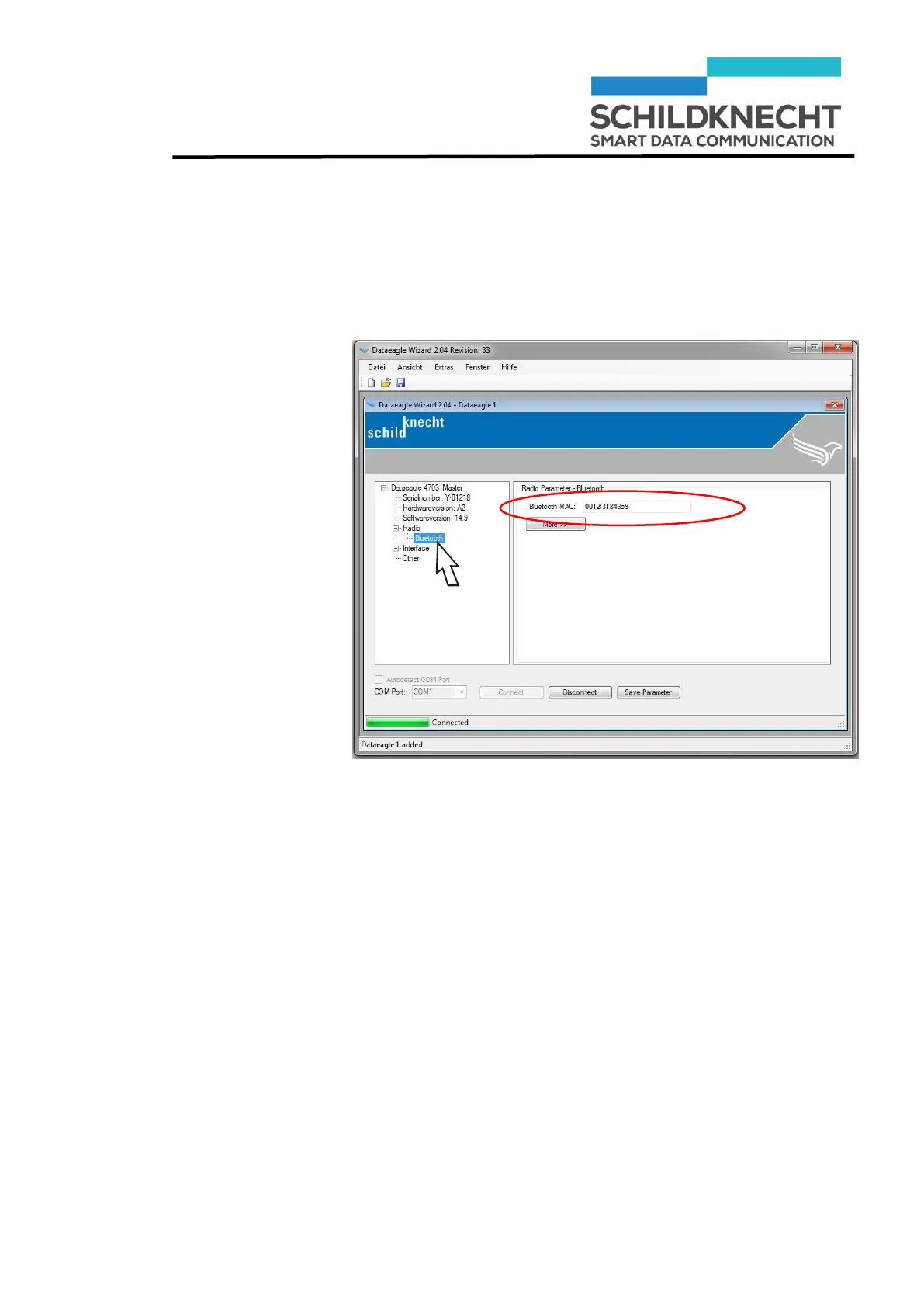
Bluetooth/MAC
address
Chapter 5 – Extension and exchange
Click once on „Bluetooth“
The Bluetooth MAC Address of the newly installed Radio
Master is shown:
Note the Bluetooth MAC address, e.g. 0012f30e69d5
Click on „Save Parameter“.
The new configuration of the Radio Slave is saved.
Click on „Disconnect“.
The configuration of the Radio Master is finished.


 To Next Page