Installation and commissioning DATAEAGLE 4XXX Compact 5-44
Configure Radio
Slaves
Chapter 5 – Extension and exchange
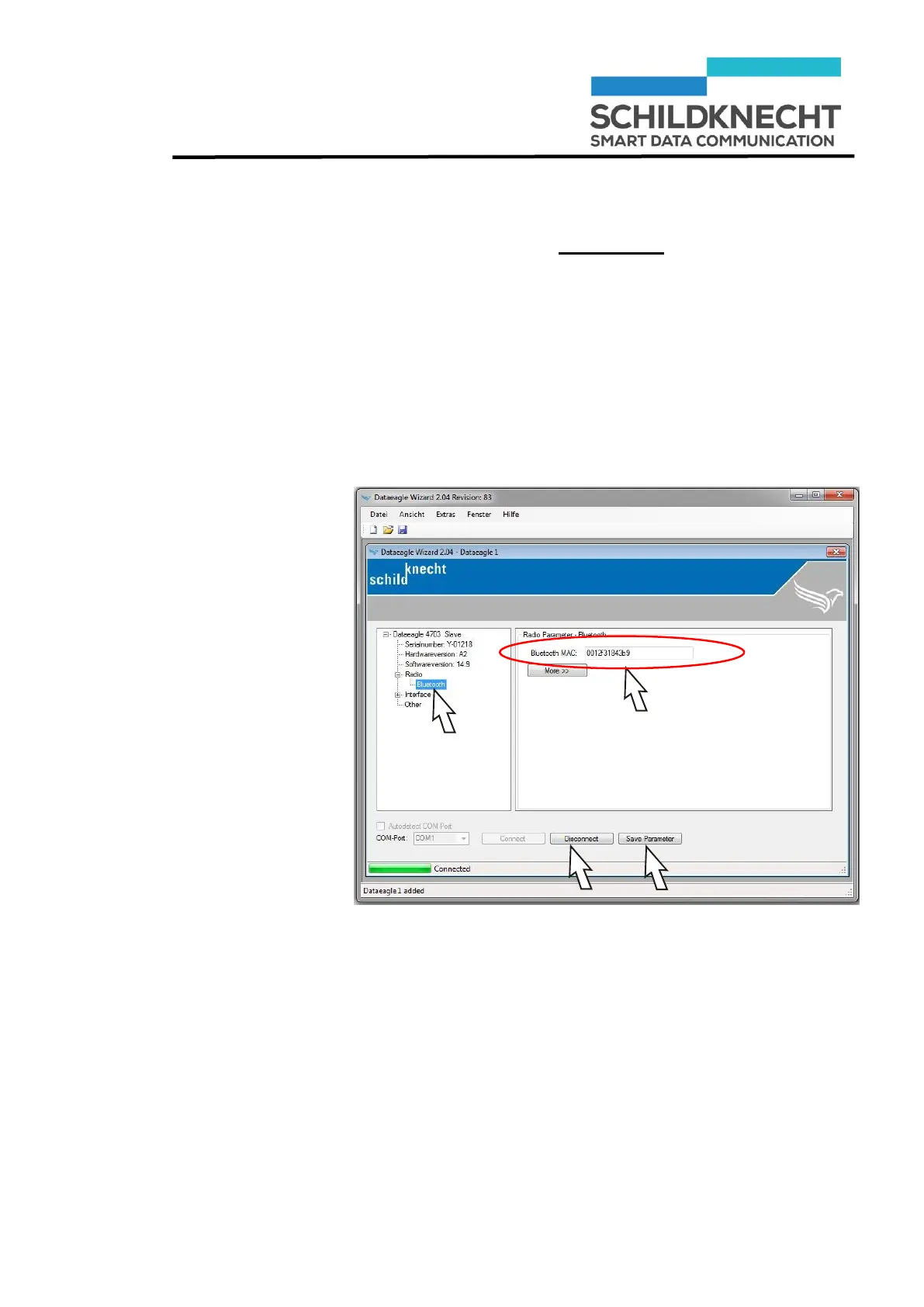
Connect one of the Radio Slave with the USB cable to
the PC.
Click on „Connect“
Acknowledge with „OK“.
The Radio Slave is shown, e.g. Dataeagle 4713 Slave.
Click once on „Bluetooth“.
The Bluetooth MAC Address is shown:
Enter the Bluetooth MAC address you have noted be-
fore.
Click on „Save Parameter“.
The new configuration of the Radio Slave is saved.
Click on „Disconnect“.
Repeat these steps for all other Radio Slaves.
The configuration is finished.


 To Next Page