5 • Schlage • CO-100 user guide
Credential types and functions
Programming credential: A 5 digit code used only for lock programming.
PIN credential: A 3-6 digit code entered on the keypad.
Note: A unique credential must be used for each credential type described below (for
example, a single credential may not be used for both normal use and toggle functions).
Credential type Function
Programming PIN
Used only to program the lock. Does not unlock the lock.
Normal use PIN Unlocks the lock momentarily after a credential is entered.
Toggle PIN
Changes the state of the lock from locked (secured) to unlocked
(unsecured), or vice versa, unless in a Freeze state.
Freeze PIN
Freezes the lock in the current state. The lock remains frozen until
any Freeze credential is entered again. (A pass-through credential will
override a lock in frozen state as described below).
Pass-through PIN
Unlocks a lock momentarily, regardless of state.
A valid Pass-through credential can unlock a door set to any secured
lockout mode (e.g., Freeze, Privacy, Time Zones, Door Auto-Locks and
Holidays). The door will relock after the specied relock time.
Manual programming instructions
Important notes:
L Wait for the Schlage button LEDs to stop ashing before continuing to the next step.
L Programming mode will time out if no entry is made in 20-25 seconds. Time out is
indicated by three left and nine right red blinks of the Schlage button.
L An incorrect entry is indicated by a solid red left and blinking green right LED on the
Schlage button. Refer to Error codes on page 12 to interpret error code patterns.
L A unique PIN must be used for each credential type (for example, a single PIN
may not be used for both normal use and toggle functions).
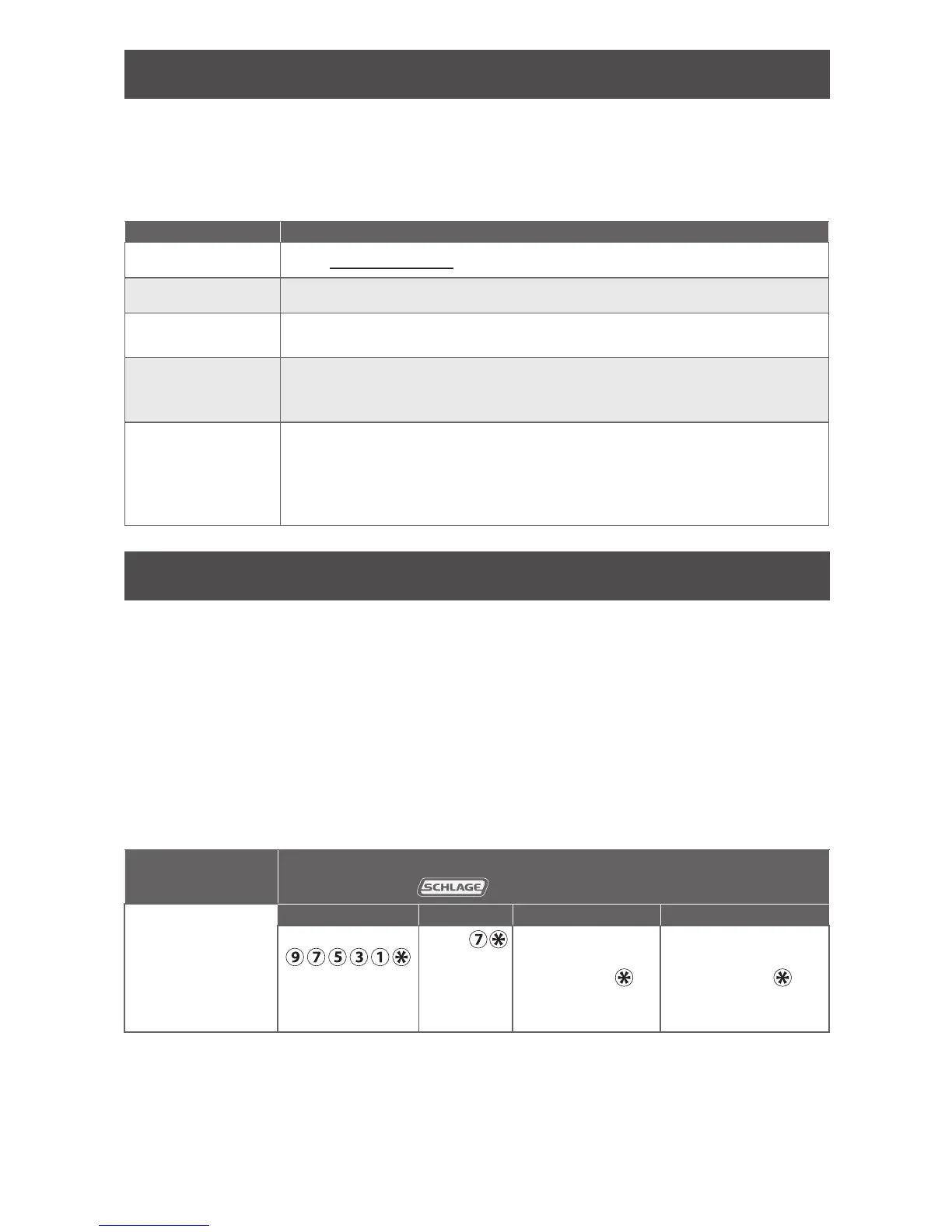
PROGRAMMING credential
To complete this
action:
Perform the following steps:
Wait for
to stop ashing between each step!
1
2 3 4
Create new
Programming
Code (PIN)
Enter
(This is the default
programming PIN)
Enter
Enter new 5 digit
Programming
code and
Wait for right
green light.
Reenter the new 5
digit Programming
code and
Wait for confirmation:
2 right green blinks.
Note: Programming codes such as 1-1-1-1-1 or 1-2-3-4-5 can be easily selected by non-authorized users and
should not be used.





 To Next Page