ProLab 2000 Operation
77
ba75577e03 11/2009
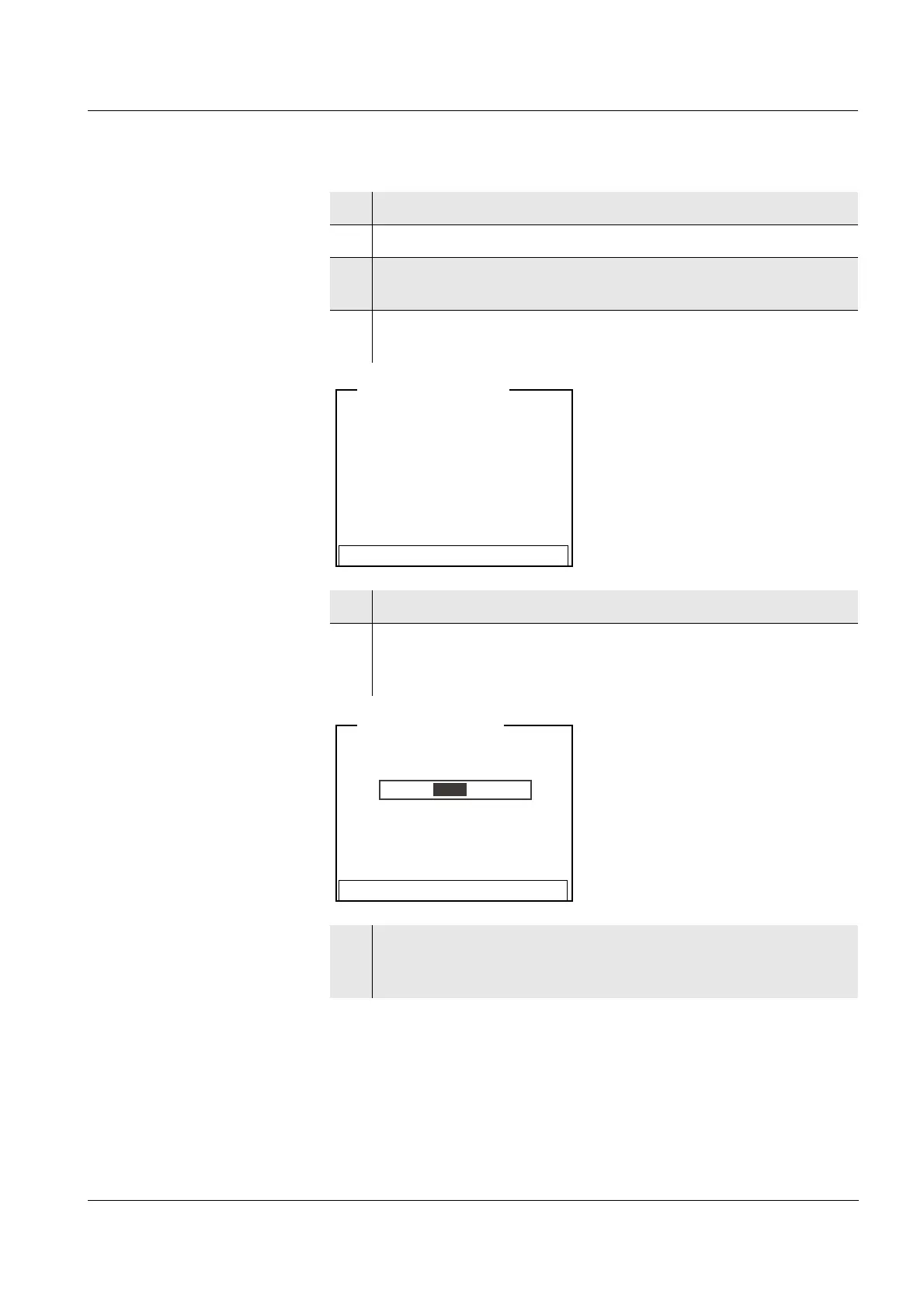
1 Put the D.O. sensor into the air calibration vessel.
2 Connect the D.O. sensor to the meter.
3 In the measured value display, select the D.O. measuring
window with <▲><▼> and <MODE>.
4 Start the calibration with <CAL>.
The calibration display for the relevant sensor type appears.
5 Put the D.O. sensor into the air calibration vessel.
6 Press <MENU/OK>.
The measurement with stability control to determine the
relative slope starts.
7 Wait for the end of the measurement with Stability control or
accept the calibration value with <MENU/OK>.
The determined relative slope is displayed as a message (
i).
i Relative slope = 1.00
i Use air calibration vessel
Continue
LFOx1400-ID <CAL>
i Relative slope = 1.00
i Temperature =24.8 °C
Terminate stability control
LFOx1400-ID <CAL>


 To Next Page