C. THE HELMET
36 37
EN
INSTALLING AND REMOVING THE SUN VISOR
No tools are required to replace the sun visor.
Tip:
To avoid ngerprints and scratches when replacing the sun visor, touch the sun visor
only with a clean, soft close (recommended: microbre cloth).
Tip:
When switching the sun visor, it‘s helpful to lay the helmet on a at surface or across
the upper thighs.
Note:
During installation/removable, avoid contact between the sun visor and the outer shell
of the helmet.
Removing the Sun Visor
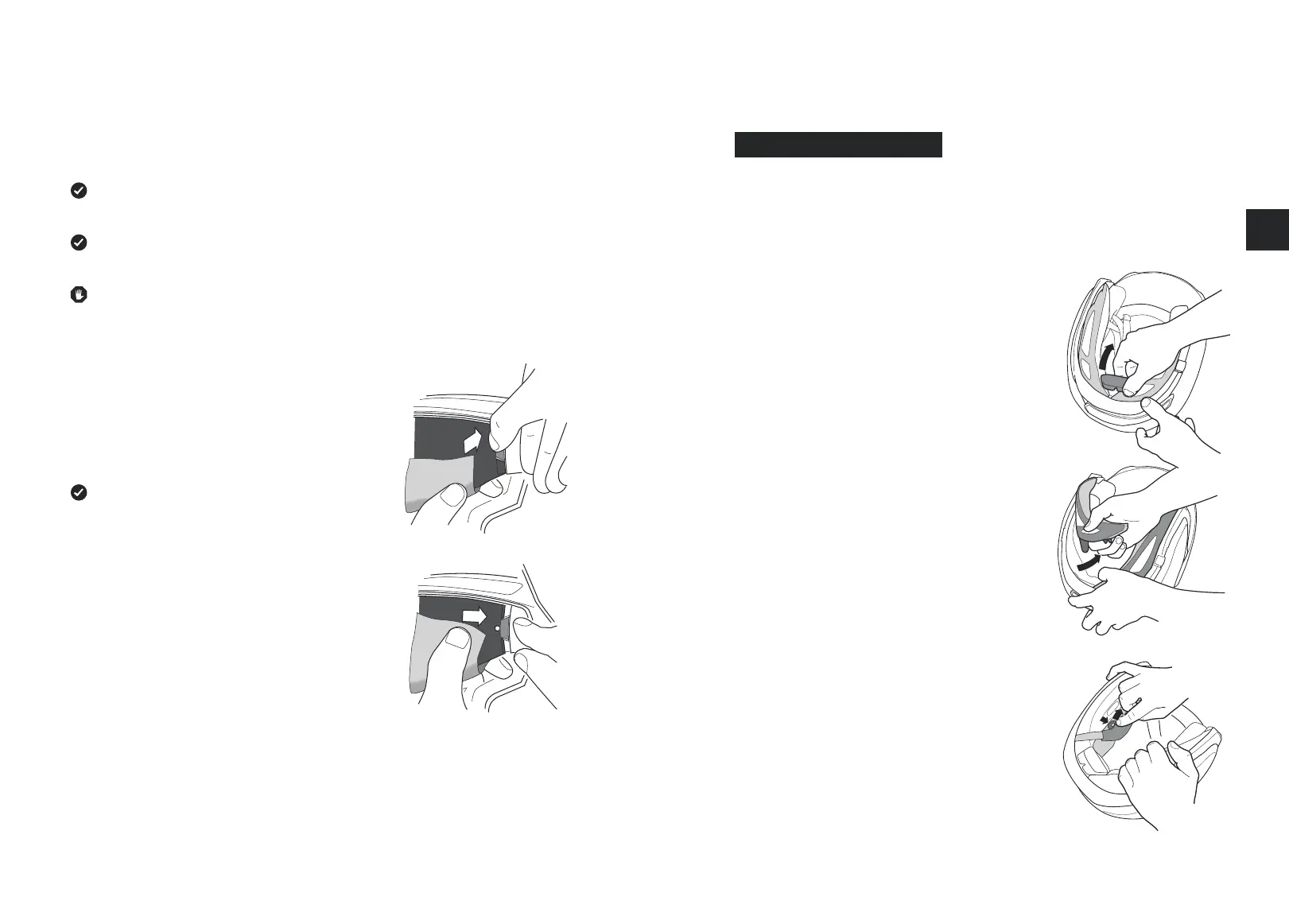
1. Slide the sun visor downward.
2. Bend the centre snap connector with the retaining pins
slightly outwards until the sun visor snaps out of the
bracket.
3. Repeat this step on the other side.
Tip:
The sun visor clips should remain in the lowered
position until a new visor is inserted.
Installing the Sun Visor
1. Insert the sun visor between the snap connectors and
click onto the retention pins.
2. Repeat this step on the other side.
3. Move the slider back and forth to test the functionality
of the sun visor..
9. INTERNAL ELEMENTS
The inner lining of the helmet is completely removable, washable and ensures an
outstanding t and optimal air ow and ventilation within the helmet. Cheek pads, head
padding and the head pad are used to achieve the proper t. All elements of the inner lining
are comprised of skin-friendly, active breathing materials that are designed for eective
dissipation of warmth and heat.
REMOVING THE INTERNAL ELEMENTS
1. Pull the neck tab from its bracket and remove the
forehead padding step-by-step by opening the buttons.
2. Pull the neck padding pieces left and right from the
rear, starting at the guide grooves.
3. Remove the cheek pads step-by-step by loosening
the pins from the helmet shell and neck band.



 To Next Page