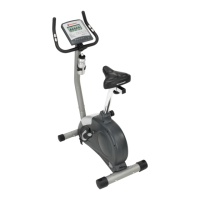
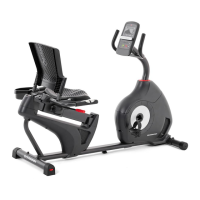
Troubleshooting
Problem Check Solution
Nodisplay/partial diplay/unit will not turn
on
Checkelectrical (wall) outlet
Make sure unit is plugged into a
functioning wall outlet.
Checkconnection at front (recumbent) or Connection should be secure and
rear (upright) of unit undamaged. Replace adapter or
connection atunit if either are damaged.
Checkdata cable integrity All wires in cable should be intact. If any
arevisibly crimped or cut, replace cable.
Check data cable
connections/orientation
Insure cable is connected securely
and oriented properly. Small latch on
connector should line up and snap into
place.
Checkconsole display for damage Checkfor visual sign that console display
is cracked or otherwise damaged.
Replace Consoleif damaged.
ConsoleDisplay If Console only has partial display and
all connections are fine, replace the
Console.
If the above steps do not resolve the
problem, contact Customer Care for
further assistance.
Unit operates but Contact HRnot
displayed
HRcable connection at Console
HRcable box connection (recumbent
only)
Insure cable is connected securely to
Console.
Insure cables from handlebars and cable
to Consoleare secure and undamaged.
Somemodels mayrequire the seat back
be raisedto access cable box.
Sensor grip
Insure hands are centered on HR
sensors. Hands must be kept still with
relatively equal pressure applied to each
side.
Dry or calloused hands Sensors may have difficulty with dried
out or calloused hands. A conductive
electrode cream such as "Signa Cr_me"
or "Buh-Bump" can help make better
conduct. These are available on the
web or at medical or some larger fitness
stores.
Unit operates butTelemetric (ifequipped)
HRnot displayed
Handlebars
ChestStrap
Iftests revealnoother issues, Handlebars
should be replaced.
Strap should be"Polar"compatible. Make
sure strap is directly against skin and
contact area is moist.
Interference
Try moving unit away from sources of
interference (TV,Microwave, etc). If
interference is eliminated and HRstill
does notfunction, replace strap and
Console.
19


 To Next Page