EasyManua.ls Logo

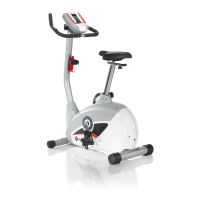
Schwinn 145 - User Manual

Schwinn 145
34 pages
Print Icon
To Next Page IconTo Next Page
Loading...
ASSEMBLY MANUAL / OWNER'S MANUAL
Manual en Español Latino Americano:
http://www.schwinnfitness.com

Questions and Answers

  • Y
    ypattersonAug 15, 2025
    What to do if my Schwinn 145 has no display or won't turn on?
    • L
      Laura JacksonAug 15, 2025
      If your Schwinn Exercise Bike console isn't displaying anything, shows only a partial display, or the unit won't power on, ensure it's plugged into a working wall outlet. Check that the connection is secure and undamaged, replacing the adapter or connection if necessary. Inspect the cable for any crimped or cut wires, and replace it if damaged. Make sure the cable is securely connected and properly oriented, with the small latch on the connector lined up and snapped into place. Check the console display for cracks or damage, and replace the console if needed. If only a partial display appears and all connections are fine, replace the console.
  • M
    mgordonAug 18, 2025
    How to fix no speed/RPM reading on Schwinn 145?
    • J
      jchandlerAug 18, 2025
      If your Schwinn Exercise Bike isn't showing a speed or RPM reading and the console displays a 'Please Pedal' error, inspect the cable for any cut or crimped wires and replace it if necessary. Ensure the cable is securely connected and properly oriented. Also, verify that the magnet is in place on the pulley. Check that the speed sensor is aligned with the magnet and connected to the data cable; realign or replace the sensor if damaged.
  • K
    Kayla JosephAug 22, 2025
    How to fix clicking sound when pedaling Schwinn Exercise Bike?
    • R
      Rachel BoydAug 22, 2025
      If you hear a clicking sound when pedaling your Schwinn Exercise Bike, remove the pedals and reattach them.
  • S
    Sara BarkerAug 25, 2025
    Why does my Schwinn 145 console shut off during use?
    • T
      Tina BaileyAug 26, 2025
      If your Schwinn Exercise Bike console shuts off while you're using it, ensure the unit is plugged into a functioning wall outlet and the connection is secure and undamaged, replacing the adapter if necessary. Check the cable for any damage and replace if needed, ensuring it's securely and correctly connected. Try unplugging the unit for three minutes, then reconnect it. Also, verify that the magnet is in place on the pulley.
  • B
    Brandon SellersAug 28, 2025
    How to stop my Schwinn Exercise Bike from rocking?
    • G
      Gabriela DavisAug 28, 2025
      If your Schwinn Exercise Bike is rocking or not sitting level, adjust the levelers until the bike is stable. Keep in mind that adjustments might not fully compensate for extremely uneven surfaces, so consider moving the bike to a more level area.
  • J
    Joseph RamirezSep 1, 2025
    Why is contact HR not displayed on my Schwinn Exercise Bike?
    • K
      Kelly StaffordSep 1, 2025
      If the contact heart rate (HR) is not displayed on your Schwinn Exercise Bike, first ensure the cable is securely connected to the console. Make sure your hands are centered on the HR sensors, kept still, and applying relatively equal pressure to each side.
  • R
    Regina HeathSep 4, 2025
    Why is telemetric HR not displayed on my Schwinn Exercise Bike?
    • A
      Amanda GrahamSep 4, 2025
      If your Schwinn Exercise Bike isn't displaying telemetric heart rate (HR), ensure the strap is 'POLAR®' compatible and uncoded. Make sure the strap is directly against your skin and the contact area is wet. Try moving the bike away from potential sources of interference like TVs or microwaves. If eliminating interference doesn't work, replace the strap.
  • O
    Olivia HoltSep 7, 2025
    Why are the pedals loose on my Schwinn Exercise Bike?
    • K
      Kimberly TranSep 7, 2025
      If your Schwinn Exercise Bike pedals are loose or the unit is difficult to pedal, make sure the pedal is tightened securely to the crank, ensuring the connection isn't cross-threaded. Also, verify that the crank is tightened securely to the axle and that the cranks are connected at 180 degrees from each other.
  • F
    Faith MeadowsSep 12, 2025
    How to stop seat post movement on Schwinn Exercise Bike?
    • H
      Haley TaylorSep 12, 2025
      To address seat post movement on your Schwinn Exercise Bike, ensure the adjustment pin is locked into one of the seat post adjustment holes and that the knob is securely tightened.

Summary

Assembly Safety Precautions

Warning Icon and General Safety

Explains the danger symbol for potential injury or death and general safety rules.

Safe Assembly Environment

Guidelines for workspace, assistance, and surface setup during assembly.

Safety Labels and Specifications

Handlebar Installation Procedure

Attach Handlebars to Frame Assembly

Mounting the handlebars and ensuring proper cable connections.

Console Installation Steps

Final Assembly and Checks

Comprehensive Safety Guidelines

User Safety Rules and Precautions

Essential safety rules for operating the equipment and avoiding injury.

Health Advisories and Usage Restrictions

Recommendations for consulting physicians and adhering to usage limits.

Bicycle Features Overview

Console Operations and Display Information

Console Data and Heart Rate Monitoring

Workout Metrics and HR Sensor Use

Understanding Watt, Time, Pulse displays and using contact/remote HR sensors.

Bike Operation and Adjustments

Workout Programs and Modes

Schwinn Advantage User Setup Process

Creating and Storing User Profiles

Step-by-step guide to setting up personal user profiles for data tracking.

User Profile Management and Customization

Advanced Workout Features and Controls

Fitness Test and HRC Workout Procedures

Using the Fitness Test and Heart Rate Control workout programs.

Post-Workout Analysis and Data

Routine Equipment Maintenance

Troubleshooting Display and HR Issues

Display and HR Sensor Problem Solutions

Resolving issues related to console display, HR sensors, and error codes.

Troubleshooting Operational Problems

Unit Stability and Pedal Operation Issues

Solutions for problems like rocking, loose pedals, clicking sounds, and seat movement.

Product Warranty and Support

Warranty Coverage, Terms, and Exclusions

Details on warranty coverage, terms, what is and isn't covered, and service.

Obtaining Service and Legal Limitations

Procedures for obtaining service, legal disclaimers, and state law rights.

Schwinn 145 Specifications

General IconGeneral
Heart Rate MonitoringGrip
Display TypeLCD
Resistance TypeMagnetic
Seat TypePadded
PedalsStandard
Drive SystemBelt
Display FeaturesTime, distance, speed, calories, RPM
Warranty90 days

Related product manuals