73
SCIFIT Scientic Solutions For Fitness SCIFIT Scientic Solutions For Fitness SCIFIT
SPECIFICATIONS
ELECTRICAL PARTS REMOVAL/REPLACEMENT
SPECIFICATIONS
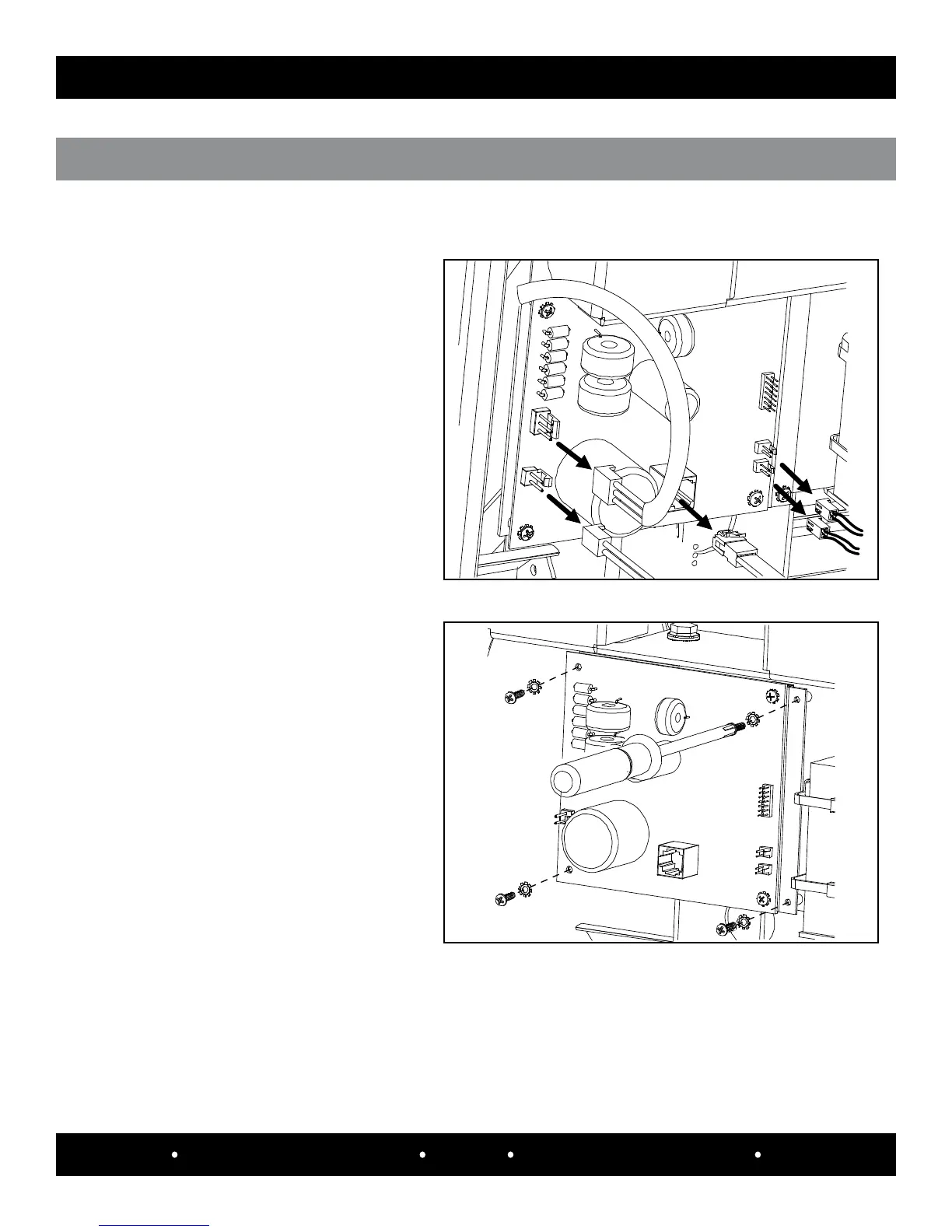
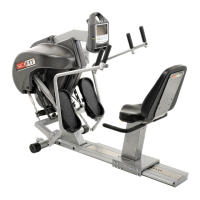
conTroLLEr BoArD W/ ADApTEr BrAckET rEmovAL
* Phillips screwdriver Tools Required:
Use a phillips screwdriver to remove the
four #6-32 x 1/2” screws (#1128804) and
four #6 external tooth washers (#33733)
that mount the pc board to the bracket.
Step 2:
Disconnect the following cables from the
controller board.
Step 1:
1. 3-pin brake cable
2. 2-pin brake cable
3. C ommunication cable
4. Battery cable
5. Power entry cable
Remove the controller board (#A5361).
Step 3:


 To Next Page