EC4 series integrated I/O user manual Use
Copyright © Nanjing Solidot Electronic Technology Co., LTD. 2023
3、 Install the XML file
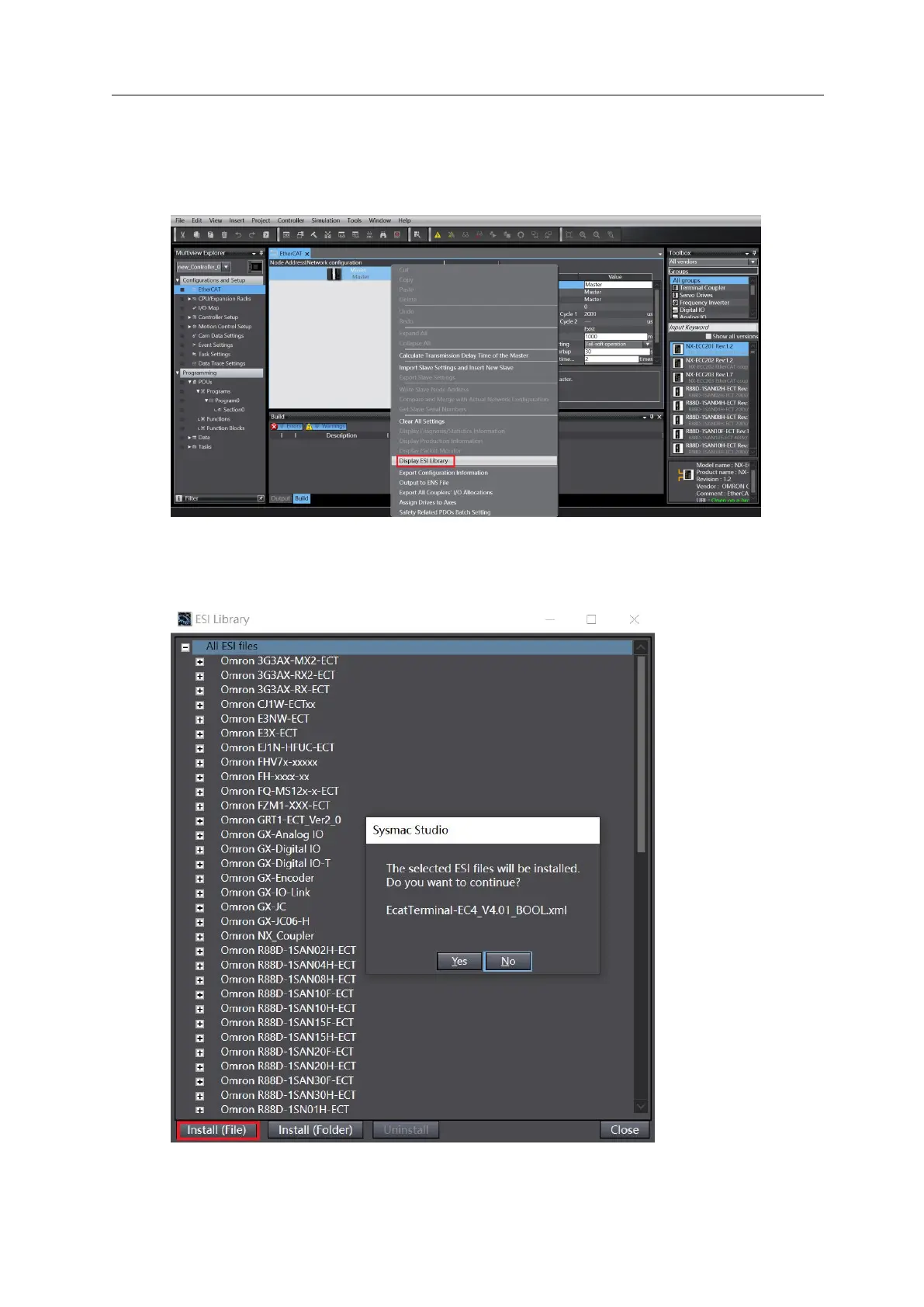
a. In the left navigation tree, expand Configuration and Settings, double-click EtherCAT, right-click
Home Device, and select Display ESI Library, as shown in the figure below.
b. In the ESI Library window, click the Install (File) button, select the XML file path, and click the
button Yes to complete the installation.
4、 Add from the device



 To Next Page