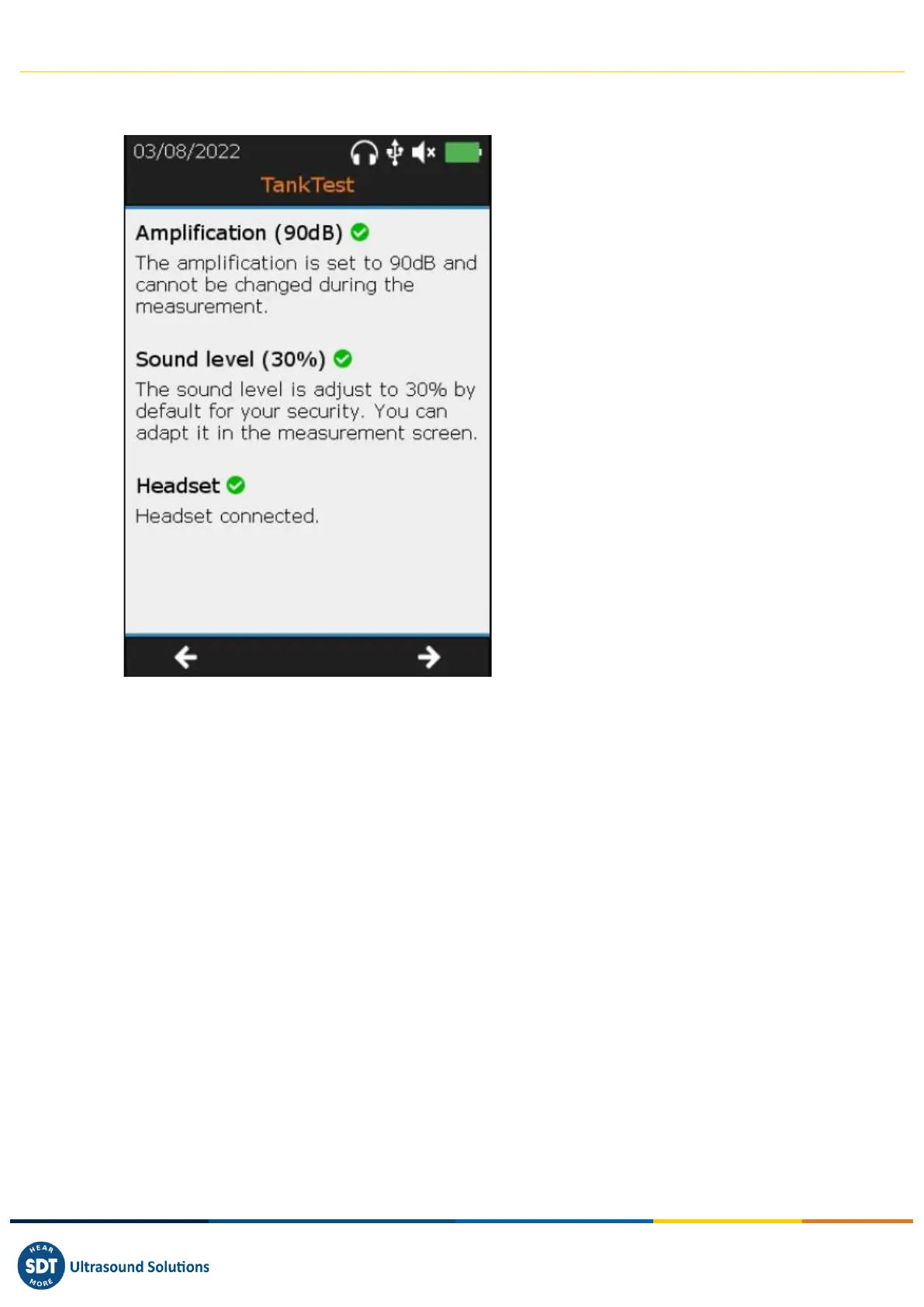
❶ Sensor amplification is set to maximum
❷ The sound level of the helmet is preset
to 30%, for safety. The operator will be
able to adjust this level afterwards
❸ The headset is plugged in
❹ Go to the next screen with the F3 key
or return to the previous screen with the
F1 key
The next step is to characterize the background noise of the installation to be controlled. These
successive measurements, in the airborne phase and in the liquid phase, are called "reference
measurements".
The operator wears the headset during this operation and can, at his convenience, adjust the volume
of the audio output, until a comfortable sound level is obtained.
When the operator judges that there is no disturbing noise coming from the headset and that the
values observed on the screen are relatively stable (typically less than 0), he can start an acquisition by
pressing the ENTER key. After a few seconds, the device will display the average measurement frozen
on the screen, resulting from the 6 seconds of acquisition. The operator can visualize the signal with
the F2 key to assess the global stability then confirm the saving with ENTER or cancel the present
acquisition with the ESC key then restart an acquisition with ENTER.
In the event of abnormal background noises, identify then remove the source(s) of the disturbing
noise, wait for a calmer moment and start again the operation "measurement of the reference", until
measurements judged valid are obtained. If these conditions cannot be met, the tightness test cannot
be performed properly.
The operator can save as many reference measurements as he deems necessary. The last acquisition
will be considered as a "valid" reference to be compared with the measurements acquired in vacuum,
during the guided mode. All the reference measurements will be available in the tree structure mode



 To Next Page