Maintenance and Troubleshooting ST144-21 C/Ku-Band TVRO
13-24
Using DacRemP
• Click on the icon in the Comm Diagnostics window. (Verify that DishScan is turned
off by clicking the Error LED on main display panel, there should be a check mark next to
Conscan/DishScan)
:
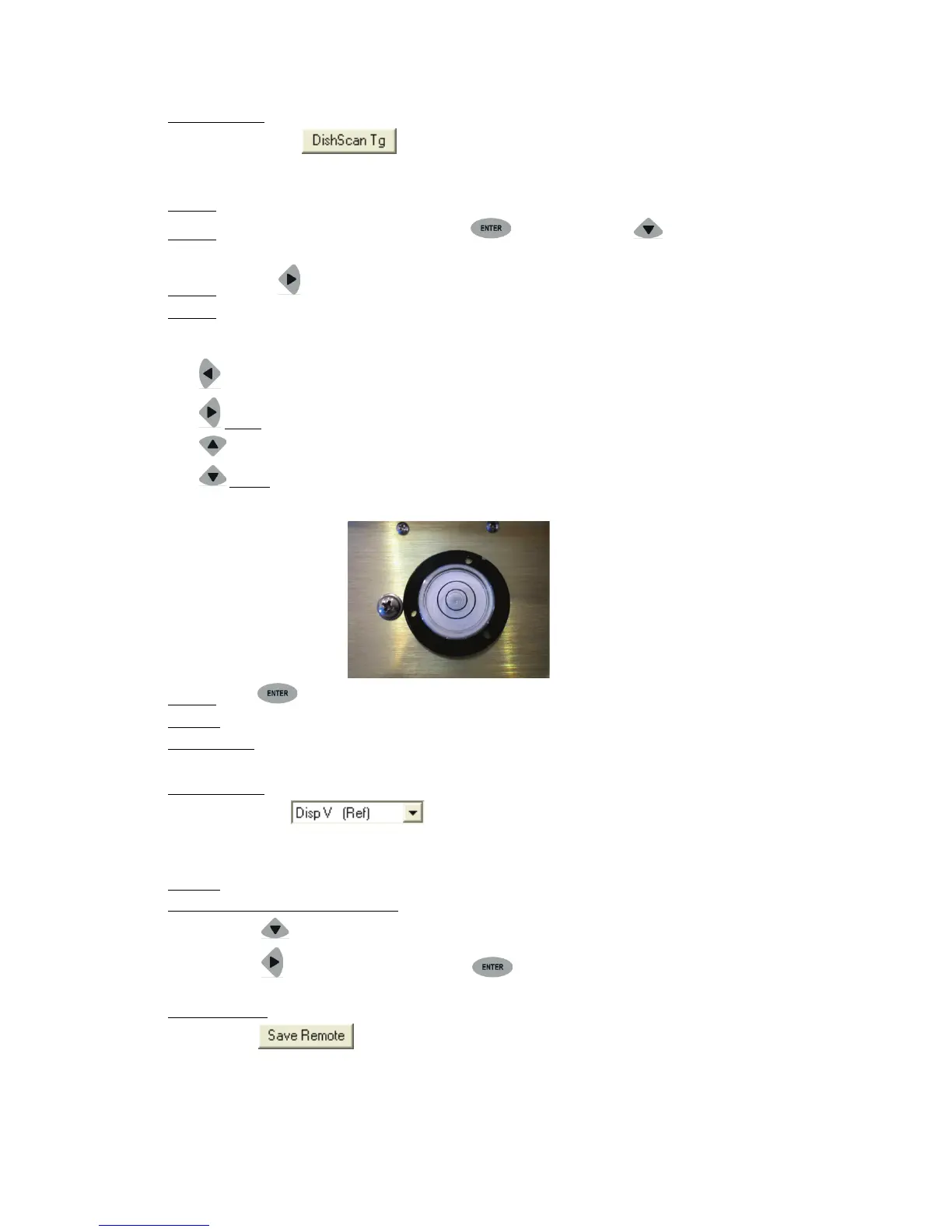
Step 2: At Antenna, If not already installed, place a circular level bubble on top lid of level cage.
Step 3: On the ACU front Panel, press either the ENTER key or the DOWN arrow key until the
REMOTE TILT window is displayed
Step 4: Push the RIGHT arrow key to activate the Remote Tilt Mode.
Step 5:
Left arrow will rotate antenna mass down to the left in the Cross-Level axis ½ degree
Based on the feedback from the technician observing the circular bubble, the technician which
operating the ACU will need to use the arrow keys to rotate the stabilized antenna mass from front to back
and left to right. You should wait at least 10 seconds between commands to allow time for sensor to settle.
Right
Up arrow will rotate antenna mass up in the Level axis ½ degree
arrow will rotate antenna mass up to the right in the Cross-Level axis ½ degree
Down
When correct the Bubble should be as close to the center of the fluid as possible.
arrow will rotate antenna mass down in the Level axis ½ degree
Step 6: Press ENTER key to exit Remote Tilt Mode.
Step 7:
From antenna:
Verify Tilt Bias entered is within specifications.
• Observe the bubble for approximately 3-5 minutes to ensure it remains centered.
Using DacRemP:
• Select the reference sensor graph.
• Verify the CL and LV display plots are steady and within 4 divisions of nominal. (Anything more than
4 divisions above or below red reference line should be of concern and troubleshooting is required)
Step 8: Save Level and Cross-Level Tilt Bias values.
Using the DAC2202 ACU Front Panel:
• Press DOWN arrow or enter until you see “REMOTE PARAMETERS” window is displayed
• Press RIGHT arrow and then press ENTER key (you will see a confirmation saying
‘SAVED’)
Using DacRemP:
• Click icon on the Remote Command window. (Verify ^0087 is displayed in the “Last
Sent Command” window)
This saves the new tilt bias settings in the PCU. Reset or re-initialize the antenna to verify that the Level cage
is properly level with the new settings.









 To Next Page