Maintenance and Troubleshooting ST144-21 C/Ku-Band TVRO
13-20
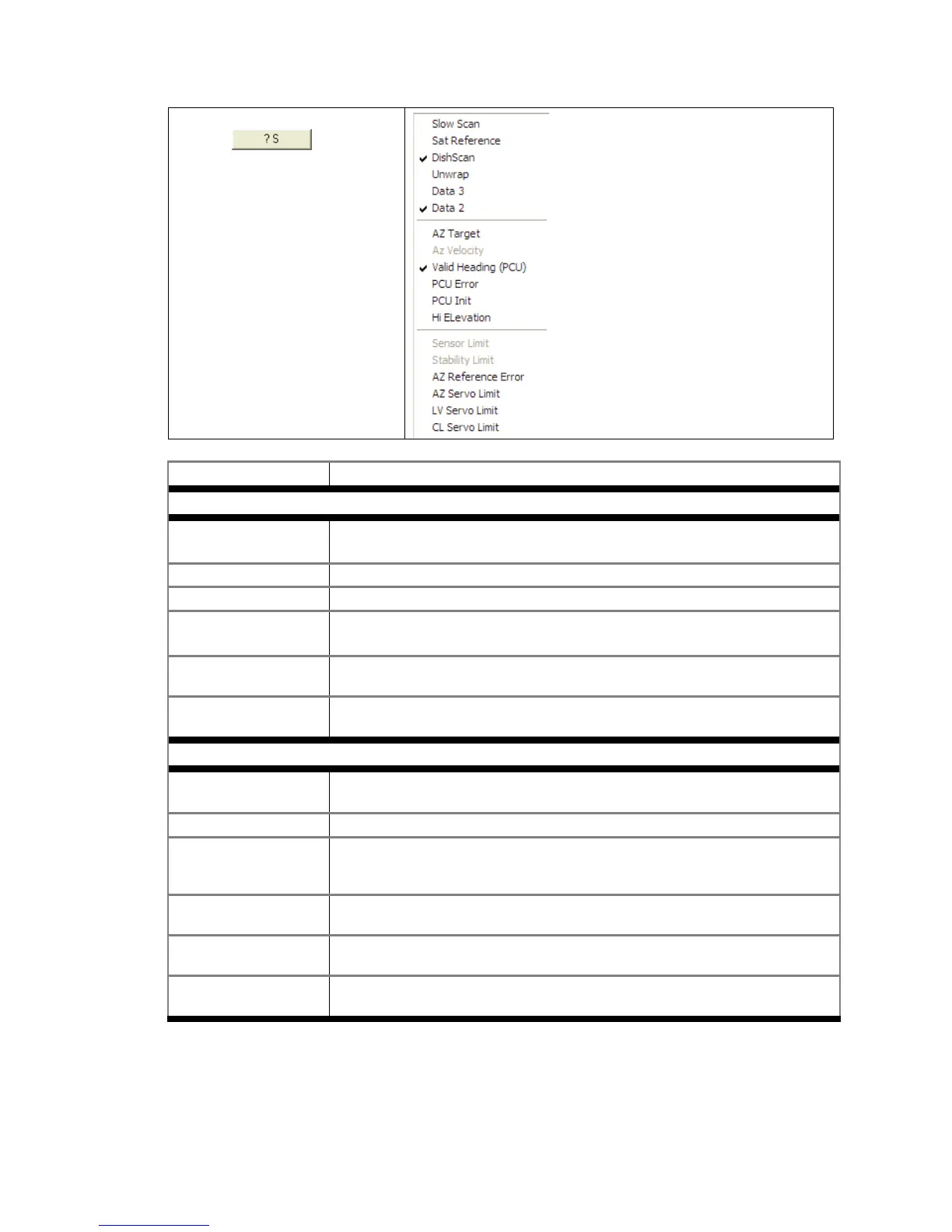
3. Right mouse click on the
icon.
This will display a list box with
the status of the above decks
pedestal filtered into 3
sections. Items preceded with
a check marks indicate a
flagged status. See matrix
below for further information
on each state.
State Description
PCU Status (Word 1)
Slow Scan Indicates antenna is in a specialized mode, Slow Scan, which is required when
ever a test requires driving the antenna >5°/sec
Sat Reference Indicates that satellite reference mode is enabled.
DishScan® Indicates that DishScan® Drive is enabled.
Unwrap Indicates that the antenna is currently in an “Unwrap” state.
This is not a valid error for unlimited azimuth antenna systems
Data 3 Indicates active communication between above decks and below decks
equipment at the time of query
Data 2 Indicates active communication between above decks and below decks
equipment at the time of query
PCU Status (Word 2)
Az Target Indicates the antenna is currently targeting a pre-determined azimuth position
Az Velocity **Not a valid state**
Valid Heading (PCU) Indicates that the PCU has received and integrated the heading value from the
ACU into the Azimuth Stabilization Loop. This is NOT an indication of a proper
Heading integration into ACU.
PCU Error Indicates that one or more errors have been reported by the above decks
equipment.
PCU Init Indicates that the above decks equipment is currently performing an
Initialization sequence
Hi Elevation Indicates that the above decks equipment is operating an Elevation Position
higher than 83°









 To Next Page