SELECTION OF THE SETTINGS
Initial system
Software Version
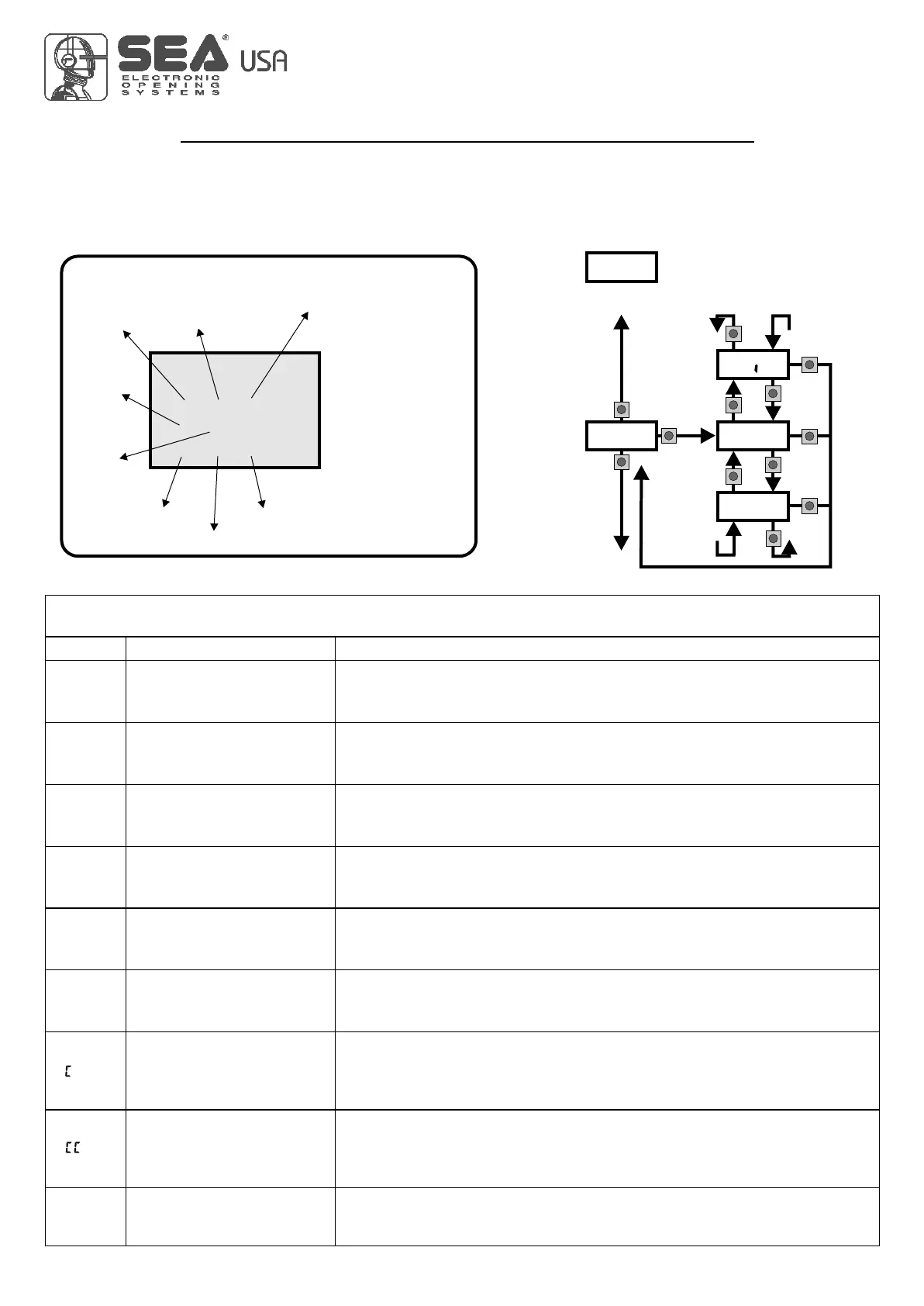
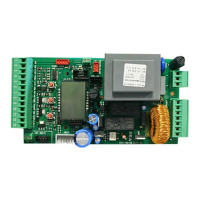
The settings of the control unit are made through the UP, DOWN and OK buttons. The UP and DOWN buttons to scroll through
the MENUS and SUBMENUS. By pressing OK you enter from MENU into SUBMENU and confirm the choice.
Pressing the UP and DOWN buttons at the same time you access the SP MENU for special settings. Pressing the OK button for
5 seconds, you enter the TEST MENU, where you can check the operating status of all inputs.
Programming example
USER 1 - 24V DG
0.0
MENU'
strt
stop
pedo
edge
pko.1
pko.2
F a.i
F .i
u.001
barr
UP
OK
UP
UP
UP
DOWN
DOWN
DOWN
OK
OK
OK
DOWN
TRAI
ot
U
Sl d
Description
Start test
Stop test
Pedestrian start test
Safety edge test
Photocell 1 test
Photocell 2 test
Opening limit switch test
Closing limit switch test
MENU FUNCTION board USER1 24V DG INPUT TESTS
(To access the Menu for input TESTS keep pressed OK for about 5 seconds)
Description
The contact must be N.O. If activating the related command on the display
the item SET lights up, the input will be working.
If SET is always on, check the wirings.
IThe contact must be N.C. If activating the related command on the display
the item SET lights up, the input will be working.
If SET is always on, make sure that the contact is a N.C. one
The contact must be N.O. If activating the related command on the display
the item SET lights up, the input will be working.
If SET is always on, check the wirings
The contact must be N.C. If activating the related command on the display
the item SET lights up, the input will be working.
If SET is always on, make sure that the contact is a N.C. one
The contact must be N.C. If activating the related command on the display
the item SET lights up, the input will be working.
If SET is always on, make sure that the contact is a N.C. One
The contact must be N.C. If activating the related command on the display
the item SET lights up, the input will be working.
If SET is always on, make sure that the contact is a N.C. one.
The contact must be N.C. If activating the related command on the display
the item SET lights up, the input will be working. If SET is always on,
make sure that the contact is a N.C. one or that the related
limit switch is not occupied.
The contact must be N.C. If activating the related command on the display
the item SET will light up, the input will be working. If SET is always on,
make sur that the contact is a N.C. one or that the related
limit swith is not occupied.
Batteries’ voltage level
Batteries charge level indicator
10
International registered trademark n. 2.777.971
67411535
MENU
SEA
SET
---
--
---
DISPLAY INPUT STATUS
When the segment is
ON during self-
learning, the input
status is closed or
OFF.
Start
Start
pedestrian
Stop
Limit
Switch
opening
motor 1
Photocell 1
Photocell 2
Edge 1
Limit
Switch
closing
motor 1
REV 03 - 05/2013



 To Next Page