EasyManua.ls Logo

SEA USER 1 - User Manual

Default Icon
23 pages
Print Icon
To Next Page IconTo Next Page
Loading...
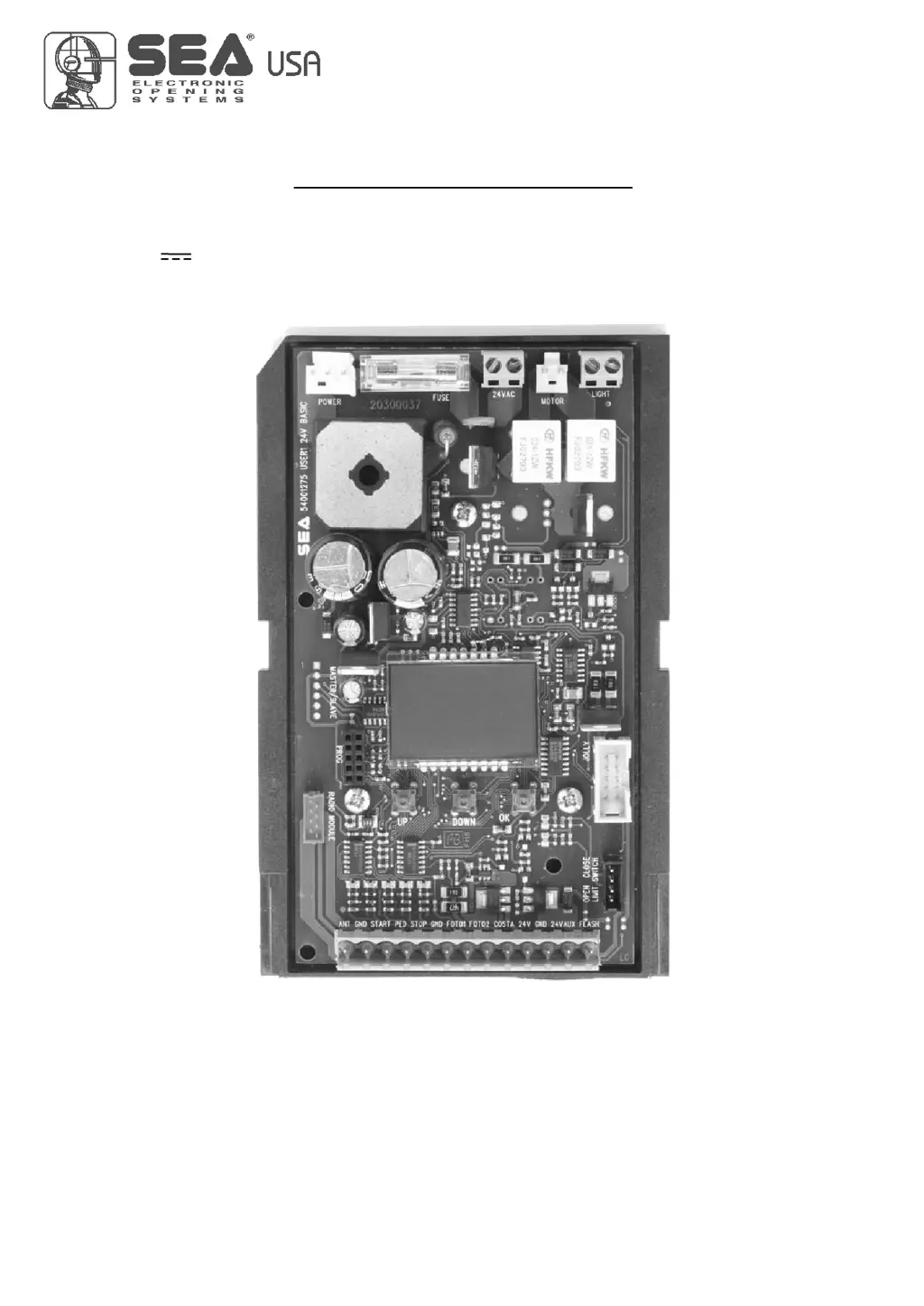
USER 1 - 24V DG
24V ELECTRONIC CONTROL UNIT FOR SLIDING GATES AND BARRIERS
67411535
International registered trademark n. 2.777.971

Questions and Answers

  • N
    Nathan CabreraAug 4, 2025
    What to do if the SEA USER 1 opens but doesn’t close?
    • V
      velasqueztinaAug 4, 2025
      If your SEA Garage Door Opener opens but doesn’t close, here's what to check: * Ensure the photocell contacts are correctly connected. * Verify the stop contact is properly closed. * Confirm the edge contact is not open. Also, inspect the warning lamp signals and check if the ammeter alarm has been triggered. If it has, you may need to increase the torque parameter.
  • G
    gabrielle37Aug 12, 2025
    Why my SEA USER 1 doesn’t fully open or close?
    • J
      Jon FisherAug 12, 2025
      If your SEA Garage Door Opener isn’t fully opening or closing, it could be due to several reasons: 1. The limit switches might be incorrectly set; adjust them accordingly. 2. There might be an error in the programming; try repeating the programming process. 3. An obstacle may be blocking the gate's path; remove any obstructions. 4. The torque or speed might be set too low; increase the torque parameter.
  • W
    williampriceAug 19, 2025
    How to fix a SEA USER 1 motor that doesn’t start?
    • D
      Daniel MahoneyAug 19, 2025
      If the motor of your SEA Garage Door Opener isn’t responding, check the following: * Make sure the jumpers are correctly placed on all normally closed (N.C.) contacts, including those for the safety edge, stop, and photocell connections. * Inspect the fuse on the control unit and replace it if it's burnt.
  • M
    michellegarzaAug 27, 2025
    What to do if SEA USER 1 motor runs but the gate doesn't move?
    • G
      gregwilliamsAug 27, 2025
      If the motor of your SEA Garage Door Opener is running, but the gate isn't moving, it could be because: * The motor is in the released position. Re-lock the motor. * There is an obstacle blocking the gate. Remove any obstacles.

Summary

Important Safety Instructions

General and Technical Information

Technical Specifications

Detailed technical specifications of the control unit, including power, temperature, and dimensions.

Quick Start Configuration

Working Times Self-Learning Procedure

Safety Warning: Self-Learning Procedure

Warning about the dangerous nature of the self-learning procedure.

Control Unit Settings Selection

Menu Functions and Settings Table

USER1 24 V DG Menu Functions

Comprehensive table of menu functions, descriptions, and default values.

Special Menu Functions

Special Menu Functions Table - Part 1

Table of advanced special menu functions for detailed configuration.

Special Menu Functions (Cont.)

Special Menu Functions Table - Part 2

Continuation of the special menu functions table.

Special Menu Functions (Final)

Special Menu Functions Table - Part 3

Final part of the special menu functions table.

Radio Transmitter Learning

Function Logic and Security

Password Entry Management

Jolly Programmer Parameters

Input Connections and Functions

Photocell Connections and Options

Instructions for connecting photocell 1 and 2, including options.

Pedestrian, Stop, and Start Input Connections

Connection and function of pedestrian start, stop, and start inputs.

Limit Switches and Sensor Barriers

Alarm Indications

Alarm Signals and Corresponding Solutions

Table of signals, faults, and their corresponding solutions.

Safety Edge and Signaling Devices

Master-Slave Function Configuration

Troubleshooting Common Issues

Troubleshooting Advises and Problem Checklist

General advice, common problems, possible causes, and solutions.

SEA USER 1 Specifications

General IconGeneral
BrandSEA
ModelUSER 1
CategoryGarage Door Opener
LanguageEnglish

Related product manuals