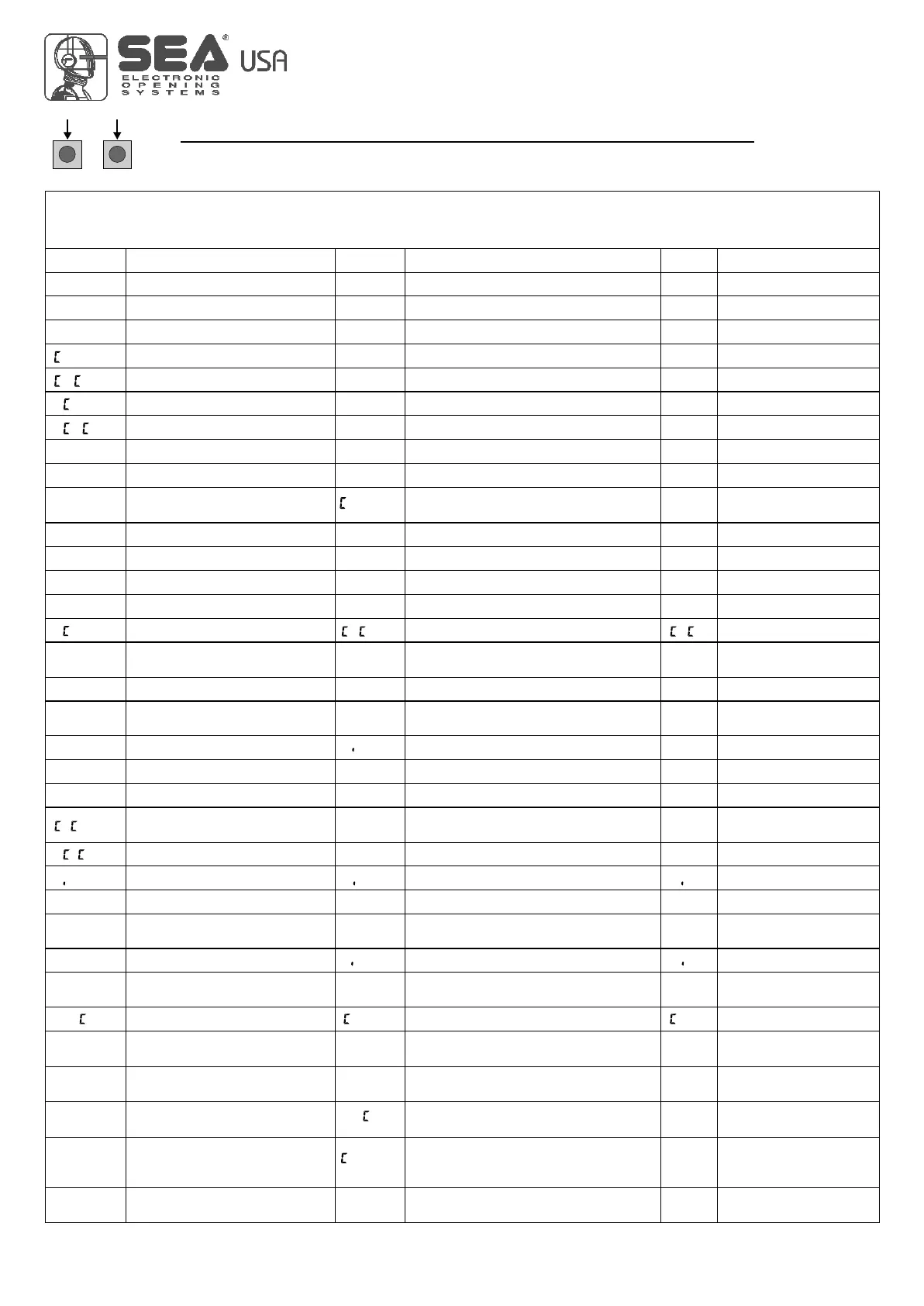
SELECTION OF THE SETTINGS
UPDOWN
USER 1 - 24V DG
0 100
0 100
0 100
0 100
SPEE
sl.dn
sp.lr
pr.bl
s.str
80
40
80
70
0 100
0 100
Disb.05
70
70
P.op
P. l
Buzzer
spy
alys
beep
U
La p
N
Lgb
U
la p
D l.o
D l.
0 100
0 100
30
30
Disb Disb
l.on
MENU SP
SET
Default
i0e4
0
100 10e4
0 10e9
pk2
ped
8.2
s.edg
1,2,3
strt
30
20 100
strt
1,2,3
p.ped
Ped.o
rp.pa
open
stop
D sb
Y l
N. Y
D sb
D sb
U
t r
D sb
D sb
Pk.i
Los Los
Par
U
L.i
N
L. O
Y l Y l
PRESS AT THE SAME TIME FOR 5 SECONDS TO ENTER OR TO EXIT THE SPECIAL MENU
SPECIAL MENU FUNCTIONS TABLE USER 1 24V DG
(To enter the Special Menu keep pressed UP and DOWN at the same time for 5 seconds.
To exit the Special Menu pressed END or keep pressed UP and DOWN at the same time for 5 seconds)
Description
Description
Set value
Motors speed
Slowdown speed
Motors speed
Slowdown speed
Learning speed
Learning speed
Opening torque
Closing torque
Opening torque
Closing torque
Deceleration ramp in opening
Deceleration ramp in closing
Deceleration ramp in opening
Deceleration ramp in closing
Pre-flashing
Pre-flashing disabled
Pre-flashing active only
before closing
Preflashing duration
Flash output adjustment
Flashing lamp
Control lamp
Always ON
Acceleration ramp
Acceleration ramp
Courtesy light
Courtesy light disabled
Courtesy light setting from
1s to 4min.
Pedestrian opening
Adjusts the space of pedestrian opening
Pedestrian Pause
Pause in pedestrian opening
same as in total opening
Pedestrian pause disabled
Setting from 1s to 4 min.
Number of cycles for
maintenance
Number of executed cycles
Setting from 100 to 100000
Timer management
Disabled
Timer function active on photocell 2
Timer function active on
pedestrian input
Safety edge
Edge is active but not protected
Edge is active and protected
by a 8k2 resistor
Photocell 1 management
Photocell active in closing
Photocell active in opening
and closing
The photocell gives a command to
close during opening, pause
and closing
The photocell charging the
pausing time
Photocell active before opening
and in closing
The photocell stops in closing and
closes when released
To reset keep pressed OK for 5 s.
12
International registered trademark n. 2.777.971
67411535 REV 03 - 05/2013



 To Next Page