MENU SP
SET
Default
slau
U
Ast
D sbD sb
U
A.sl
----
eND
Ps.rd
----
Ph.of
0
0 50%
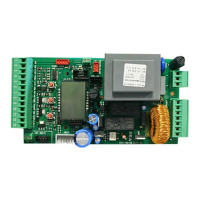
SELECTION OF THE SETTINGS
UPDOWN
USER 1 - 24V DG
PRESS AT THE SAME TIME FOR 5 SECONDS TO ENTER OR TO EXIT THE SPECIAL MENU
SPECIAL MENU FUNCTIONS TABLE USER 1 24V DG
(To enter the Special Menu keep pressed UP and DOWN at the same time for 5 seconds.
To exit the Special Menu pressed END or keep pressed UP and DOWN at the same time for 5 seconds)
Description
Description
Set value
Photocell management
exclusion
Excludes the operation of the
photocell during closing for the
set percentage
For applications with two motors
in master-slave, you can set
the control unit as slave
For applications with two motors
in master-slave, it allows to set
the control unit as master
Master-slave management
Exit special menu
Enter password
Select END and press OK to exit the special menu.
The special menu deactivates automatically after 20 minutes.
Allows the entering of a password
which blocs the modification of the
control unit parameters (see page 16)
Disabled
14
International registered trademark n. 2.777.971
67411535 REV 03 - 05/2013



 To Next Page