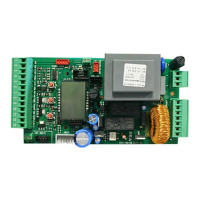
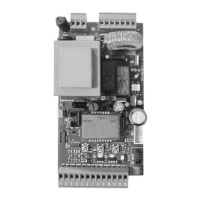
PROGRAMMER JOLLY PARAMETERS ADJUSTMENT
NOTE: For the respect of the valid European ruels on the safety of the electric gates, it is recommended to not adjust the
parameters torque on the value 100%.
USER 1 - 24V DG
Screen 11
Screen 9
Screen 8
Screen 7
Photo2 [Close./Open/stop/park/close imm./rel.pause]
Photo1 [Close/Open/stop/park/close imm./rel.pause]
Flash [Normal/Control/always/beep]
Screen 10
8k2 edge [On-Off] (On ON it allows to connect a balaced edge with 8k2
resistance)
Pos. Recovery [0÷100]% (Percentage of position recovery)
24V aux [Cycle/in open /in clos./pause/ph.test/ph.T.ECO/always]
Start pause [ON/OFF] (On ON and if the autom. clos. is on ON a start will
cause the immediate closure of the gate)
Timer [OFF-Ped-Foto2] (Allows the timer activation on the Foto2 or
pedestrian input)
Mot.inv. [ON/OFF] (Allows to changes at the same time the limit switch
and the direction of motor rotation without disconnecting the cables)
Rev. Mot. [0÷100%] (Activates an inversion at the end of closing)
P.Ped [start, Off, 0÷240 sec] (Differenciates the pedestrian pause from the
total one)
Start [ON/OFF] (Equivalent to giving a test start)
Tl.op.1 [0÷ 100%] (Tolerance between stop and obstacle)
Tl.cl.1 [0÷ 100%] (Tolerance between stop and obstacle)
Event Summarizes the last 10 events that occurred on the unit
L.Timer [Off-On] Allows to keep switched on or off the control light if a Timer
is active
Ph.off: 0% [0÷100%] (Excludes the photocell reading in closing for the
set percentage)
18
International registered trademark n. 2.777.971
67411535 REV 03 - 05/2013



 To Next Page