10JDL V1.0 8 2022
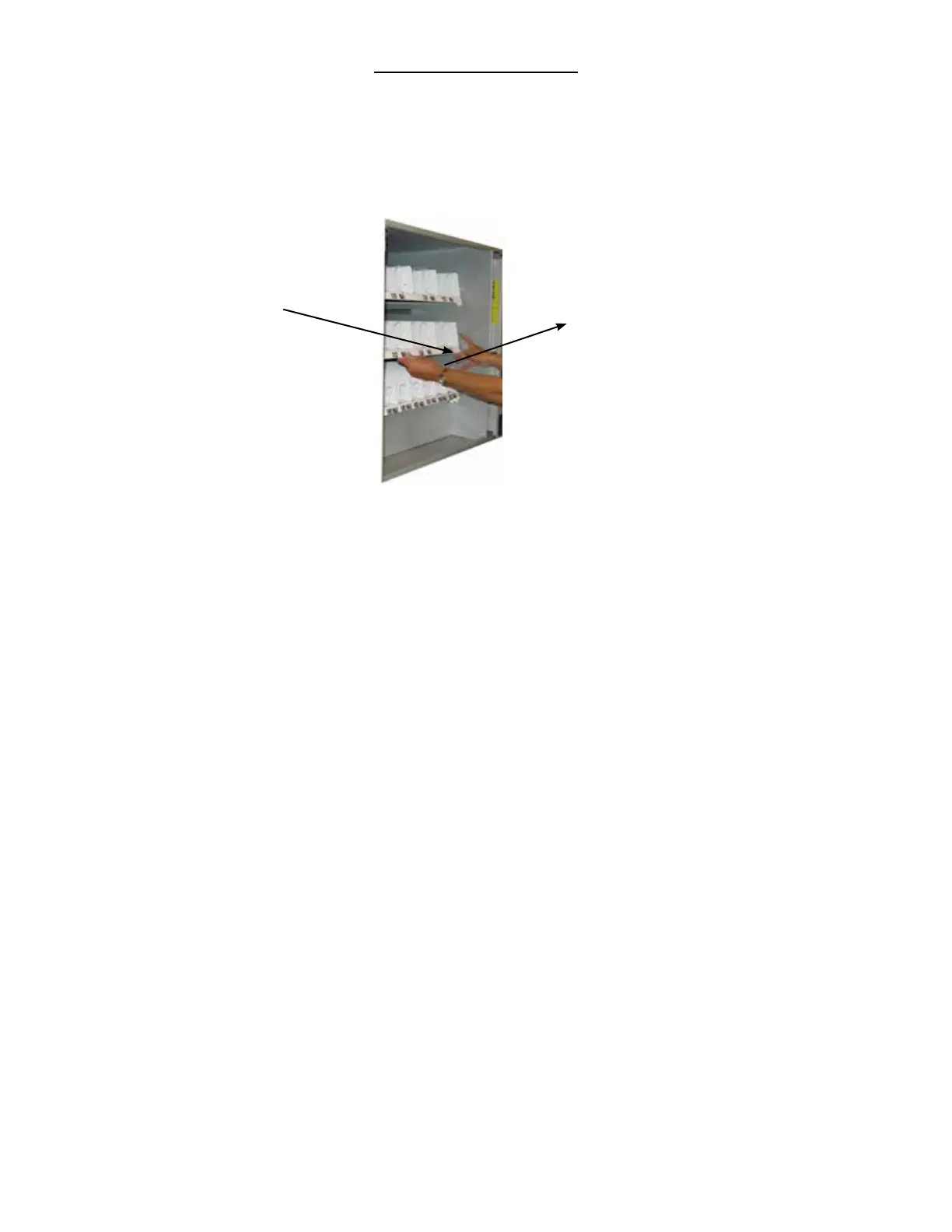
Figure 7 – Slide-out product trays
LOADING PRODUCT TRAYS
Open the front door of snack unit and push down on the plasc lock lever on the right side of the tray to
unlock. Holding the lever down, grasp the tray and li the front of the tray slightly and pull forward. The tray
will slide out and then lt down to make loading of products easier. Load only one product tray at a me (See
Figure 7).
Push down on the
plasc lock lever
Grasp tray while
holding down lever,
li slightly and pull
forward
1. To Load Product in Snack Unit:
a. Pull the desired product tray all the way forward. Product tray will lt down.
Note: Pull out only one (1) product tray at a me
b. Place product in proper size coil.
Note: Boom of product must rest on the product tray and not on the
Coil. Load each column from back to front.
Note: Fill all product trays fully; do not leave any spaces behind or between items
c. Once product tray is fully loaded, li and push it back in.
Repeat steps a through c unl all product trays are fully loaded. Special Note: We suggest that you always
parally ll the tray with product and perform at least ve (5) test vends. Test vends can be performed easily
by entering Service mode and using the test funcon.













 To Next Page