Use Toolkit to Manage LED Color, Set Up
Backups, and More
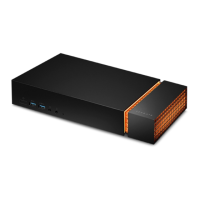
Toolkit helps you easily manage LED color settings for FireCuda Gaming Dock, create and manage backup
plans, and more.
Manage LED color sengs
For leveled-up illumination, use Toolkit to customize FireCuda Gaming Dock's LED with a range of RGB colors
and light patterns.
Click here for details on managing LED color settings.
Set up a backup plan (Windows only)
Create a plan customized for the content, storage device, and schedule of your choosing.
Click here for details on setting up a backup plan.
Create a mirror folder
Create a Mirror folder on your PC that is synced to your storage device. Whenever you add, edit, or delete
files in one folder, Toolkit automatically updates the other folder with your changes.
Click here for details on creating a mirror folder.











 To Next Page