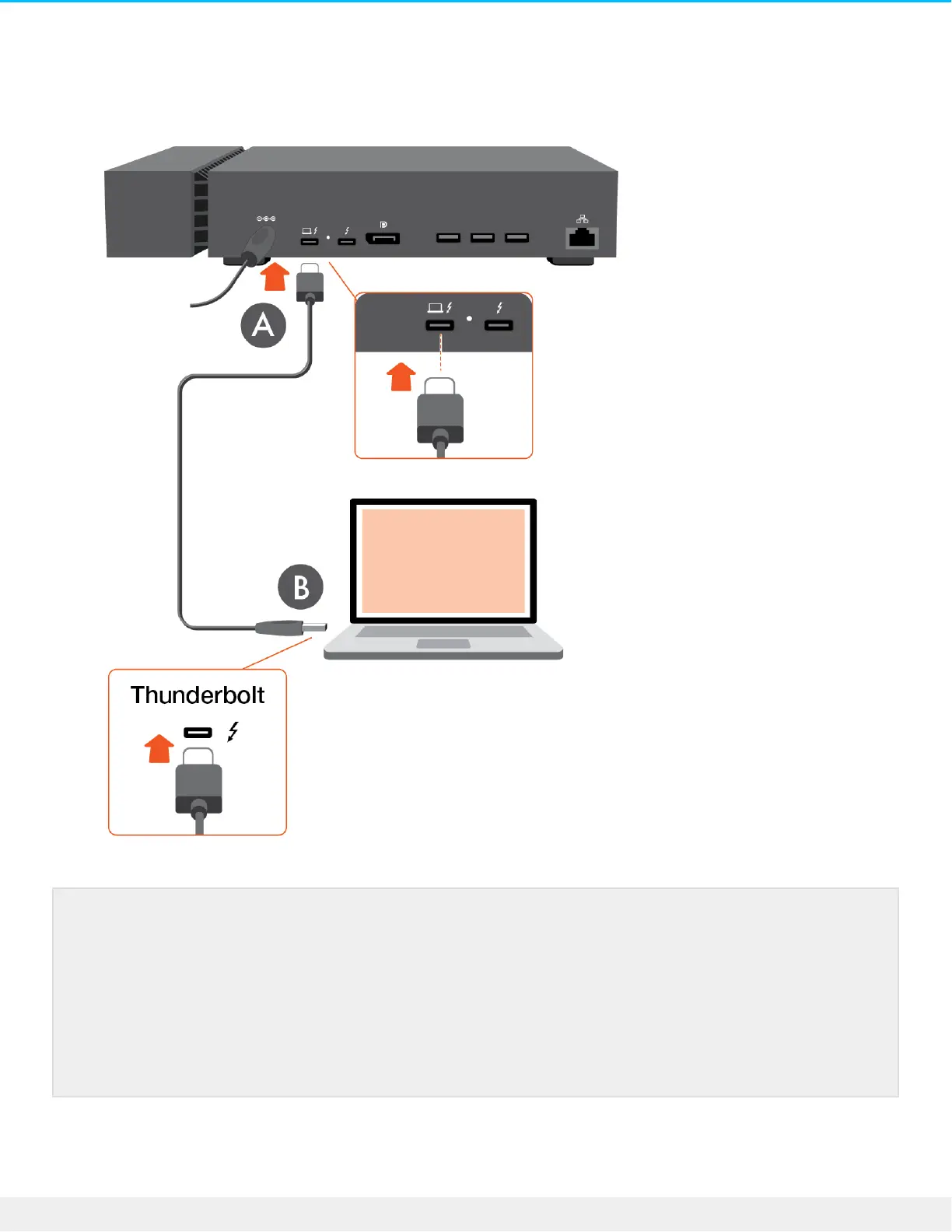
A. The Thunderbolt 3 Host port on FireCuda Gaming Dock.
B. A Thunderbolt 3 port on your computer.
Windows Prompt: Approve Thunderbolt Device
When you first connect Seagate FireCuda Gaming Dock to a Windows PC that supports
Thunderbolt 3, you may see a prompt requesting to authenticate the recently connected device.
Follow the onscreen prompts to approve the Thunderbolt connection to FireCuda Gaming Dock.
For more details on Thunderbolt connectivity to your Windows PC, see the following knowledge
base article.











 To Next Page