Introducon
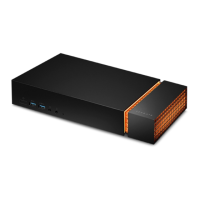
Game harder with Seagate FireCuda Gaming Dock, an elite storage hub that connects an entire desktop
battlestation—keyboard, mouse, USB headset, webcam, display monitor, and more—via one Thunderbolt 3
cable.
For common questions and answers about your hard drive, see Frequently Asked Questions or visit Seagate
customer support.
Box content
FireCuda Gaming Dock
Power supply
Thunderbolt 3 cable
Minimum system requirements
Ports
Thunderbolt 3 port
Operang system
Windows 10 or higher
Minimum free disk space
® ®
®
Important—Save your packaging. If you experience problems with your FireCuda Gaming Dock
and want to exchange it, the device must be returned in its original packaging.
FireCuda Gaming Dock is a Thunderbolt 3 powered hub. Connecting FireCuda Gaming Dock's
host port to a computer's USB port will result in limited functionality:
Lower performance.
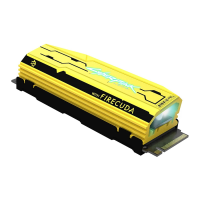
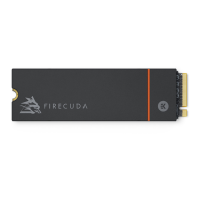
No support for the NVMe SSD expansion drive.
Computer's USB port may not support FireCuda Gaming Dock's DisplayPort function.
®











 To Next Page