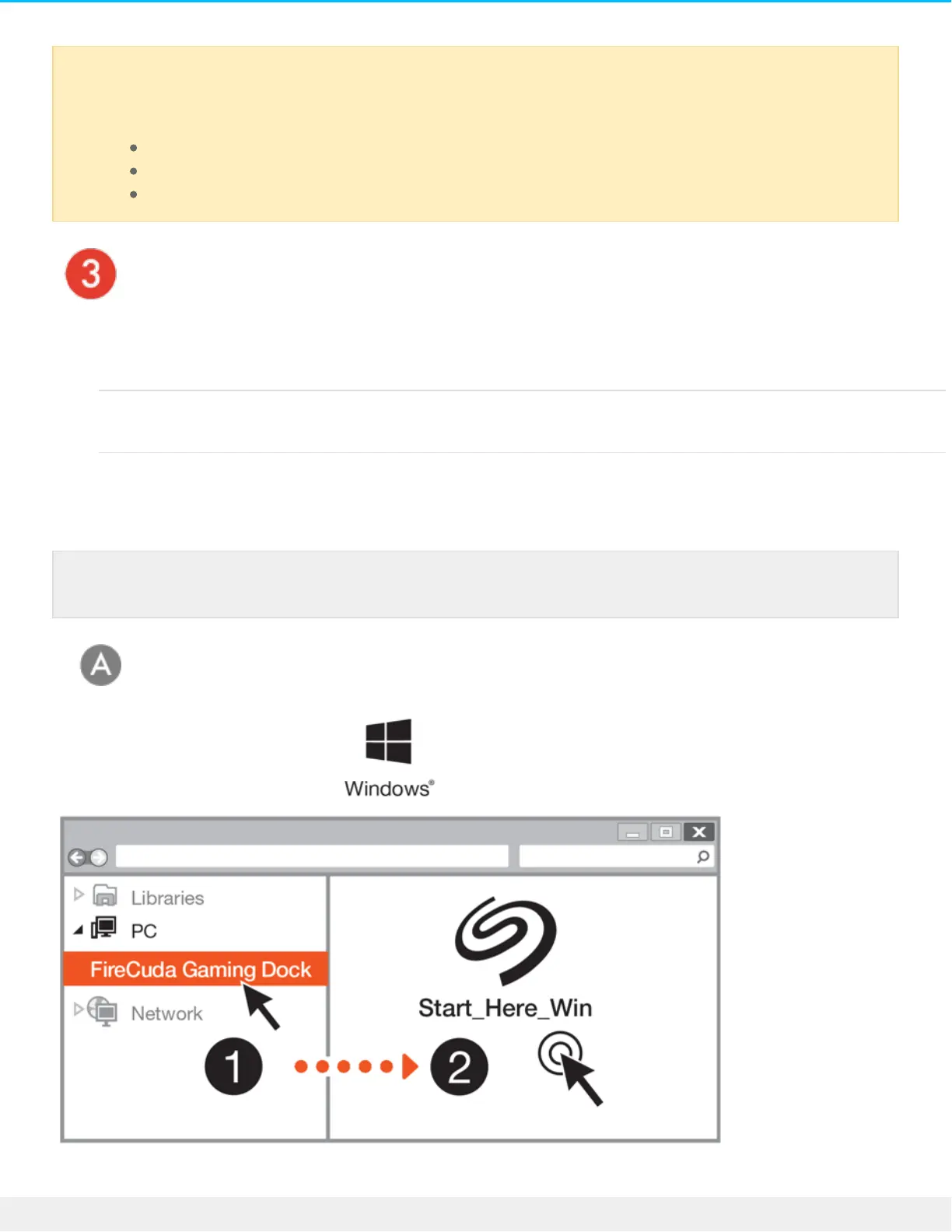
Set up Seagate FireCuda Gaming Dock
The setup process lets you:
Register your Seagate FireCuda Gaming
Dock
Get the most from your drive with easy access to information
and support.
Install Toolkit Manage LED colors, create backup plans, and more.
Start here
FireCuda Gaming Dock is a Thunderbolt 3 powered hub. Connecting FireCuda Gaming Dock's
host port to a computer's USB port will result in limited functionality:
Lower performance.
No support for the NVMe SSD expansion drive.
Computer's USB port may not support FireCuda Gaming Dock's DisplayPort function.
Your computer must be connected to the internet to register your device and install Toolkit.











 To Next Page