Seagate Manager User Guide for Use With Your FreeAgent Drive 12
Backing Up and Restoring Folders on a FreeAgent Drive and to Online Storage
Backing Up and Restoring
Folders on a FreeAgent Drive
and to Online Storage
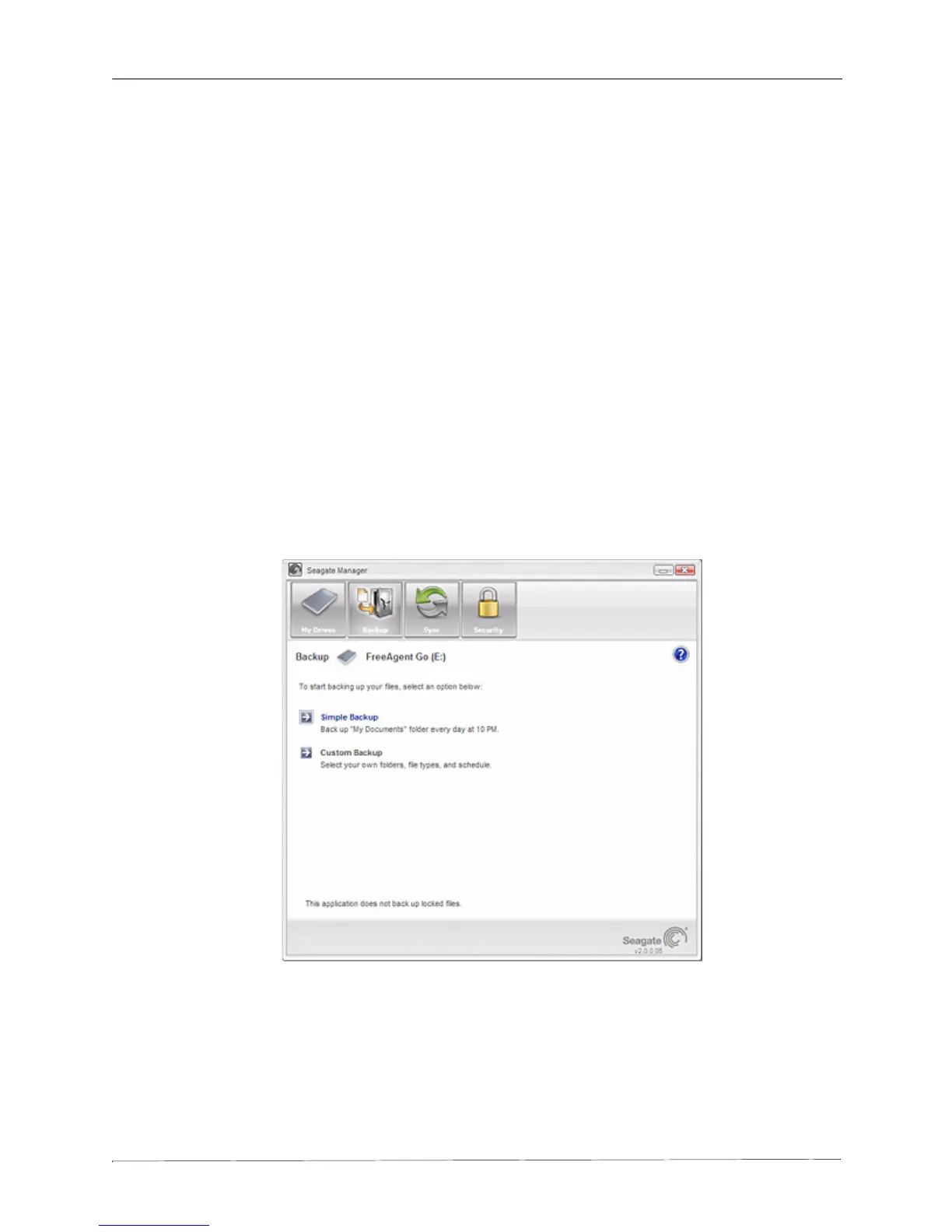
With Seagate Manager, you can back up valuable files to your FreeAgent drive. You can also
back up your files to the Internet, with the Seagate Online Storage feature.
Each file you choose to back up from your computer is copied to your FreeAgent drive or
Seagate Online Storage. If you ever lose one of the original files on your computer, you can
easily restore it from the backup version.
For increased data security, you can back up your files to an encrypted folder on your
FreeAgent. Folder encryption uses AES 256-bit encryption to ensure your private files can’t be
accessed without your encryption password. Files that you back up to Seagate Online Storage
are also encrypted and are protected, as well, during the backup and restore processes, with
a secure connection..
Figure 1: Backup for External Storage











 To Next Page