Seagate Manager User Guide for Use With Your FreeAgent Drive 6
Managing Your Drives Using the My Drives Window
Managing Your Drives
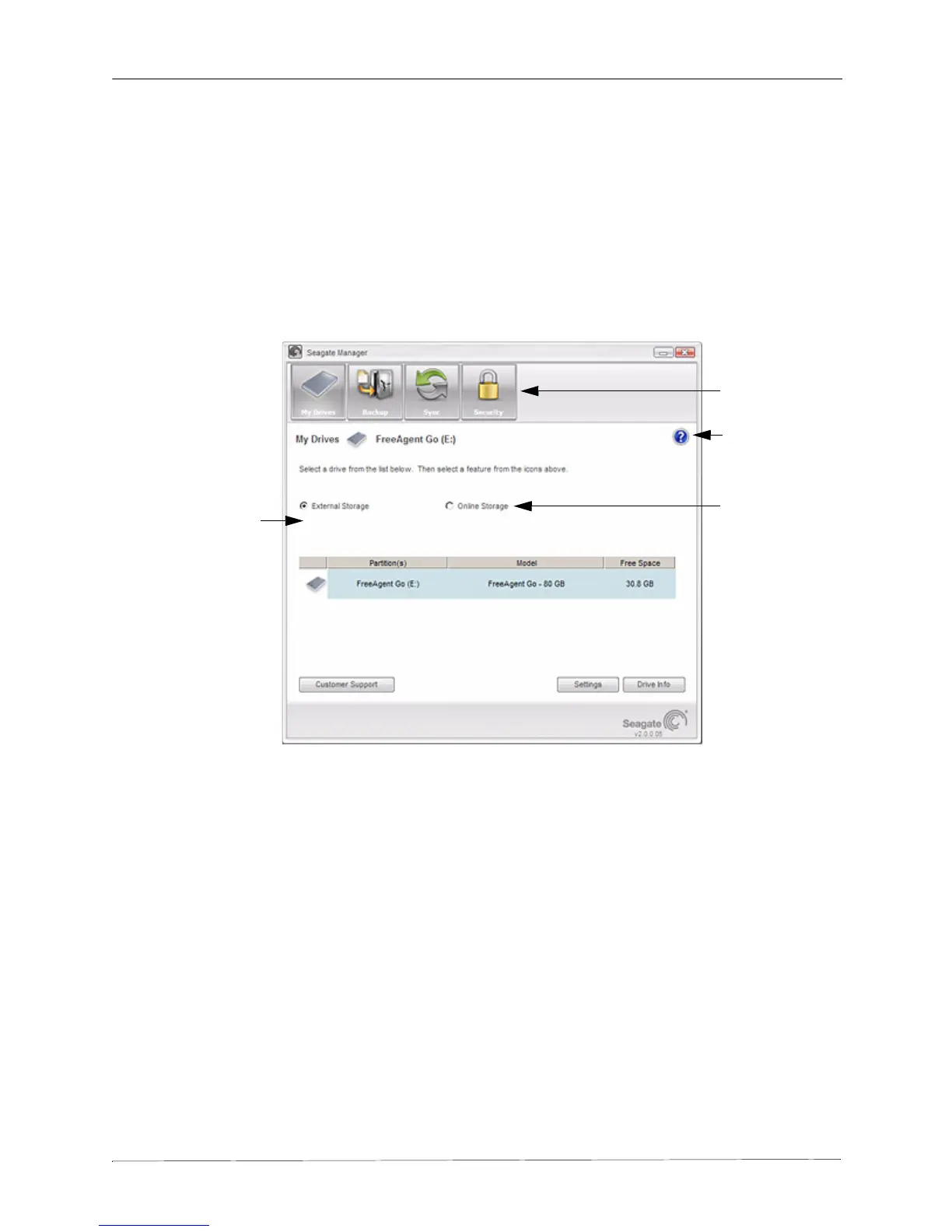
The My Drives window provides a central point from which to manage your Seagate FreeAgent
device. This is the default window that appears when you open Seagate Manager.
You can also get to the My Drives window by clicking the My Drives button in the Command
Panel from any other window within the software.
Using the My Drives Window
In the My Drives window, you first select the storage location and then the feature you want to
use with it.
There are two storage locations:
• External Storage: Store files on your FreeAgent drive
• Online Storage: Store files on the Internet
For details about these different storage methods, see Storage Features
The Command Panel across the top of the window allows you to access Seagate Manager’s
features: Backup, Sync and Security.
Figure 1: My Drives
Command Panel
Help
Online Storage
External Storage











 To Next Page