Seagate Manager User Guide for Use With Your FreeAgent Drive 26
Synchronizing Folders
Synchronizing Folders
With Sync, you can easily keep important files up to date in multiple locations. You select one
or more folders on your computer to synchronize. Whenever any files change or are added
inside your folder(s), they are automatically copied to your FreeAgent.
You can even synchronize folders between different computers, which is convenient way to
move files between a computer at work and a computer at home.
Note: Files cannot be synchronized between computers running XP and those running Vista.
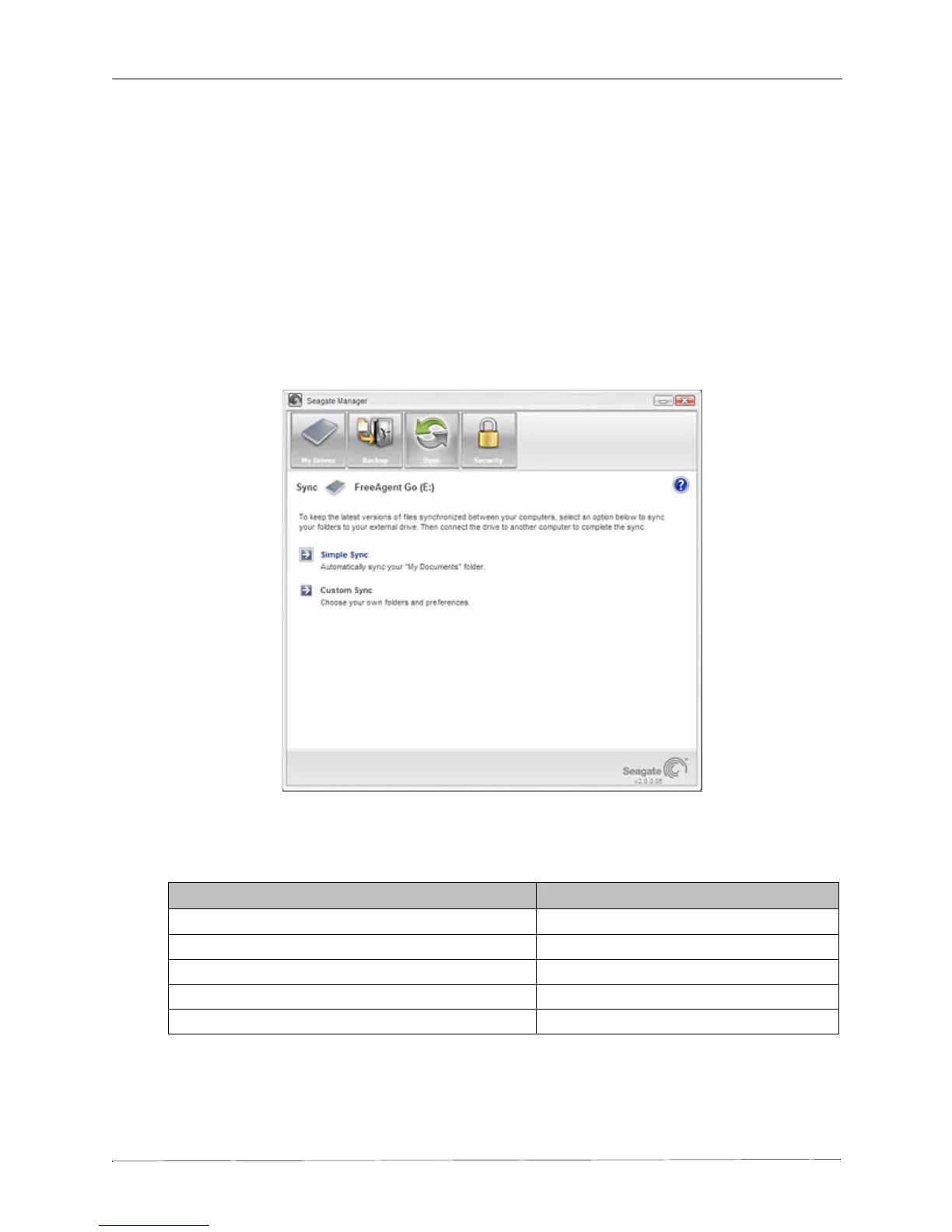
You have these Sync options:
Note: Make sure all computers participating in the Sync are set to precisely the same time to
ensure that Sync works properly.
Figure 1: Sync
Simple Sync: Custom Sync:
Sync XP My Documents or Vista Personal Folder Select one or more folders to sync
Sync all file types Select file types to include or exclude
Sync automatically Select automatic or manual sync
Always overwrite older file versions Set Sync and Copy & Replace Rules
Encrypt synchronized files











 To Next Page