Seagate Manager User Guide for Use With Your FreeAgent Drive 38
Managing Security
Step 2: Click Encryption in the Security window.
The Manage Encryption window opens.
Step 3: Click Open Encryption folder.
The Unlock Folder window opens.
Step 4: Enter your password and click OK.
Your Encryption folder opens.
Note: After you open your Encryption folder on the first computer and user account with which
you use Seagate Manager, it will be saved on that computer so that will never need to
enter it again. When opening your Encryption folder from another computer or user
account, however, you will need to enter your password.
Decrypting Files and Folders
To decrypt files or folders and move them out of your Encryption folder,
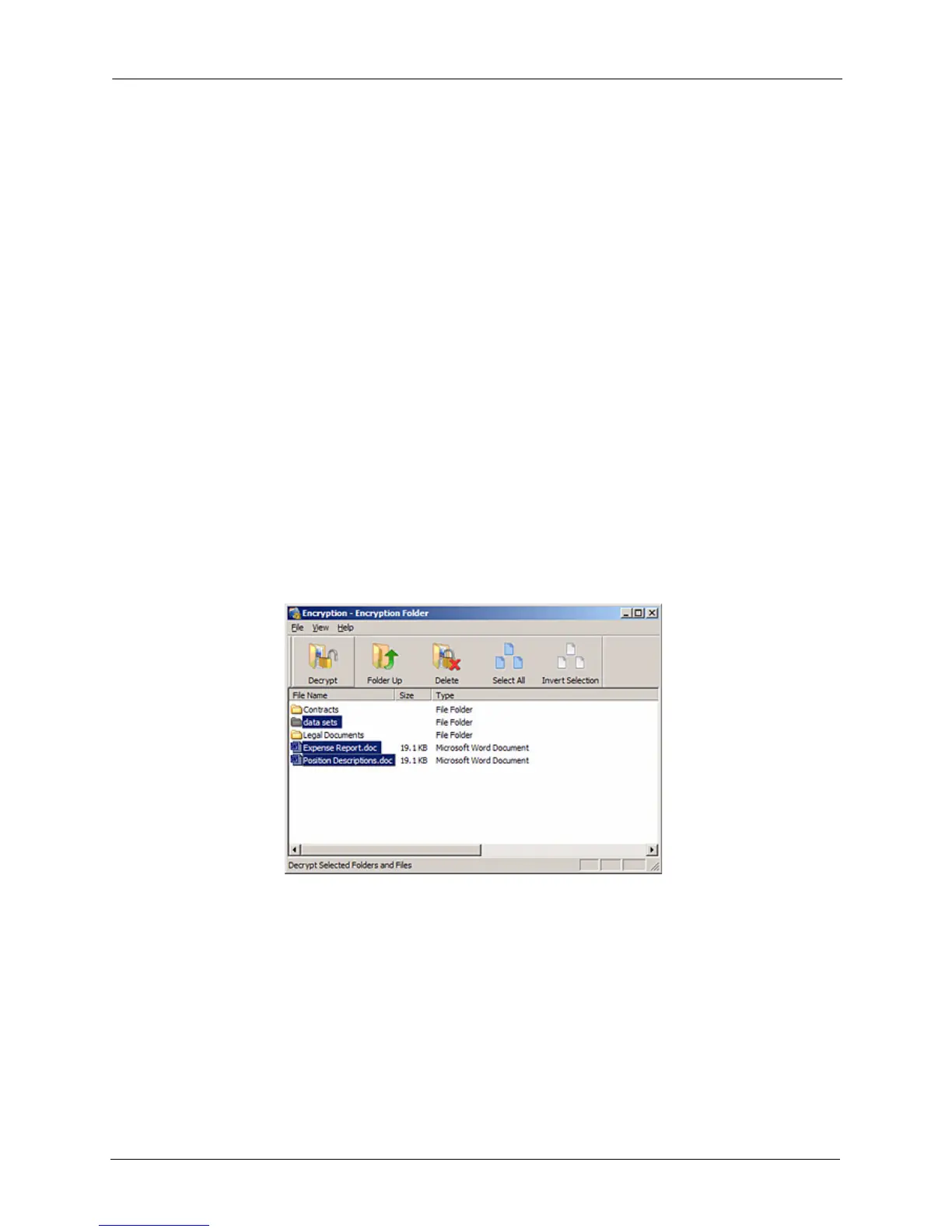
Step 1: Select the items to be decrypted in the Encryption folder and click Decrypt in the
toolbar.
A Select Destination Directory window opens.
Figure 4: Encryption folder - Decrypt Folder











 To Next Page